
Free JPG to Word Converter
Read the text in a JPG and download it as an editable Word document. Free, with no account needed.
Convert a JPG Image to an Editable Word Document
Quick answer: This free JPG to Word converter reads the text in your JPG image or photo and builds a real, editable .docx, not a picture pasted into Microsoft Word. Pick the file, set the language, press Convert Now and download.
How to Convert JPG to Word Online
- Choose your JPG. Drop it on "Drop Image File Here" or press "Select a File". The file size limit is 5 MB, or 15 MB with a free account.
- Set the language. "Language in the picture" starts on English and never guesses. Optional: "Add the original picture at the end of the document".
- Press Convert Now once. Then wait: a clean page usually takes 3 to 10 seconds, longer when busy.
- Download and check. Scroll to the Result card, open "Recognized text", compare it with your picture, then press Download.
What the Word File Contains
A short line at least 1.45 times the body text height can become Heading 2, or Heading 1 from 1.9 times. Letter height decides, so Word's default heading sizes often fall short.
Wrapped lines mostly join into paragraphs. Address lines usually keep their breaks, but lowercase verse tends to run together.
JPG to DOCX here produces an Office Open XML (DOCX) file written with python-docx.
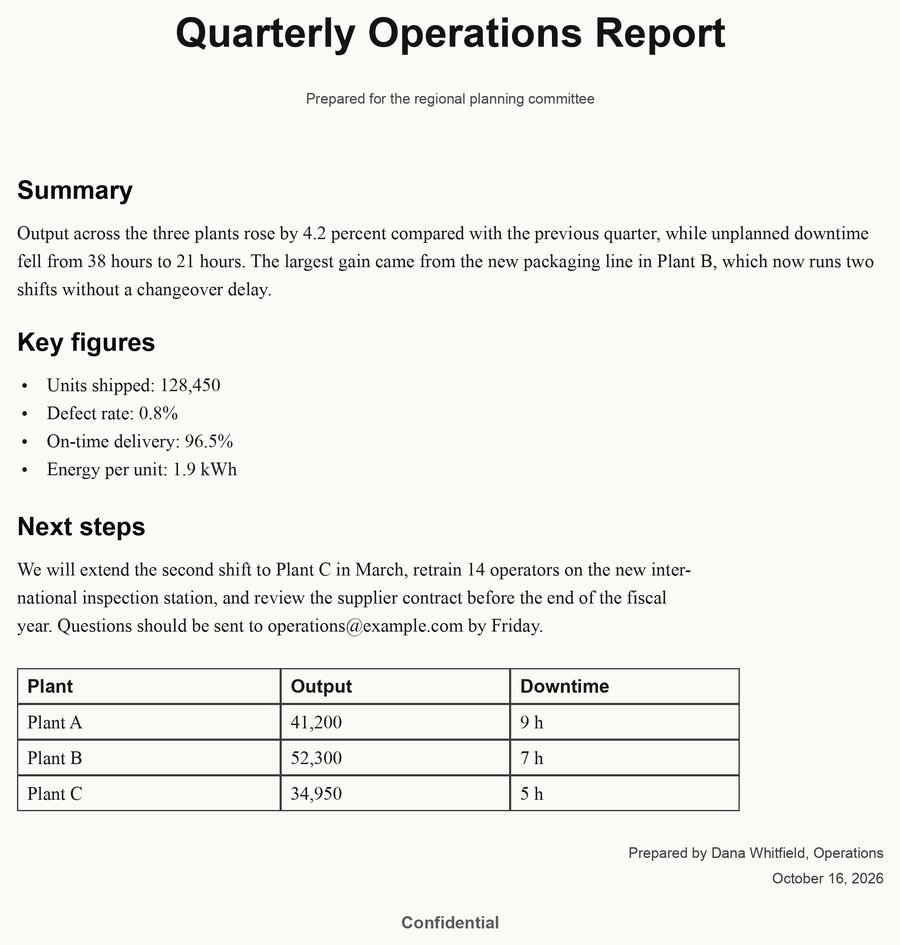
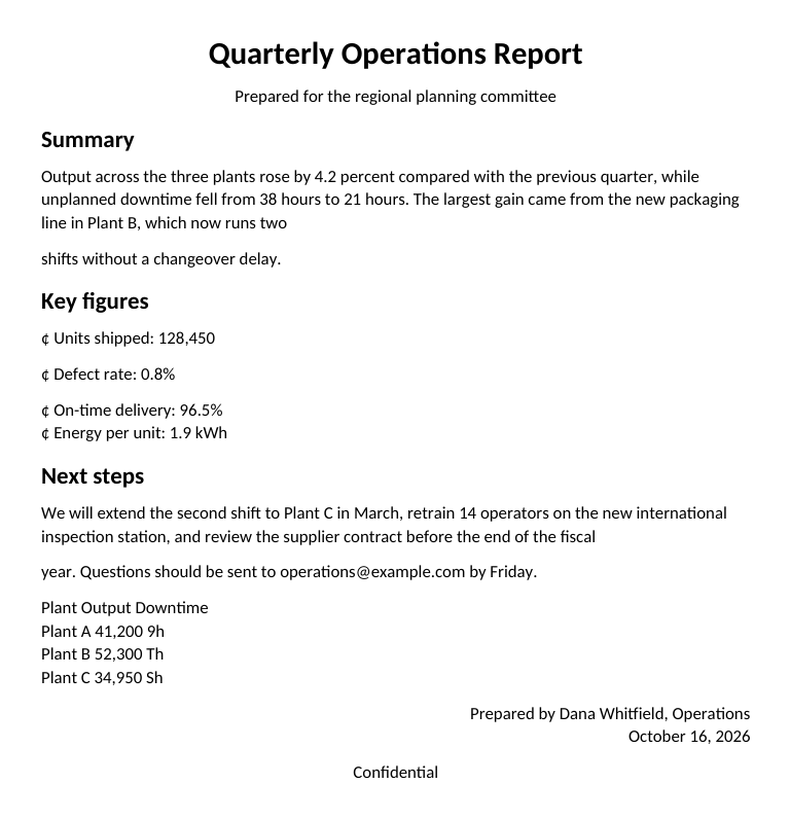
Generated page and its Word file in LibreOffice Writer: the table became lines, the dots cent signs.
How Accurate Is JPG to Word Conversion?
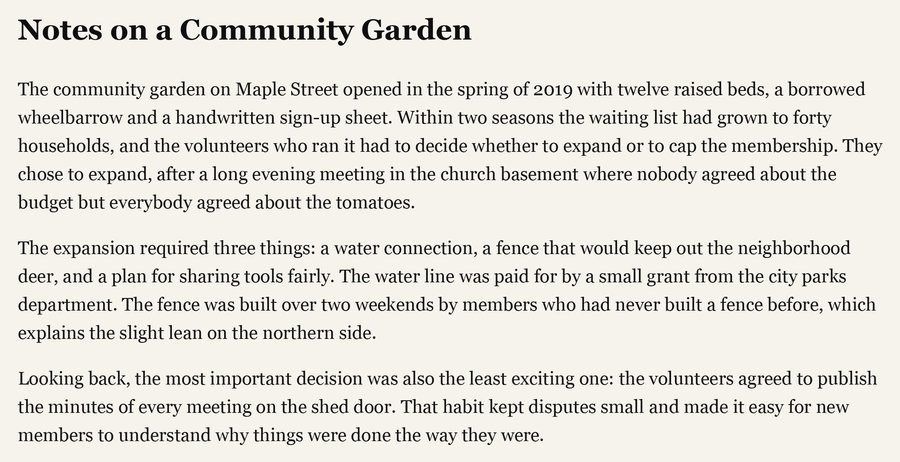
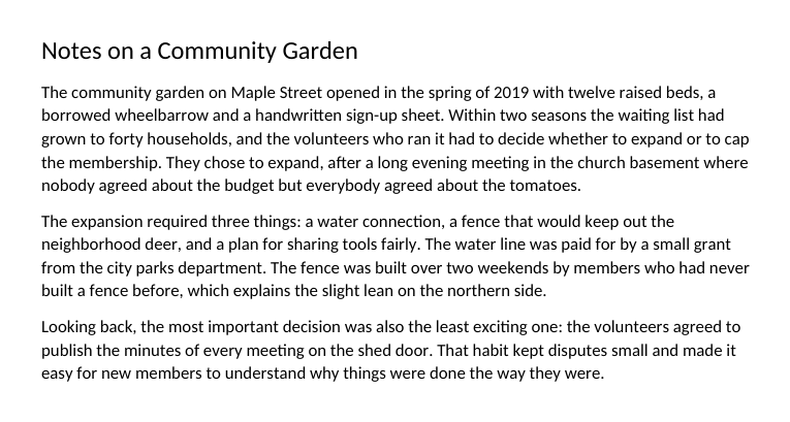
Every row starts from a generated test page 1,700 pixels wide. The busy page adds a table it partly misreads. Words right ignores case, punctuation and symbols.
| Picture | Words right |
|---|---|
| Text page, sharp | 100% |
| Text page, hand shadow | 94.3% |
| Text page, bowed like a book | 17.0% |
| Busy page, sharp | 95.7% |
| Busy page, sideways or upside down | 95.7% |
| Busy page, tilted 15 degrees | 95.7% |
| Busy page, light blur | 87.9% |
| Busy page, heavy blur | 5.0% |
Real photos may differ, so read the preview. Average confidence is only an estimate: the bowed page reported 83%.
What This JPG to Word Converter Cannot Do
- Tables and styling. A table becomes lines of text. Columns, bold, italic, colors and fonts are not rebuilt. A heading may stay plain.
- Bullet list. On a sharp, upright page, hyphen and dash bullets usually become Word bullets. Round dots do not.
- Paragraphs. They often split, and a stray line break can stay mid-sentence.
- Handwriting. Not supported.
- Other formats. JPG and JPEG only. Convert PNGs with the JPG Converter first.
Tips for a Cleaner Word Document
- Shoot flat and sharp. Blur, bowing and heavy shadow hurt most. Grain did not, and image deskewing straightens about 15 degrees of tilt.
- Rotate short pages first. A sideways or upside-down page under roughly 30 words may not be turned upright.
- Engine advice. Read Tesseract's image quality guidance.
File Limits, Speed and What Happens to Your File
Our JPG to Word converter refuses pictures over 60 megapixels: scale them down. Shrink a file over 5 MB with the Image Compressor. After "Several pictures are being converted right now" the upload box is empty: choose the picture again, wait and press Convert Now.
We delete the picture once it is read, the Word file about two hours later.
Related Free Tools
Need text or a PDF instead?
Frequently Asked Questions
Frequently Asked Questions (FAQs) is a list of common questions and answers provided to quickly address common concerns or inquiries.
Can I convert a JPG to an editable Word document for free?
Why does my converted text have mistakes?
Does it keep tables, bold text, fonts and columns?
Which languages and picture formats can I use?
Can I convert several JPGs into one Word file?
What happens to my picture and my Word file?
Can I convert a photo to Word from my phone?
