Best On-Page SEO Checker for Small Business: What to Use and What It Misses
 Kendall Chris
Updated

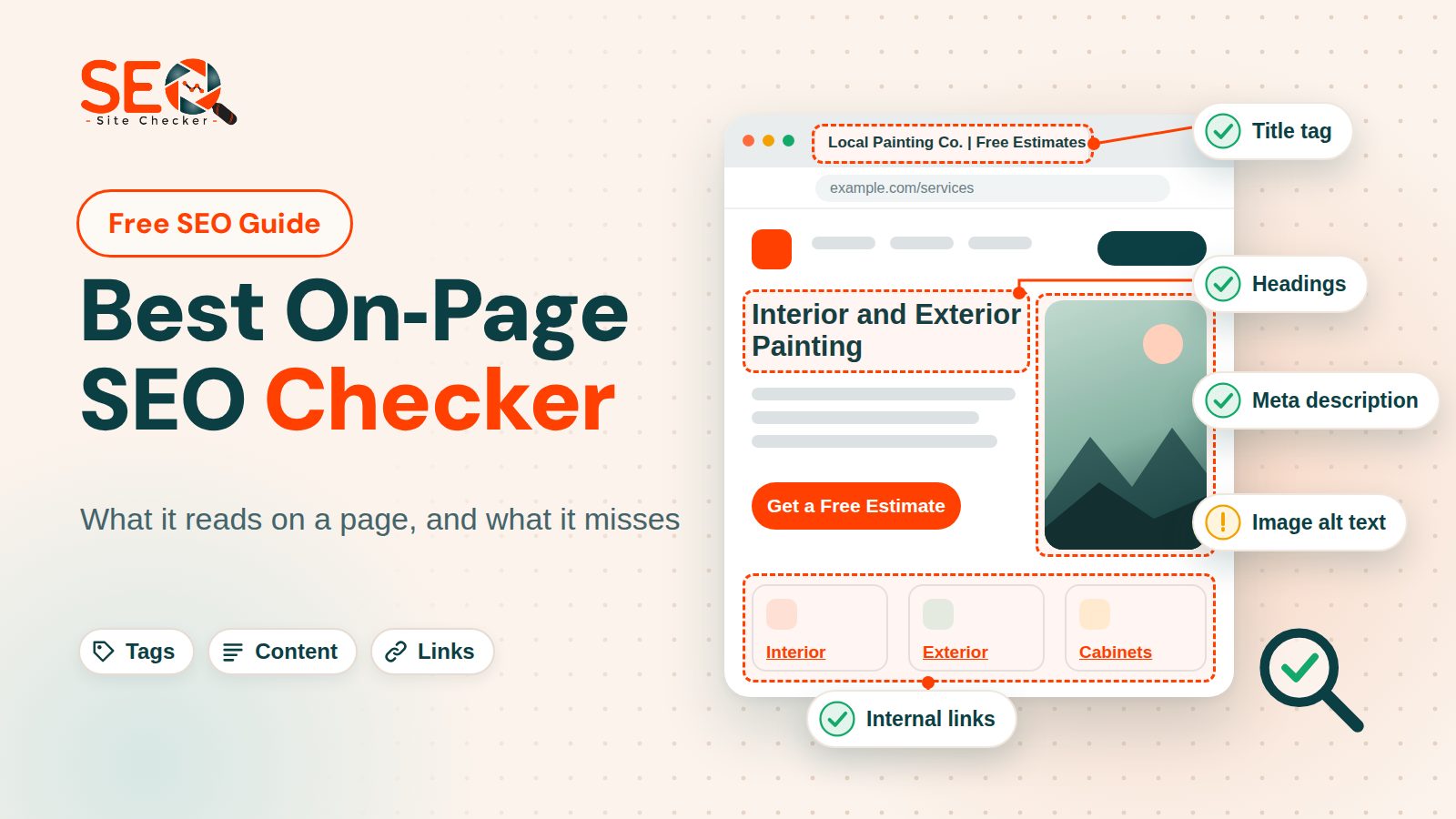
What Is an On-Page SEO Checker, and Which One Should You Use?
Quick answer: The best on-page SEO checker is the one that fits the job. A checker reads one page's HTML and flags what is missing or malformed, but it cannot see rankings or tell you whether Google indexed the page. For a small business website, run a free single-page checker on the home page and the pages that earn money, then confirm in Google Search Console.
The same tool goes by other names, such as on-page SEO analyzer, on-page SEO audit tool or website SEO checker: one URL goes in and a list of findings comes out. For a single URL a free one is usually enough, and our own free on-page SEO checker is one option. Other on-page SEO tools do other jobs: a plugin advises while you write, a crawler finds duplicate titles across a whole site, and Search Console shows what Google stored.
We publish one of the tools compared here. Facts about the others come from each tool's own page, which we read in November 2026, and we did not run them.
What an On-Page SEO Checker Reads and What It Cannot See
A checker fetches the HTML of one URL and compares it with a fixed list of rules. Everything on that list lives inside the page, from the title element (often called the title tag) to the headings and image attributes, so anything outside the page is invisible to it.
| Reads on the page | Cannot know |
|---|---|
| Title element and meta description length | Whether they earn the click |
| H1 heading count and heading structure | Whether the headings help a reader |
| Whether images have alt attributes | Whether the alt text is accurate |
| Canonical link and robots meta tag | Which URL Google actually chose |
| Structured data that parses | Whether Google shows a rich result |
| HTML size or visible words | Whether the content matches search intent |
The tools say so themselves. Wincher's page says its checker ignores off-page factors such as links and does not judge content quality, and its FAQ adds that a full score can still fail to rank. SiteGuru's page says duplicate titles across a whole site, orphan pages and redirect chains need every page, not one. Blind spots differ, though: Semrush's page says its audit reviews backlink signals.
Our report audits one URL and runs more than 60 scored checks, grouped into Seo, Speed optimizations, Server and Security, and Advance, plus a separately scored AI Search Readiness block. It takes no target keyword, has no backlink or rank data, and checks only the first 30 links on a page for errors. Its speed numbers come from one lab run in headless Chromium on our server, not field data. For what Google says about each on-page element, start with our on-page guide.
How to Choose an On-Page SEO Checker: Six Questions
These six questions, not a score from us, are what "best" means in this post. The best on-page SEO checker for small business owners is the one that answers yes to most of them for the page they are about to change.
- Does it check the page you will change? A checker reads one page at a time, so paste the service page that earns money, not only the home page.
- Does it ask for a target keyword? Wincher's checker takes a URL and a keyword, while ours and SiteGuru's take a URL only. A keyword-aware check suits a page written around one phrase.
- Does it show how it judges each row? Thresholds differ from tool to tool, so a row you can read beats a bare number.
- Does it explain the fix in plain language? Ours puts a How to Fix button with steps and a guide on failed and warning rows. SiteGuru's page says a button writes a replacement title, description or H1, and Backlinko's says every check carries a tip.
- What are the free limits, in the tool's own words? Some free tiers carry a daily limit, and the comparison below gives each one as its page words it. Limits change, so read the page again before you plan around one.
- Does it say what it does not cover? SiteGuru and Wincher do, plainly. Be wary of a one-URL tool that calls itself complete.
Free On-Page SEO Checkers Compared
Which is the best on-page SEO checker for you depends on the six questions above. The table gives free access as each page words it, and Wincher's page states no limit or sign-up rule, so none is claimed. Every fact comes from the tool's own page, read in November 2026.
| Checker | Input and free access | What its page says it checks |
|---|---|---|
| SEO Site Checker report | A URL, no keyword; free to run | More than 60 scored checks plus a separate AI readiness block |
| SiteGuru On-Page SEO Check | A URL; its page says free, no sign-up | 15 on-page rules, from title to indexability and SSL |
| Backlinko SEO Checker | A URL; three free checks a day, no account | A 0 to 100 score from 38 checks in eight areas |
| Seobility SEO Checker | A URL; its free Basic plan lists five checks a day | Meta, quality, link, server and external sub scores; claims over 200 factors |
| Wincher On-Page SEO Checker | A URL plus a target keyword | Title, headings, body, meta, media, code and URL; no off-page factors |
| Semrush SEO Checker | A domain or URL; its page says one free check a day | An overall score and a prioritized to-do list |
Our report. It reads one page and has no keyword field. As a guest you see the score, the overview with its passed checks, warnings and failed checks, and what each check found and why. The detail lists inside many checks need a free account, and so do Save Report and Download PDF. A run took about ten seconds in our test on November 1, 2026. For reading a full report line by line, see how to read a full report step by step.
Checkers that ask for a keyword. Wincher grades the page against the phrase you give it, so pick the phrase first. It scores keyword placement in the title, the H1 and the body, and its page says it does not judge content quality and asks you to treat the result as a rough estimate. A keyword-aware check rewards fit to one phrase, while a URL-only check has no phrase of yours to measure the page against.
Checkers from larger platforms. Backlinko, Seobility and Semrush each sit the free checker beside a larger product, and their own pages draw the line. Backlinko's says its checker is powered by Semrush data. It also says the checker covers one page per run and concentrates on on-page factors. Seobility's says its paid plans analyze more than a single URL. Semrush's calls the free checker a quick snapshot and says its Site Audit crawls the entire site.
On-Page Checkers Inside WordPress
A WordPress SEO plugin is a checker too. Yoast SEO and Rank Math are two widely installed ones: their WordPress.org pages show more than 10 million and more than 4 million active installations in November 2026. Yoast's page says the plugin is free with paid extras and lists an SEO analysis, a readability analysis and search result previews. Rank Math's lists optimizing a post for multiple focus keywords, five by default.
Both score a post against a focus keyphrase while you write, before you press Publish. Their pages list more than that: Rank Math lists an SEO analysis of your site and a Search Console integration, and Yoast lists a front-end SEO inspector and Search Console insights through Google Site Kit. Read the feature list of whichever you install. The plugin checks at the moment you write, and a standalone checker checks the finished page.
Why Two Checkers Score the Same Page Differently
Each tool sets its own pass or fail threshold, because Google publishes few hard numbers for on-page elements, so two tools can grade one title differently without either being wrong.
| Rule | What Google says | What checkers use |
|---|---|---|
| Title length | No length limit; the displayed link is cut to fit the device width | Ours 10 to 70 characters; Wincher's page 30 to 60 |
| Meta description | Snippets come mainly from page content; the description is used when it fits better | Ours 50 to 160 characters; Wincher's page about 120 to 160 |
| Headings | No set number of headings; order does not matter to Google Search | Ours exactly one H1; Wincher's page one H1 under 40 characters |
| Word count | No word count target, minimum or maximum | Wincher at least 500 words; SiteGuru flags under 300; ours 800 HTML characters |
Google's wording is looser than any checker's. Google's SEO Starter Guide says a page has no word count target, minimum or maximum, and no ideal amount of headings. Its title link documentation adds that a title element has no length limit but the displayed link is cut to fit the device width, and its snippet documentation says snippets come mainly from the page content.
Three habits follow. Compare a page before and after a change in the same tool, not one tool's score with another's. Remember that a pass means the element exists in a valid shape, not that it is good. And treat a full score as hygiene: Wincher's own FAQ says such a page can still fail to rank.
The same page can also score slightly differently between runs. Eleven runs of our own home page on October 31, 2026 produced only three scores, 79.71, 81.16 and 82.61, because Total Blocking Time and CSS caching flip from run to run. Our note on what the score means has the rest.
A Worked Example: Checking a Local Service Business Home Page
On November 1, 2026 we ran the report on the home page of a family-owned painting contractor, leaving out its name and towns. It returned 69 scored checks: 54 passed, 8 warnings and 7 failed, for a score of 78.26, with AI Search Readiness at 97. Three runs gave identical counts.
| Row | What the report found | Worth fixing here? |
|---|---|---|
| Title and description | A 54-character title naming the service and a town; a 153-character description | Already fine |
| H1, canonical, noindex | One H1, one canonical link, no noindex tag | Already fine |
| Structured data | Three valid JSON-LD blocks, including a local business type and FAQPage | Fine; validate the fields separately |
| Image alt text | Warning: 38 of 116 images have an empty alt | Mostly no; read the note below |
| Social tags | Failed: all 11 Open Graph and Twitter tags missing | Yes if you share links; it shapes previews |
| ads.txt | Failed: the file returns a 404 | No; only sites that sell ads need one |
| Console errors | Failed: the browser blocked outside requests under the site's security policy | Ask the developer; it is not an on-page fix |
A score of 78.26 looks middling, yet the rows for the title, description, headings, canonical link, viewport meta tag and indexing were already green. The failed rows are mostly housekeeping rather than the on-page basics. Image alt text is the one worth reading closely, because it shows why you read a row and not the number.
Our row counts an empty alt as missing, although an empty alt is the correct markup for decorative art, so on decoration the warning is a false positive. In the page as the browser renders it, 33 of the 38 flagged images sit in markup hidden from screen readers, one is a tracking pixel inside a noscript tag, and four have an empty alt without being hidden. Those four deserve a look: a logo that is the only label on a link needs a name, a decorative picture does not. The other 78 images carry alt text.
Two more limits. The Google Analytics row passed. This page's tag loads after the HTML is parsed and our row looks again for up to four seconds, while a checker that decides the moment the HTML is parsed can report such a tag as missing. No report can tell whether the title matches what people search for, or see the Google Business Profile and its reviews. On speed, lab Largest Contentful Paint was about 0.3 seconds.
The missing social tags matter only if people share the page, because the Open Graph protocol tags shape its preview card. Fixing the failed rows would raise the score, and a score is not a ranking, so open Search Console to see which queries the page really shows for. This is one real page, not a typical small business, and reading an SEO audit report covers ordering fixes on a full report. Then run a checker on your own home page and one service page.
What to Fix First on a Small Business Page
If you are a non-technical owner doing do-it-yourself SEO, treat the issue list as a to-do list, not a verdict. Sort it by severity, then take the priority fixes in this order.
- Let the page be indexed. Make sure there is no noindex tag and that the canonical link, also called the canonical tag, points to the page itself. A page Google cannot index cannot appear, however tidy its title is.
- Write the title element for a person. Use the service, the place and the brand, with one title per page, in words a customer would search. See writing the title element for the steps.
- Give the page one H1 heading that says what it offers. Our report asks for exactly one. Google's guide sets no number, so treat that as tidy structure and not as a rule.
- Make the meta description read like an answer. Google may rewrite it from the page content anyway. The Meta Tag Analyzer shows how your title and description read together.
- Add alt text to real photos. Describe what the picture shows for someone who cannot see it, and leave decorative images empty on purpose.
- Match local business schema to your Business Profile. Use a schema.org LocalBusiness type or a subtype with the same name, address, phone and service area, then check the markup with the Schema Markup Validator.
What a One-Page Check Misses: Crawlers, Search Console and Paid Platforms
Crawlers. A site-wide crawl visits every page, which is how you find the duplicate titles across pages, broken links and redirect chains that a one-URL check cannot. Screaming Frog SEO Spider is a website crawler for Windows, macOS and Linux, and its page lists a crawl limit of 500 URLs for the free version, with no sign-up or email capture. That free list includes broken links, page titles and meta data, meta robots and exact duplicate pages. Whole-site tools have their own roundup of free SEO audit tools.
Search Console. It is a free Google service, and Google's URL Inspection tool help page says it provides information about Google's indexed version of a specific page and lets you test whether a URL might be indexable. It also says the live test cannot predict which canonical Google will choose. The Performance report shows search performance over time: queries, clicks and impressions, plus average position. A checker reads the live page; Search Console is where you see the indexed version of a page.
Paid platforms. Semrush's page says its Site Audit crawls the entire site, tracks progress over time and schedules automatic audits. SiteGuru's says it crawls everything once you connect a site, and Seobility's paid plans, as above, go beyond a single URL. A paid platform suits many pages or several sites, and in our view a site of a few dozen pages rarely needs one. For the wider free toolkit, with keyword, listing and speed tools, see the free SEO toolkit for a small business.
US and UK Businesses: What a Checker Cannot Tell You About Local Search
A checker reads HTML, and HTML has no country. What separates a US business from a UK one lives in the copy and details: spelling, units, currency, phone and address format, and the lang attribute (en-US or en-GB), which our report only checks is present. Local map results run on a different system. Google's Business Profile help explains how Google ranks local results: mainly relevance, distance and popularity, with no way to pay for a better position. So a clean report supports the website and does not move the map listing. The Google documentation we read gives no separate on-page rules for the US and the UK, and we have no data on regional differences.
Frequently Asked Questions
Frequently Asked Questions (FAQs) is a list of common questions and answers provided to quickly address common concerns or inquiries.
What is an on-page SEO checker?
An on-page SEO checker is a tool that loads one page, reads its HTML and tests it against a list of rules: the title element, meta description, headings, alt text, canonical link, robots meta tag, structured data and links. It returns a score and a to-do list. It reads the page, not Google, so it cannot show rankings or whether the page is indexed.
What is the best free on-page SEO checker?
There is no single best on-page SEO checker, only a best fit for the job. For one URL, a free single-page checker works, and this post compares ours, SiteGuru, Backlinko, Seobility and Semrush. For a keyword-aware check, Wincher's takes a keyword as well as a URL. For WordPress, use a plugin. For what Google indexed, use Search Console. When two tools disagree, compare rows, not scores.
Are free on-page SEO checkers good enough for a small business?
Yes for a site of a few dozen pages, in our view, because a checker reads the main elements you can edit on a page. It cannot crawl the whole site for duplicate titles, track change over time or show rankings. Signs you have outgrown it are many pages, several sites or a need for scheduled audits. A free crawl of up to 500 URLs, which the Screaming Frog page offers, is the usual next step.
What is a good on-page SEO score?
There is no standard scale, because each tool computes its own. Ours is the share of scored checks a page passes, Backlinko's page describes a 0 to 100 score, and Seobility's page calls 80 percent and above a strong foundation. Among the 274 scored sites we audited on October 31, 2026, the median was 71 and about 6 percent reached 80. Compare the same tool before and after a change, because a score does not predict rank.
Why does my page score well but still not rank?
A checker scores page hygiene, not competition, links or whether the content matches what searchers want. Wincher's own FAQ puts it down to external ranking factors, which a page check cannot see. The Google SEO Starter Guide says compelling and useful content will likely influence your presence in search results more than its other suggestions. Open Search Console to see queries, impressions and position, then compare your page with the ones that rank.
How often should I run an on-page SEO check?
Run one after you change a page and before a launch, then look monthly at the few pages that carry traffic or revenue. Daily checks add noise, because the same page can score slightly differently between runs; eleven runs of our home page gave three different scores. Judge each change in Search Console, not in the checker, once Google has recrawled the page.
Do I need more than one on-page SEO checker?
Not at first. One checker for the page and Search Console for Google's view is enough. Add a second only to cross-check a row you doubt or to get something the first lacks, such as a keyword input or a crawl. Two scores will differ because the thresholds differ, so compare the rows they flag, not the numbers.
Does it matter if my business is in the US or the UK?
A checker reads HTML, which has no country, and the Google documentation we read gives no separate on-page rules by country. What differs lives in your content and details: spelling, units, currency, phone and address format, and the lang value. Local map results run on relevance, distance and popularity, per Google's Business Profile help, so an on-page check supports the site, not the map listing.