



Need a QR code in a hurry? You don't have to install anything or pay a cent to get one. With a free QR code generator, you can turn any link, whether it's your website, a menu, a WiFi network, or a business profile, into a scannable code in a matter of seconds. Just paste your link into the tool above, customize it if you like, and download it in the format you need.
Below, we'll walk through exactly how QR codes work, the different types you can create, and how to make sure yours looks good and scans reliably every single time.
What Is a QR Code and How Does It Work?
A QR code, short for Quick Response code, is a square pattern made up of black and white pixels that stores information in a way a smartphone camera can read instantly. Unlike a traditional barcode, which only holds a small string of numbers in one direction, a QR code stores data in two directions, so it can pack in far more information, such as a full web address, contact details, or a WiFi password.
The technology was originally invented in 1994 by Denso Wave, a Japanese company that needed a faster way to track vehicle parts during manufacturing. You can read more about its history of QR codes on Wikipedia if you're curious about how it evolved from an industrial tool into something almost everyone now carries in their pocket.
When you point a camera at a QR code, the phone detects the pattern, decodes the embedded data, and shows you a link or piece of information you can act on with a single tap. No typing, no searching, and no room for typos.
Why Use a Free QR Code Generator?
There's no real reason to pay for a QR code unless you need advanced features like scan tracking or the ability to change the destination link later. A free QR code generator gives you everything most people actually need, and it does it without the hassle.
Here's what you get with a free tool:
- No cost. Static QR codes are typically free forever, with no hidden fees or trial periods.
- No expiration. Once you generate a static code, it works permanently as long as the destination link stays active.
- No reprinting headaches. Since the code doesn't change, you can print it once on business cards, flyers, or packaging and use it indefinitely.
- Instant results. Most tools generate your code the moment you paste your link, so there's no waiting around.
- A bridge between offline and online. A QR code lets someone go from a printed poster or menu straight to your website, social profile, or contact card without opening a browser and typing anything.
Whether you're a small business owner, an event organizer, or just someone who wants to share their WiFi password without spelling it out loud, a free generator covers the job.
How to Create a QR Code for Any Link (Step-by-Step)
Making a QR code takes less time than it takes to read these instructions. Here's the process:
- Paste your URL or content. Enter the link, text, or contact details you want the code to point to.
- Choose your QR code type. Select whether it's a website link, vCard, WiFi network, email, or another format.
- Customize the design (optional). Adjust the colors, add a frame, or upload your logo so the code matches your branding.
- Generate the code. Click the generate button and your QR code will appear instantly.
- Download it. Save it in PNG, SVG, or PDF format, depending on where you plan to use it.
That's it. No account creation, no software downloads, and no waiting for approval.
Types of QR Codes You Can Generate
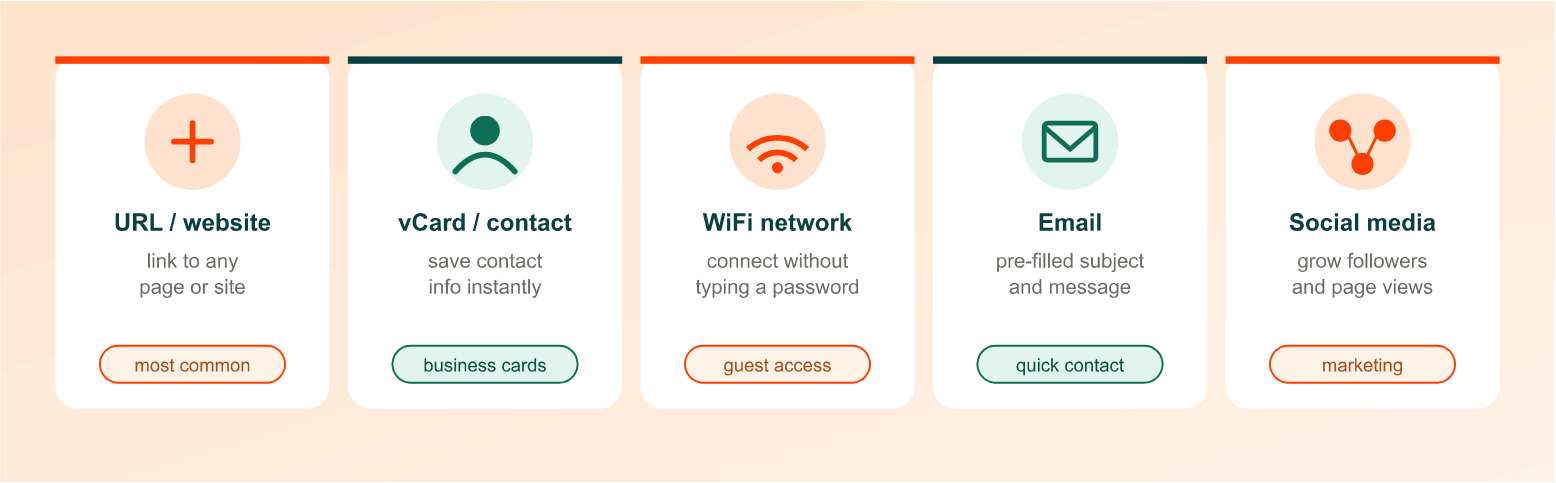
A QR code isn't limited to just website links. Depending on what you're trying to share, you can generate several different types:
| QR Code Type | What It Does |
|---|---|
| URL/Website | Sends users directly to any web page, landing page, or online store |
| vCard/Contact | Shares your name, phone number, and email so people can save you as a contact instantly |
| WiFi | Connects a device to your WiFi network without anyone typing the password |
| Opens a pre-filled email with a subject line and message ready to send | |
| SMS | Opens a text message app with a pre-written message to a specific number |
| Plain Text | Displays a custom message, instructions, or short note |
| Social Media | Links directly to your Instagram, Facebook, LinkedIn, or other profile |
| PDF/Document | Lets someone view or download a file, like a menu, brochure, or manual |
Most free generators support all of these, so you can pick whichever fits your project without switching tools.
Static vs Dynamic QR Codes: What's the Difference?
This is one of the most common questions people have once they start comparing generators, and it matters because it affects what you can and can't do after the code is printed.
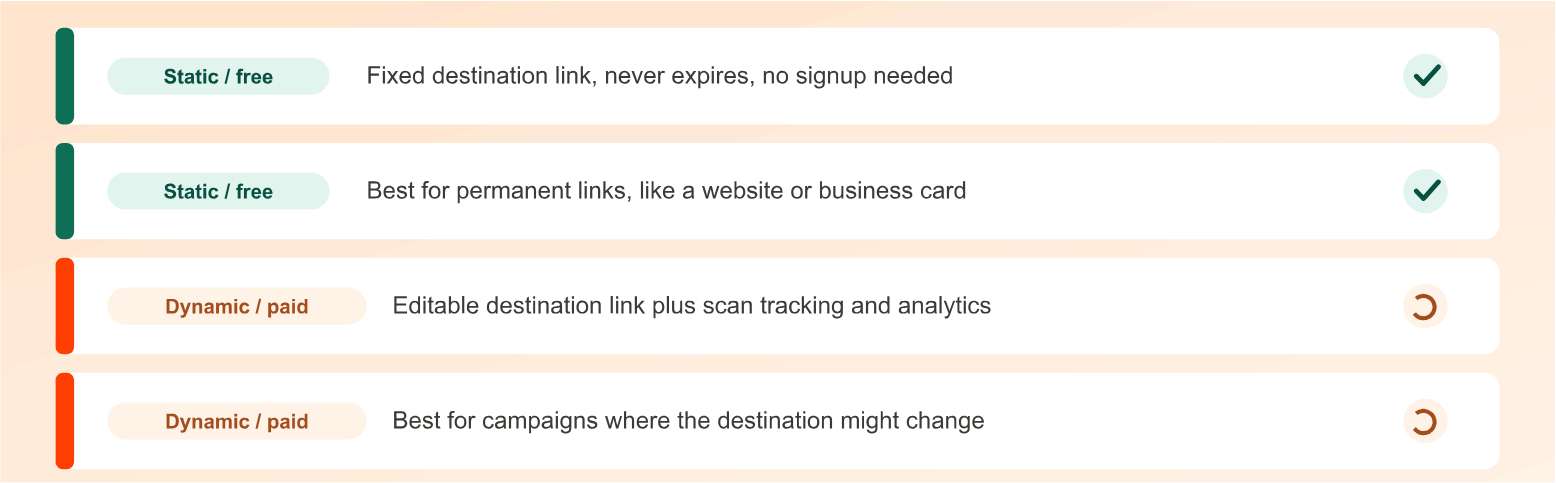
| Feature | Static QR Code | Dynamic QR Code |
|---|---|---|
| Cost | Usually free | Often requires a paid plan or account |
| Editable after creation | No | Yes |
| Expiration | Never expires | May expire depending on the provider |
| Scan tracking/analytics | Not available | Available |
| Best for | Permanent links like a website or business card | Campaigns where the destination might change |
A static QR code has its destination baked directly into the pattern. Once you create it, that's the final link, and if the URL ever breaks, you'd need to generate a brand new code. This is perfectly fine for things like a permanent website link, a WiFi password, or a business card.
A dynamic QR code works differently. It points to a redirect link that you can update anytime, meaning the printed code stays the same even if the destination changes. Dynamic codes also let you track how many people scanned it, when, and sometimes even where. The tradeoff is that they usually depend on the provider's redirect service staying active, and many platforms charge for this feature after a free trial.
If you just need a reliable, permanent code, static is the simpler and safer choice.
How to Customize Your Free QR Code
A plain black-and-white square works fine, but most generators let you personalize the design so it fits your brand or project. Here's what you can typically adjust:
- Colors: Change the foreground and background colors to match your brand palette.
- Logo: Upload your company logo so it sits in the center of the code.
- Frames: Add a border with a call-to-action like "Scan Me" to encourage engagement.
- Patterns and corners: Swap the standard square dots for rounded or custom shapes.
One thing worth keeping in mind: the more you customize, the more careful you need to be about contrast and readability. QR codes have built-in error correction, meaning they can still scan even if part of the pattern is covered by a logo or altered slightly, but going too far with light colors or low contrast can make the code unreadable. Stick to strong contrast between the code and its background, and always test-scan your finished design before printing it anywhere.
Best File Format for Your QR Code (PNG vs SVG vs PDF)
Once your code is ready, you'll need to pick a file format, and the right choice depends on where you're using it:
- PNG: Best for digital use, like websites, emails, or social media posts. It's a standard image format that works everywhere.
- SVG: A vector format, meaning it can scale to any size without losing quality. Choose this if you're printing large posters, banners, or signage.
- PDF: Useful when you need a print-ready file that can be dropped directly into a document or design layout.
If you're planning to upload your QR code image to a website, it's worth running it through a free image compressor tool first. Compressing the file size keeps your page loading fast without noticeably affecting the code's scan quality, which matters both for user experience and for your site's SEO performance.
How to Scan a QR Code
Scanning a QR code is just as simple as creating one. On nearly every modern smartphone, here's all it takes:
- Open your phone's built-in camera app.
- Point it at the QR code.
- Wait for a notification or link preview to pop up on screen.
- Tap it to open the website, save the contact, or connect to the WiFi network.
Most devices running iOS 11 or Android 8 and above can scan QR codes natively, without needing a separate app. If you're using an older device, a free QR scanner app from your phone's app store will do the job.
Common Uses for QR Codes
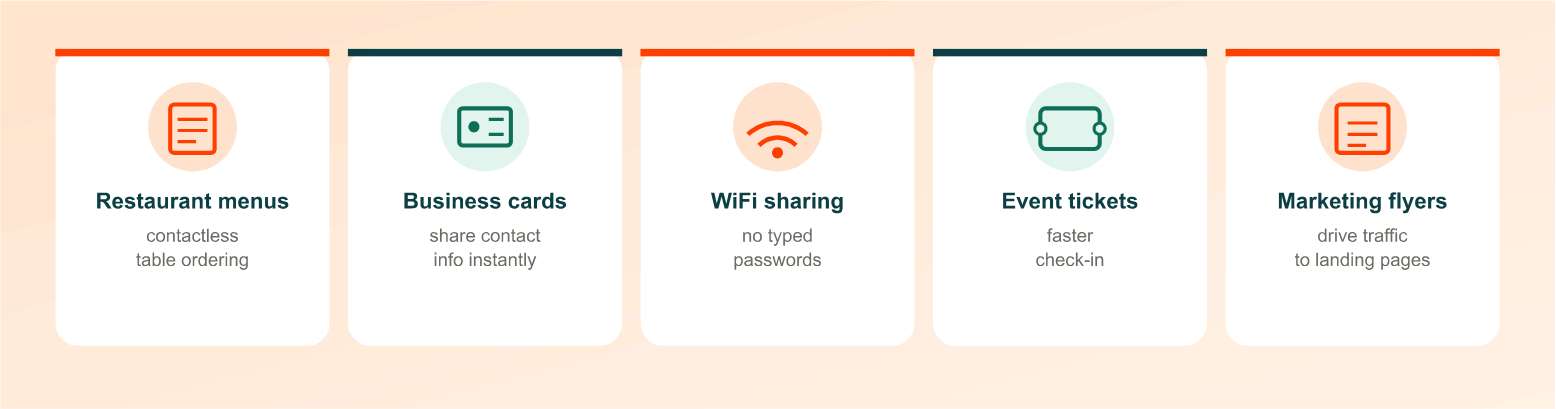
QR codes show up almost everywhere now, and for good reason. They remove friction between something physical and something digital. Some of the most popular use cases include:
- Restaurant menus: Diners scan a code on the table instead of handling a printed menu.
- Business cards: Share your full contact details with a single scan instead of manual data entry.
- Event tickets and registration: Speed up check-in lines and reduce printing costs.
- Product packaging and labels: Link customers to instructions, warranty info, or how-to videos.
- WiFi sharing: Let guests connect to your network without asking for the password out loud.
- Marketing campaigns and flyers: Drive foot traffic straight to a landing page or promotion.
- Payment links: Simplify checkout by linking directly to a payment page.
- Social media growth: Help people follow your profile instantly, no searching required.
- Google review collection: Make it easy for customers to leave a review right after their visit.
QR Code Size and Placement Best Practices
A QR code that looks fine on your screen can fail to scan once it's printed too small or placed somewhere impractical. A few guidelines to keep in mind:
- Minimum size: For close-range scanning, such as on a business card or table tent, keep the code at least 2x2 cm (roughly 0.8x0.8 inches).
- Scale up for distance: The farther away someone will be standing when they scan it, like on a billboard or storefront window, the larger the code needs to be.
- Keep a quiet zone: Leave white space around the edges of the code. Crowding it with text or images right up against the border can prevent it from scanning properly.
- Test before mass printing: Always print a sample and scan it with a few different phones before committing to a large print run.
Is It Safe to Use a Free QR Code Generator?
Generally, yes, especially with static codes. Since the destination link is embedded directly into the pattern at the time of creation, there's no third party sitting between the scan and the destination.
Dynamic QR codes carry a bit more risk simply because they rely on a redirect service. If that provider mishandles data, shuts down, or gets compromised, your code could stop working or, in rare cases, be redirected somewhere unintended. Before using a dynamic QR code generator, it's worth a quick check of the provider's privacy policy and reputation.
As a general rule of thumb, be cautious of any QR code, printed or generated, that comes from an unfamiliar source. Scanning a code is the same as clicking a link, so the same common sense you'd apply to email links applies here too.
Free vs Paid QR Code Generators: Do You Need to Upgrade?
For most everyday needs, free is more than enough. Here's a quick breakdown of what typically separates the two:
Usually included for free:
- Static QR codes
- Basic color and logo customization
- Unlimited downloads
- No expiration
Usually requires a paid plan:
- Dynamic QR codes with editable destinations
- Scan analytics (location, device, time)
- Bulk QR code generation
- Custom short domains
- Team collaboration features
If you're creating a single QR code for a business card, menu, or WiFi network, free will cover it completely. If you're running a large marketing campaign across multiple print materials and need to track performance or update links after printing, that's when a paid plan starts to make sense.
Final Thoughts: Generate Your Free QR Code Today
Creating a QR code doesn't need to be complicated or cost anything. Paste your link, customize the design if you'd like, and download it in the format that fits your project. Whether it's for a business card, a menu, or a marketing flyer, your free QR code is ready in seconds, no signup required.
Frequently Asked Questions
Frequently Asked Questions (FAQs) is a list of common questions and answers provided to quickly address common concerns or inquiries.
Is a QR code generator really free?
Yes. Most static QR code generators are free with no hidden fees, watermarks, or trial periods. You typically only pay if you want dynamic codes, analytics, or advanced branding features.
Do free QR codes expire?
No. Static QR codes generated for free typically work forever, as long as the destination link you linked to remains active.
What's the difference between a static and dynamic QR code?
A static code has a fixed destination that can't be changed after creation. A dynamic code lets you update the destination link anytime and often includes scan tracking, but it usually requires a paid account.
Can I add my logo to a free QR code?
Yes. Most free generators let you upload a logo and place it in the center of the code, along with custom colors and frame styles.
Do I need to download an app to scan a QR code?
Not on most modern smartphones. iOS 11 and Android 8 or newer can scan QR codes directly through the built-in camera app.
What's the best file format to download a QR code in?
Use PNG for digital and web use, SVG if you need to scale it up for large prints, and PDF when you need a print-ready file for documents.
How big should a QR code be for printing?
At minimum, 2x2 cm for close-range scanning. Scale it up proportionally for anything viewed from farther away, like posters or signage.
Can I track how many people scanned my QR code for free?
Usually not. Scan tracking and analytics are typically limited to dynamic QR codes, which often require a paid plan.
What can I put into a QR code besides a website link?
You can encode contact details, WiFi credentials, plain text, email templates, SMS messages, social media profiles, and even PDF documents.
Will my QR code stop working if I change the destination page?
If you're using a static code, changing or deleting the original link will break the code since the destination is fixed. A dynamic code avoids this by letting you update the link without affecting the printed code.





