IP Address Location: How to Find Where an IP Is From
 Kendall Chris
Jul 09 /
3 months ago
Kendall Chris
Jul 09 /
3 months ago


Curious where an IP address is coming from? An IP address location finder gives you an instant answer. Enter any IP address, or leave it blank to check your own, and get back the approximate country, region, city, and internet service provider behind it. No signup, no software, and results appear in seconds.
Below, we'll walk through how IP geolocation actually works, how accurate it really is, what it can and can't reveal, and how to make sense of the results when they don't quite match what you expected.
What Is an IP Address?
An IP address, short for Internet Protocol address, is a unique numeric label assigned to every device connected to a network. Think of it as a digital mailing address. Just like your home address tells the postal service where to deliver a package, your IP address tells the internet where to send data, whether that's a webpage loading in your browser, an email arriving in your inbox, or a video streaming to your device.
Every device online, from laptops and phones to routers and servers, needs an IP address to send and receive information correctly. Without this addressing system, there would be no reliable way for data to find its way to the right destination.
What Is IP Geolocation and How Does It Work?
IP geolocation is the process of mapping an IP address to an approximate physical location. It doesn't work through GPS or any kind of direct tracking. Instead, it relies on a combination of data sources: regional internet registries that manage IP address allocation, ISP records showing which provider owns which block of addresses, and third-party geolocation databases that cross-reference this information with routing data and network intelligence.
When an internet service provider is assigned a block of IP addresses, that assignment gets recorded through a regional internet registry WHOIS data system, depending on the geographic region. Geolocation databases pull from these records, along with other signals like network routing paths, to estimate where a given IP address is likely being used. The result is an educated estimate, not a precise pinpoint, which is an important distinction we'll get into shortly.
How to Find the Location of an IP Address (Step-by-Step)
Using an IP location finder takes just a few seconds:
- Enter the IP address you want to check. If you leave the field blank, the tool automatically detects and displays your own public IP.
- Click lookup. The tool queries multiple geolocation databases and compiles the results.
- Review the results. You'll see the country, region, city, ISP, and geographic coordinates associated with that IP.
- Check the map view. Most tools include a visual map marker showing the approximate location, which is helpful for quickly cross-referencing the data.
That's the entire process, whether you're checking your own connection or looking up an unfamiliar IP address.
What Information Can an IP Lookup Reveal?
A typical IP address lookup returns several pieces of network-level information:
- Country: The most reliable data point, typically accurate the vast majority of the time.
- Region or state: Moderately reliable, though it can vary based on how the ISP manages its network.
- City: The least reliable layer, since ISPs often route traffic through centralized hubs.
- ZIP or postal code: An estimate based on the city-level data, so accuracy follows the same limitations.
- ISP and organization: The internet service provider or company that owns the IP block.
- Latitude and longitude: Approximate coordinates used to place a marker on a map.
- Timezone: Based on the estimated regional location.
- Connection type: Whether the IP is associated with broadband, mobile, hosting, or another network type.
It's worth being clear about what this data isn't. An IP lookup reveals network-level information tied to an ISP or hosting provider, not personal identity. The ISP shown is the organization managing that block of addresses, not the specific individual using the connection.
How Accurate Is IP Address Location?
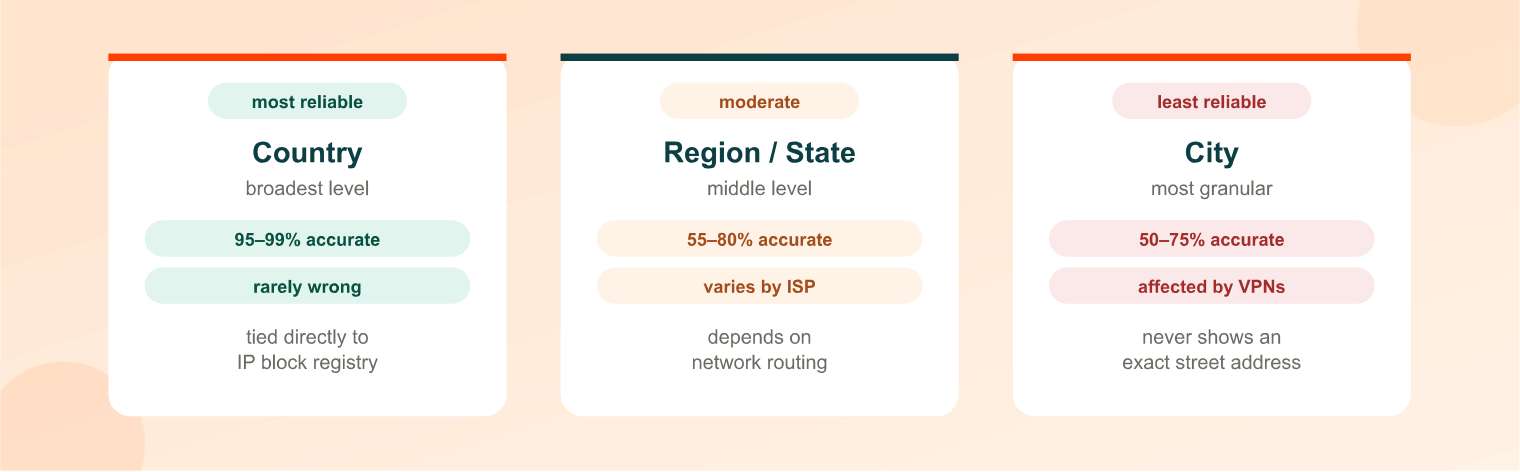
This is the question almost everyone searching for this topic actually wants answered. IP geolocation accuracy varies significantly depending on how granular you're trying to get:
| Level | Typical Accuracy |
|---|---|
| Country | 95–99% |
| Region/State | 55–80% |
| City | 50–75% |
Country-level accuracy is consistently high because IP address blocks are allocated to specific countries through the regional registries, making that layer of data fairly stable. Region and city-level accuracy drops noticeably, since ISPs frequently route traffic through centralized network hubs that may not match the user's actual physical location. Rural areas tend to see the widest error margins, sometimes placing an IP address dozens of miles from its actual location. Mobile networks and VPN or proxy traffic reduce accuracy even further, since those connections often route through gateways or servers that are physically distant from the end user.
Can Someone Find My Exact Address From My IP?
No. This is one of the most common misconceptions about IP geolocation, and it's worth addressing directly. An IP lookup can reveal a general area, typically at the city or region level, but it cannot reveal a street address or pinpoint an exact physical location.
Getting that level of precision would require access to the ISP's internal subscriber records, which are not publicly available. In practice, even law enforcement agencies need a subpoena or warrant to obtain that kind of subscriber information directly from an ISP. So while an IP lookup can tell you roughly which city or region a connection is coming from, it stops well short of identifying a specific home or individual.
IPv4 vs IPv6: What's the Difference?
You may notice IP addresses come in two different formats, and understanding the difference helps make sense of lookup results:
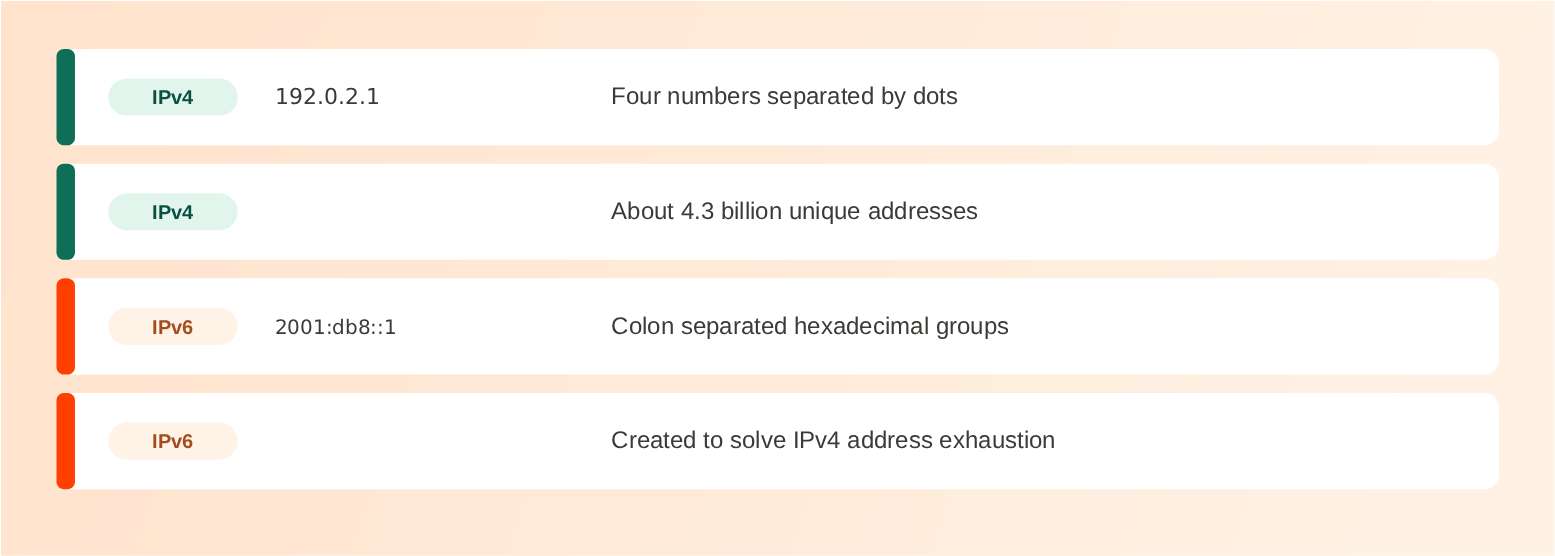
| Feature | IPv4 | IPv6 |
|---|---|---|
| Format | Four numbers separated by dots (e.g., 192.0.2.1) | Eight groups of hexadecimal digits separated by colons (e.g., 2001:db8::1) |
| Address space | About 4.3 billion unique addresses | Roughly 3.4×10³⁸ unique addresses |
| Why it exists | Original internet addressing standard | Created to solve IPv4 exhaustion as internet-connected devices multiplied |
IPv4 has been the internet's backbone addressing system for decades, but its limited address space has become a real constraint as billions of new devices come online each year. IPv6 was designed to solve that problem permanently, offering a vastly larger pool of unique addresses. Neither format is inherently more or less private than the other, and geolocation lookups work on both.
Public vs Private IP Addresses
Another common point of confusion involves the difference between public and private IP addresses.
A public IP address is assigned by your internet service provider and is visible to the wider internet. It's what allows your home network to communicate with websites, servers, and other devices online, and it's the address an IP lookup tool actually queries.
A private IP address, by contrast, is assigned by your router to devices within your local network, following the official private IP address range standard defined in RFC 1918. Private IPs let your laptop, phone, and smart devices communicate with each other and with your router, but they're not routable on the public internet. If you try to look up a private IP address (something like 192.168.x.x), you won't get any meaningful location data back, since that address only has meaning within your local network.
Why Does My IP Location Show the Wrong City?
It's a common and frustrating experience: you run a lookup and the result shows a city you've never lived in or even visited. A few factors typically explain this:
- Centralized ISP routing. Some internet providers route traffic through regional hubs, meaning your IP might be registered to a hub city rather than your actual location.
- Mobile carrier gateways. Mobile networks often centralize traffic through a limited number of gateways, which can place your location several cities or even states away from where you actually are.
- VPN or proxy usage. If you or your network is routing through a VPN or proxy, the lookup will show the server's location, not yours.
- Outdated geolocation databases. IP blocks occasionally get reassigned or reallocated, and if a geolocation provider hasn't updated its records, the result can be stale.
If your IP location is incorrect, the fix typically isn't something the lookup tool itself can resolve. Corrections generally need to happen at the geolocation data provider level, since they maintain the underlying database the lookup pulls from.
How VPNs and Proxies Affect IP Location
VPNs and proxies work by routing your internet traffic through an intermediary server before it reaches its destination. This effectively replaces your real IP address with the server's IP address, making it appear as though you're connecting from wherever that server is physically located.
People use this for a range of legitimate reasons: protecting privacy on public WiFi, testing how a website or service appears from a different region, bypassing geographic content restrictions, or simply separating personal and work browsing. One practical use for an IP location finder is confirming that your VPN is actually working as intended. If you connect to a VPN server in another country and your IP lookup still shows your real location, that's a strong sign something's misconfigured.
Common Uses for IP Address Location Lookups
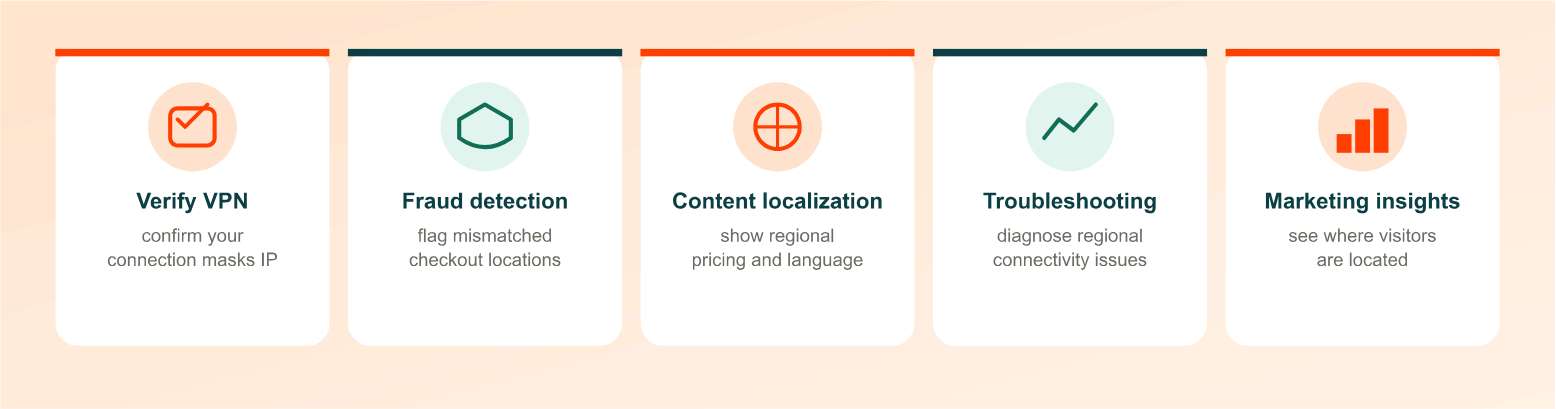
IP geolocation shows up in more everyday and professional contexts than most people realize:
- Verifying VPN or proxy functionality, confirming your connection is masking your real location as expected.
- Fraud detection and prevention, where e-commerce and financial platforms flag mismatches between a user's claimed location and their IP-based location.
- Content localization, allowing websites to automatically display relevant language, currency, or regional pricing.
- Investigating suspicious activity, such as unusual login attempts or spam sources originating from unexpected locations.
- Network troubleshooting, helping IT teams diagnose connectivity issues tied to specific regions or ISPs.
- Marketing and audience insights, giving businesses a general sense of where their website visitors are located.
- Email header analysis, where the sender's IP address can offer a rough clue about their general location.
Is It Legal to Look Up Someone's IP Address?
Yes, looking up a public IP address is legal. IP addresses are inherently public information, transmitted as part of nearly every online interaction, whether you're visiting a website, sending an email, or connecting to an online service. Anyone you communicate with online can technically see your IP address and look up general information about it.
That said, legality shifts depending on intent. Using IP address data to stalk, harass, or attempt unauthorized access to someone's device or accounts is illegal, regardless of how the IP was obtained. It's also worth remembering the accuracy limitations discussed earlier: an IP lookup reveals general network information, not personal identity, so treating it as a way to definitively identify or locate a specific individual is both inaccurate and, depending on the use, potentially unlawful.
How to Check If Your IP Location Is Correct
If your IP lookup result doesn't match your actual location, here's how to approach it:
- Run a lookup on your own IP to see exactly what's being reported.
- Compare the result to your real location, keeping in mind that some inaccuracy at the city level is normal.
- Identify the data provider listed in your results if the discrepancy is significant.
- Contact that specific provider to request a correction, since the lookup tool itself typically pulls from third-party databases it doesn't directly control.
For a more complete picture of the network behind an IP address, including domain ownership and registration details, pairing your lookup with a WhoIs Lookup can help clarify who actually manages the address block in question.
Related Tools You Might Need
An IP location lookup often works alongside a few other network research tools. If you're trying to understand a website's infrastructure rather than a single IP address, a Domain Hosting Checker reveals the hosting provider, server IP, and nameservers behind any domain, which is useful for SEO research, competitor analysis, or general network troubleshooting.
Final Thoughts: Check Any IP Address Location Instantly
IP geolocation offers a fast, genuinely useful way to understand roughly where a connection is coming from, whether you're verifying a VPN, investigating suspicious activity, or just satisfying your own curiosity. Just remember it's an estimate, not an exact address. Enter any IP address above and get your results in seconds, no signup required.
Frequently Asked Questions
Frequently Asked Questions (FAQs) is a list of common questions and answers provided to quickly address common concerns or inquiries.
Can someone find my exact address from my IP?
No. An IP lookup can reveal your general city or region, but it cannot pinpoint a street address without access to your ISP's private subscriber records.
How accurate is IP address location?
Country-level accuracy is typically 95 to 99 percent, region-level accuracy ranges from 55 to 80 percent, and city-level accuracy falls between 50 and 75 percent.
Is it illegal to look up someone's IP address?
No, looking up a public IP address is legal since IP addresses are public information. Using that data to stalk, harass, or gain unauthorized access is illegal.
Why does my IP show the wrong city?
This usually happens because of centralized ISP routing, mobile carrier gateways, VPN or proxy usage, or outdated geolocation databases.
Can a VPN hide my IP location?
Yes. A VPN routes your traffic through a different server, making your IP address appear to originate from that server's location instead of your own.
What's the difference between a public and private IP address?
A public IP is assigned by your ISP and visible to the internet. A private IP is assigned by your router for devices communicating within your local network only.
Does IPv6 reveal more location detail than IPv4?
No. IPv6 is simply a newer addressing format with a larger address space. It doesn't inherently reveal more or less location detail than IPv4.
Can my IP address be used to hack my device?
Simply knowing your IP address doesn't give anyone direct access to your device. Modern routers and firewalls block unsolicited connection attempts by default.
How often does IP location data update?
It varies by provider, but geolocation databases are typically updated on an ongoing basis as IP blocks get reassigned or ISP routing changes occur.
What's the difference between IP location and GPS location?
IP location estimates a general area based on network data and is typically accurate to the city level at best. GPS provides much more precise, real-time device coordinates but requires explicit permission from the user's device.