


Your PDF is too big. The email bounced, or the upload form rejected it, and you need a smaller file in the next two minutes.
Below you will find what actually makes a PDF large, what compression takes away, which level to pick for what you are doing, and what to try when compression alone is not enough.
How to Reduce PDF File Size for Free
Open the free PDF Compressor and follow four steps:
- Upload your PDF
- Choose a compression level
- Click Compress PDF
- Download the smaller file
That is the whole process. While the file is being compressed the page shows a progress bar, and the result appears with a download button when the job is done. What matters more is which level you choose.
Compression levels trade file size against image quality. A lighter setting keeps more detail in your images and produces a larger file. A stronger setting reduces image resolution more aggressively and produces a smaller one. Text and vector graphics are usually untouched at any level.
The form offers three compression levels, which differ mainly in how far they reduce image resolution:
- Extreme Compression (less quality, high compression). Images above 72 dpi are brought down to 72 dpi. This gives the smallest file and the softest pictures.
- Recommended Compression (good quality, good compression). Images above 150 dpi are brought down to 150 dpi. This is the option selected when the page loads.
- Less Compression (high quality, less compression). Only images above roughly 450 dpi are reduced, and they go down to 300 dpi, the usual print resolution. Images at or below that are left as they are. This shrinks the file the least.
Start with Recommended Compression and check the result. It is tempting to go straight to Extreme Compression, end up with a document that is hard to read, and assume that is simply how compression works. It is not. Step up to Extreme Compression only if Recommended Compression has not made the file small enough.
The tool is free and works without an account, and it adds no watermark to the file you download.
Upload limits depend on whether you are signed in. Without an account you can compress one PDF at a time, up to 60 MB. With a free account the limit rises to 500 MB per file and 2 PDFs per upload. The limits that apply to you are shown under the upload box.
Why Your PDF Is Large in the First Place
Most people compress without knowing what they are compressing. Knowing the cause tells you whether compression will help at all.
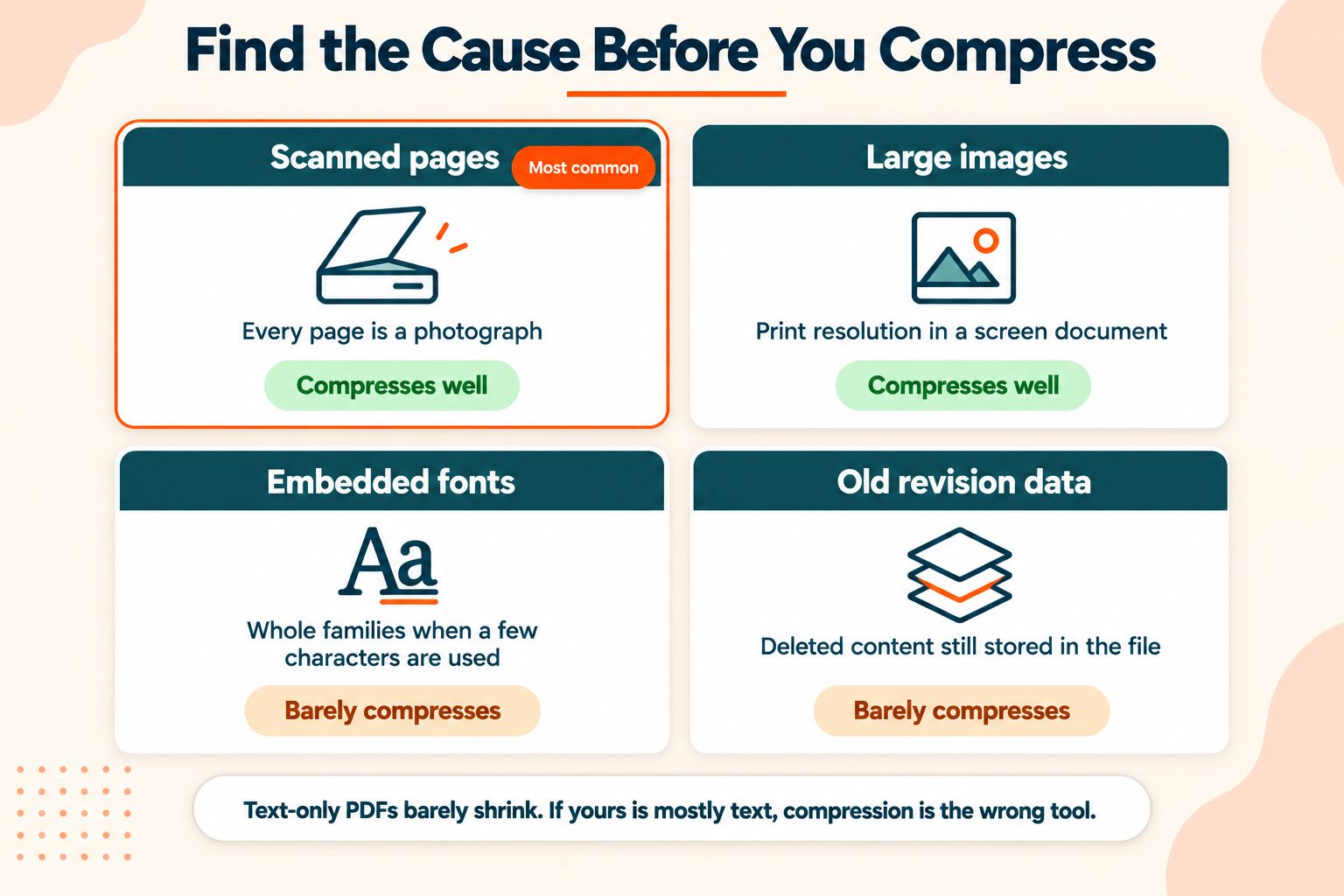
Scanned pages. This is the most common cause by a wide margin. A scanned document is not text, it is a stack of photographs. Twenty pages scanned at 600 dpi can easily exceed 40 MB before anything else is added. Scans compress very well, so if this is your situation you are in luck.
High-resolution images. Photographs placed at print resolution inside a document that will only ever be read on a screen. Also compresses well.
Embedded fonts. When a PDF embeds complete font families rather than just the characters actually used, it can add several megabytes. Reducing image resolution does nothing about this, because the weight is not in the images, although the tool also trims embedded fonts to the characters the document uses, which can take a lot of it out.
Accumulated metadata and revision history. Files that have been edited repeatedly can carry deleted content, old revisions, and leftover form data. None of it is visible and all of it is stored.
Here is the diagnostic that saves you a wasted attempt: a text-only PDF rarely compresses much. Text data is already compact. If your file is mostly text and it is still large, the weight is coming from fonts or accumulated data, so compression may help less than you expect. If the tool cannot make a file any smaller, it gives you back the original content rather than a larger copy. The section on other methods below covers what to do instead.
If you want to understand what a PDF actually contains, the PDF Association is the nonprofit body that governs the format, and ISO 32000, the PDF specification is the formal standard behind it.
What Compression Actually Does to Your File
Compression usually costs something, and knowing what you are trading matters.
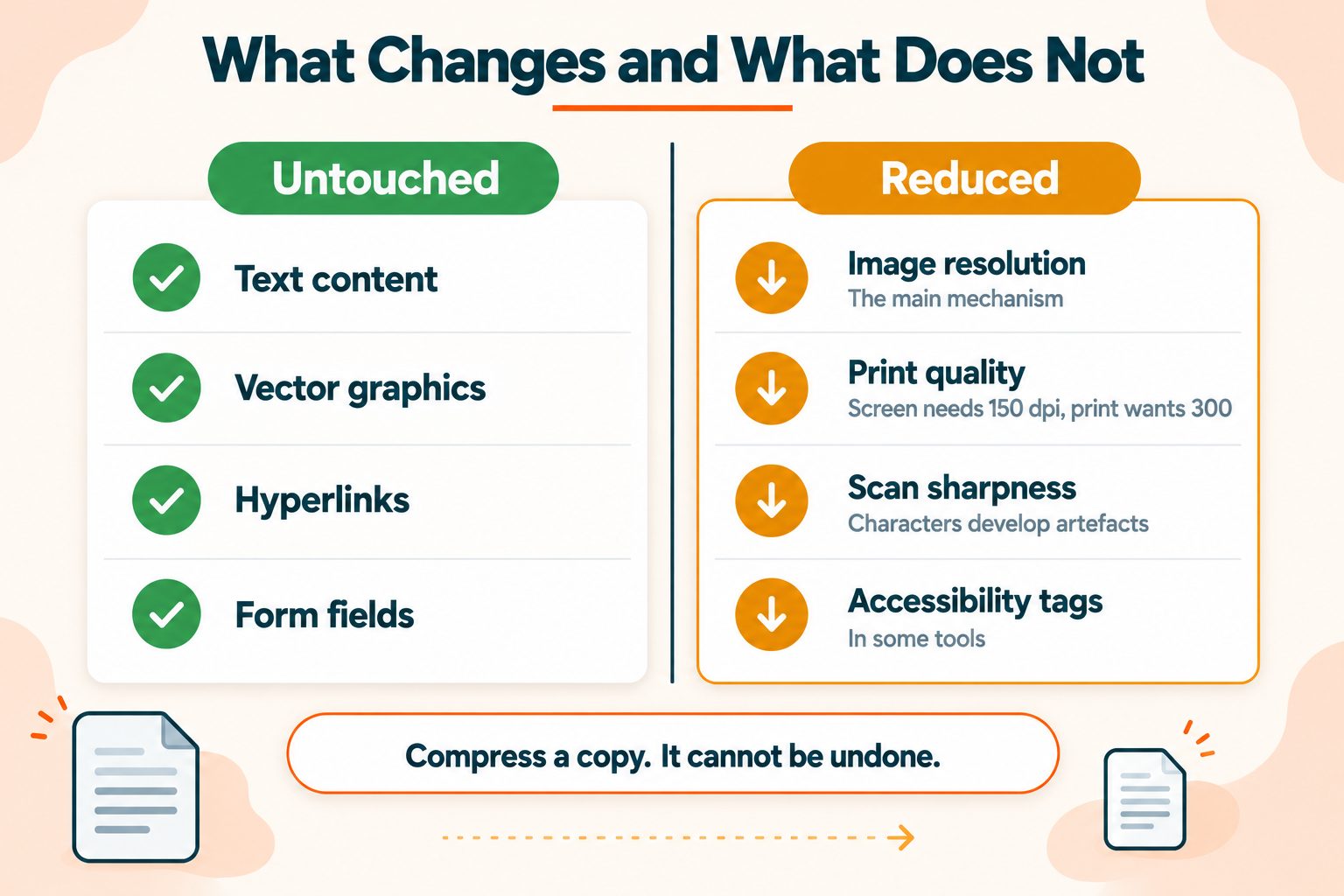
Most PDF compression works by reducing the resolution of embedded images and re-encoding them more aggressively. Text and vector content are generally left as they are. So the question is never really "will my PDF lose quality," it is "how much do the images matter in this particular document."
What you can lose:
Print quality. Screen viewing needs 72 to 150 dpi. Printing wants 300. A file compressed for email will look noticeably poor on paper, and you cannot get that back.
Scanned text sharpness. Over-compress a scan and characters develop visible artifacts. If the document has an OCR text layer, the searchable text often survives while the visible image degrades, which produces the odd result of a document you can search but struggle to read.
Fine detail in diagrams. Thin lines, small labels, and chart axes suffer before photographs do.
Accessibility structure. Some optimization processes strip the tags that screen readers rely on to navigate a document. If you have accessibility obligations, check the output rather than assuming. The W3C's accessibility guidelines set out what tagged documents need to preserve.
One rule covers most of this: compress a copy, never your original. Compression is not reversible. If you need the quality back, you need the source file, and if you overwrote it you no longer have one. The download keeps the file name you uploaded, so save it to a different folder or rename it before you replace or delete the original.
Choosing the Right Compression Level
Match the level to what the file is for, rather than always reaching for Extreme Compression.
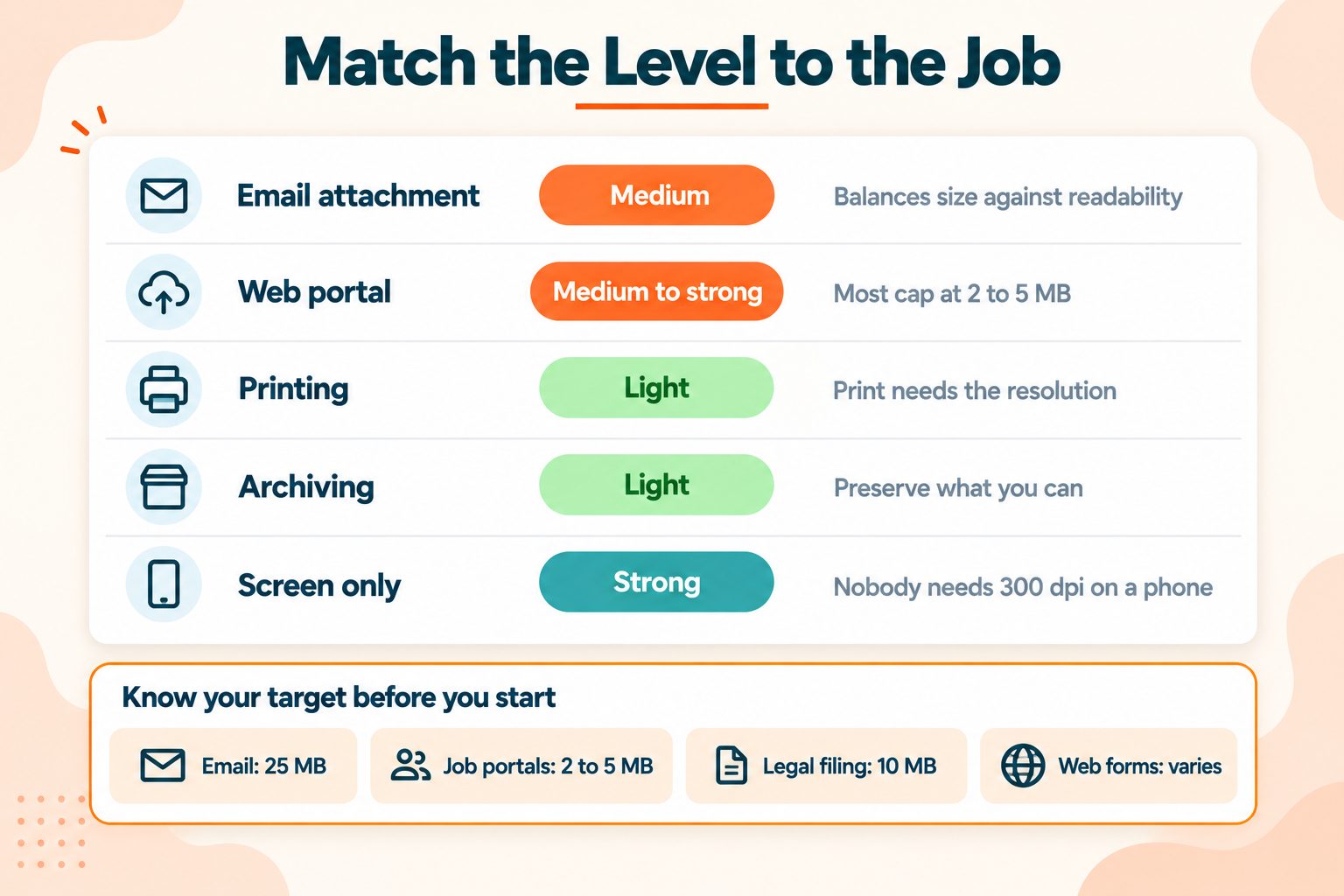
| What it is for | Level | Why |
|---|---|---|
| Email attachment | Recommended Compression | Balances size against readability |
| Web portal or upload form | Recommended Compression, then Extreme Compression if still too big | Most portals cap at 2 to 5 MB |
| Printing | Less Compression, or none | Print needs the resolution |
| Long-term archiving | Less Compression | Preserve what you can |
| Screen reading only | Extreme Compression | Nobody needs 300 dpi on a phone |
It also helps to know the number you are aiming at before you start:
- Email providers generally cap attachments around 25 MB
- Job application portals commonly cap at 2 to 5 MB
- Government and legal filing systems often cap at 10 MB
- Web upload forms vary enormously, so check the limit before compressing
Compressing toward a specific target is more efficient than compressing and hoping. If the portal says 5 MB and your file is 6 MB, you rarely need the strongest level. Start with Recommended Compression, check the size of the result, and only then think about Extreme Compression.
A Note on Privacy
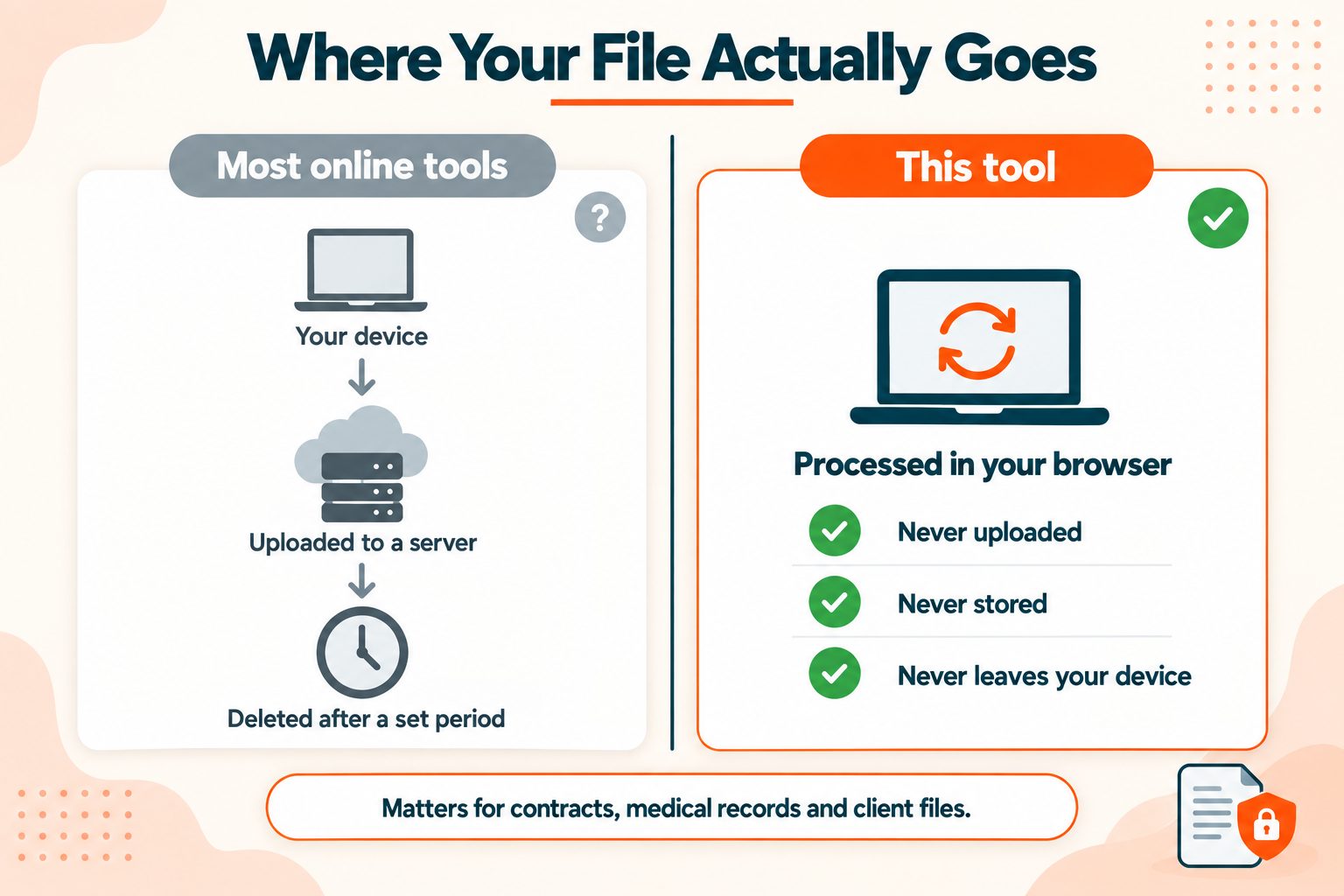
Worth thinking about before you upload anything sensitive to any tool, including this one.
This tool works on our server, not in your browser. Your PDF is uploaded, compressed there with Ghostscript, and the uploaded copy is deleted as soon as the job ends, whether it succeeds or fails. The compressed file stays available to download for about two hours, at a random web address, and is then removed automatically. For a holiday itinerary or a public report, that rarely matters.
It is a different question for a signed contract, a medical record, a tax return, or a document containing someone else's personal data.
Three things worth checking before you upload a sensitive document to any web tool:
- Whether the tool processes in your browser or on a server
- What the stated retention period is
- Whether your workplace has data handling rules that cover client documents
For genuinely confidential files, a desktop tool or your operating system's built-in print-to-PDF option keeps the document on your own machine.
Other Free Ways to Reduce PDF Size
Compression is not always the right answer, and sometimes it is not the best one.
Print to PDF. On Windows and macOS you can print a PDF back out to PDF using the built-in printer. This often strips accumulated bloat from files that have been edited many times. Free, already installed, and surprisingly effective on exactly the files compression struggles with.
Export at a lower setting from the source. If you still have the original Word, Pages, or design file, exporting it at screen resolution produces a better result than compressing the finished PDF. You are choosing quality rather than removing it.
Compress the images first. For image-heavy documents where you have the original photos, compressing the images before you build the PDF gives a cleaner outcome than compressing the assembled file. You can also resize them to the dimensions they actually appear at, which is often the bigger saving.
Remove pages you do not need. Blank scanned pages, cover sheets, and duplicated appendices add weight for nothing. The Remove Pages tool takes them out.
Split the document. Sometimes the answer is not one smaller file but two files, and the Split PDF tool can cut a document into parts.
When Compression Is Not Enough
If the file is still too large after strong compression, the cause is usually one of three things: a very high-resolution scan, a document that is mostly full-page images, or simply a very long document.
Your options at that point:
- Rescan at a lower dpi if you still have the physical document. 200 to 300 dpi is plenty for most purposes and produces a fraction of the file size
- Split it and send the parts separately
- Share a cloud storage link instead of attaching the file
- Ask whether PDF is required. If the recipient just needs to read it, other formats may be much smaller
And a reality check worth stating: a 300-page scanned document has a floor. Below a certain size it stops being legible, and no tool changes the physics of that. If you are fighting a limit that a legible file cannot meet, the answer is splitting or a different delivery method rather than more compression.
Wrapping Up
Two rules cover most of it.
Compress a copy, not your original. Compression cannot be undone, and if you need the quality back you will need the source file.
Match the level to the purpose. Extreme Compression is the right choice for a document nobody will print and the wrong choice for almost everything else.
Frequently Asked Questions
Frequently Asked Questions (FAQs) is a list of common questions and answers provided to quickly address common concerns or inquiries.
How do I reduce the size of a PDF for free?
Open the free PDF Compressor on this site, upload the PDF, leave Recommended Compression selected, click Compress PDF and download the result. Switch to Extreme Compression only if the file is still too big.
How can I compress a PDF without losing quality?
Use the gentlest level that gets you under your target size. In this tool that means trying Less Compression or Recommended Compression before Extreme Compression. Text and vector content are normally left alone; only images lose detail as compression increases.
Why is my PDF file so large?
Usually scanned pages or high-resolution images. Embedded fonts and accumulated revision data are common causes too, and lowering image resolution does not help with either.
How do I make a PDF small enough to email?
Most email providers cap attachments around 25 MB. Recommended Compression is the best place to start. For larger documents, split them or share a cloud link.
Is it safe to compress a PDF online?
This tool uploads your PDF to our server, compresses it there, deletes the upload as soon as the job ends and removes the compressed file after about two hours. For contracts, medical records or client files, think before you upload to any online tool, check how long it keeps files, and consider software on your own computer instead.
Does compressing a PDF reduce quality?
Image quality, yes. Text and vector graphics are normally untouched. How noticeable it is depends on how image-heavy the document is.
How small can a PDF be compressed?
Image-heavy files often drop by 50 to 80 percent. Text-only files often shrink very little, since text data is already compact.
Can I compress a PDF on my phone?
Yes. Online tools like this one open in a mobile browser without installing anything, though very large files may be slow on a mobile connection.
How do I compress a PDF without installing software?
You only need a web browser: upload the file to the free PDF Compressor on this site and download the smaller version. Printing to PDF with your operating system's built-in printer also works and needs no software at all.
Will compression affect a scanned document's text?
If the scan has an OCR text layer, the searchable text usually survives. The visible image can degrade, so check readability after compressing.





