Hex to Binary: The Conversion Table and How to Use It
 Kendall Chris
Sep 08 /
1 month ago
Kendall Chris
Sep 08 /
1 month ago

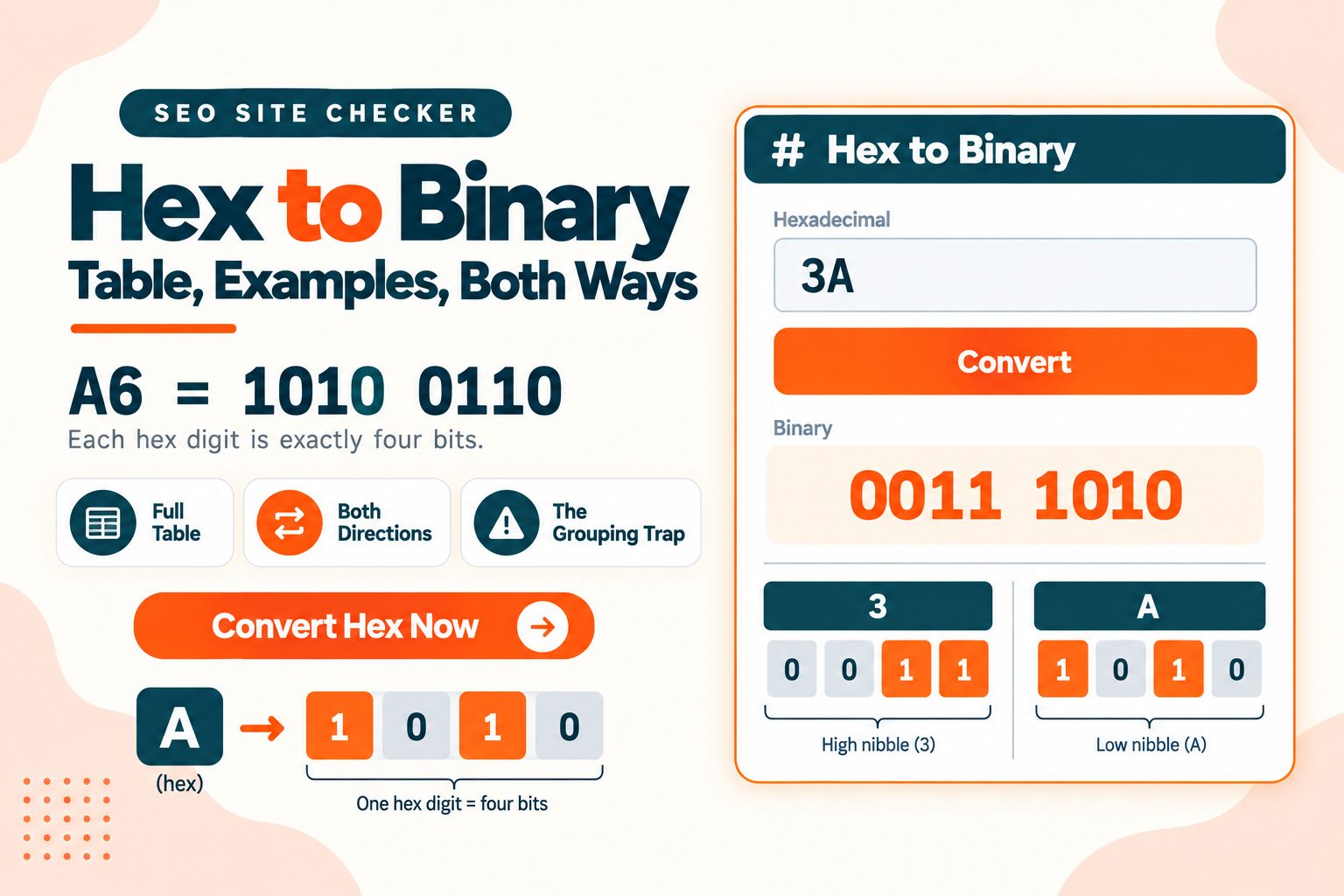
Each hex digit becomes exactly four binary digits. Look up each one, join the results.
A6 becomes 1010 0110.
That is the whole method. What follows is the full table, the reverse direction where people actually get wrong answers, the four different ways hex gets written, and where you meet it in real work.
How to Convert Hex to Binary: Free Converter
Three steps:
- Take each hex digit on its own
- Replace it with its four-bit binary equivalent
- Join the groups together
Here is 3A:
Hex:      3        A
        Binary:   0011     1010
        Result:   00111010
One rule matters more than the rest. Always write all four bits, including leading zeros. The digit 3 is 0011, not 11. Drop those zeros and everything after them shifts left, and you end up with a different number entirely. You may drop leading zeros at the very start of the final result if you want, but never inside it.
Hex is case-insensitive, so 3a and 3A are the same value. Most tools output uppercase by convention.
The converter is free with no signup.
Our own Hex to Binary converter asks you to enter your hex numbers with a space, and converts on submit. The output is grouped by byte, not by four-bit nibble: 3A comes back as a single 00111010 rather than 0011 1010. Each byte is still zero-padded correctly inside itself, the grouping is just wider than the manual method above. This converter only goes one direction; for binary back to hex, use the Binary to Hex converter linked further down.
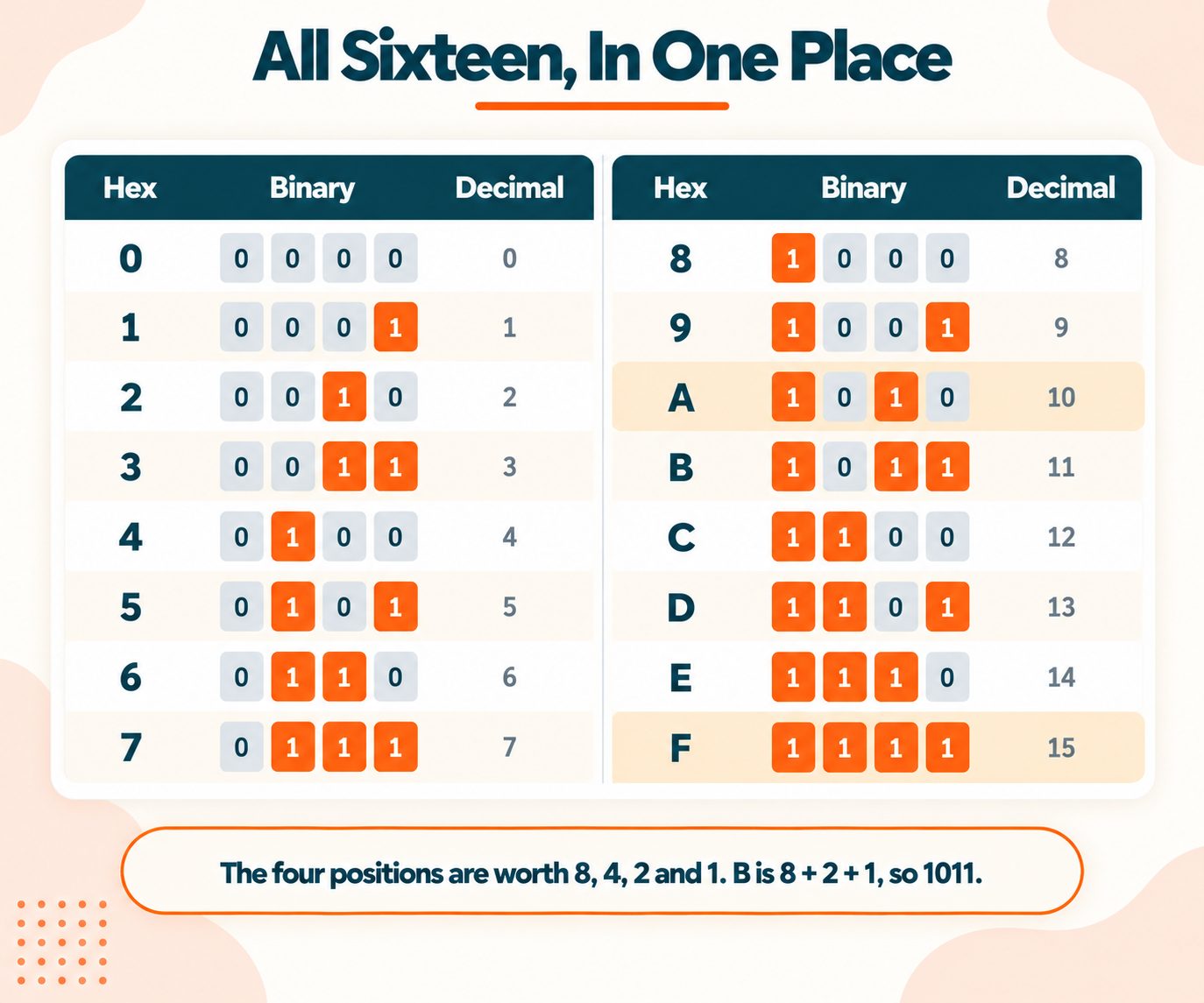
The Hex to Binary Table
| Hex | Binary | Decimal | Hex | Binary | Decimal | |
|---|---|---|---|---|---|---|
| 0 | 0000 | 0 | 8 | 1000 | 8 | |
| 1 | 0001 | 1 | 9 | 1001 | 9 | |
| 2 | 0010 | 2 | A | 1010 | 10 | |
| 3 | 0011 | 3 | B | 1011 | 11 | |
| 4 | 0100 | 4 | C | 1100 | 12 | |
| 5 | 0101 | 5 | D | 1101 | 13 | |
| 6 | 0110 | 6 | E | 1110 | 14 | |
| 7 | 0111 | 7 | F | 1111 | 15 |
The decimal column is worth keeping in view, because it stops the letters looking arbitrary. A is not a letter that happens to mean something. It is simply 10, and hex needed a single character for it.
If you would rather not memorise the table, the four bit positions are worth 8, 4, 2 and 1. So B is 11, which is 8 + 2 + 1, giving 1011. Once that clicks you can derive any row in a couple of seconds.
Worked Examples
FF = 1111 1111 The maximum a single byte can hold, which is 255 in decimal.
A6 = 1010 0110
1E = 0001 1110 Note the leading zeros on the 1. Without them this would read as 11110, which is a different number.
7F = 0111 1111 127 in decimal, and the largest positive value a signed byte can hold.
FF5733 = 1111 1111 0101 0111 0011 0011 A colour code, and twenty-four bits.
Which points at the thing that makes hex genuinely useful: two hex digits is exactly one byte. That is why FF is 255, why a colour code is six digits for three bytes, and why memory dumps are always written in pairs.
Why One Hex Digit Equals Four Bits
Every guide states the mapping. Almost none explains why it exists, and the reason is the thing that makes hex make sense.
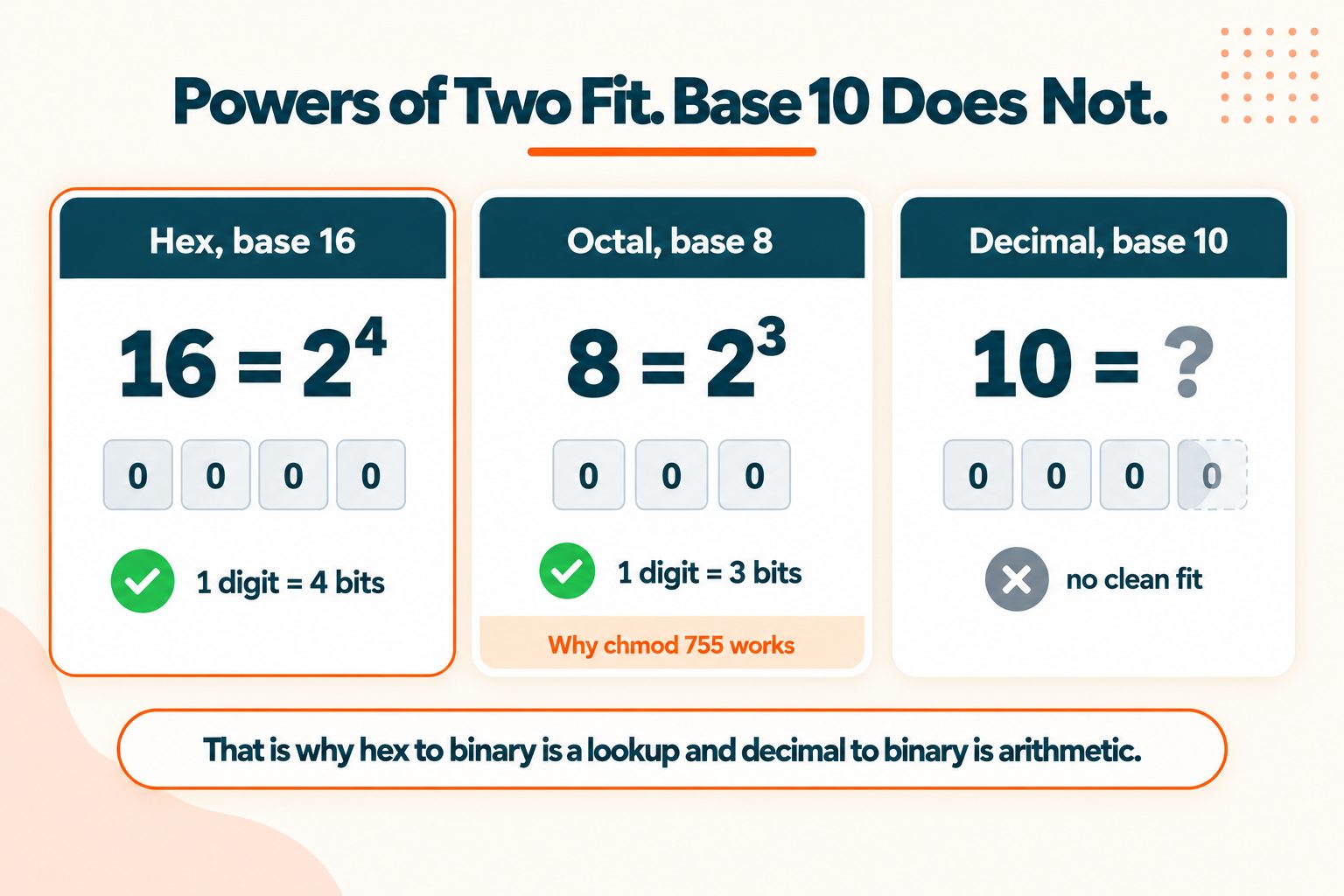
Because 16 is 2⁴.
Four binary digits produce exactly sixteen combinations, running from 0000 to 1111. Hex has exactly sixteen symbols, 0 through F. The fit is perfect with nothing left over and nothing missing.
That is not a coincidence, it is the reason base 16 was chosen.
The same logic explains octal. Base 8, and 8 is 2³, so one octal digit is exactly three bits. Which is why Unix file permissions use three-bit triplets and why chmod 755 is written the way it is.
Any base that is a power of two maps cleanly onto binary with a simple lookup. Base 10 does not, which is why converting binary to decimal requires actual arithmetic while hex to binary requires only a table.
So the useful way to think about hex is not as a separate number system. It is shorthand for writing binary. 11111111 is unwieldy and easy to miscount. FF is neither, and it means precisely the same thing.
Converting Binary to Hex
Going the other way is where people get wrong answers, and it is the only genuine difficulty in this whole topic.
The method: group the binary digits into fours, then convert each group using the same table.
But group from the right, not the left. That is the trap.
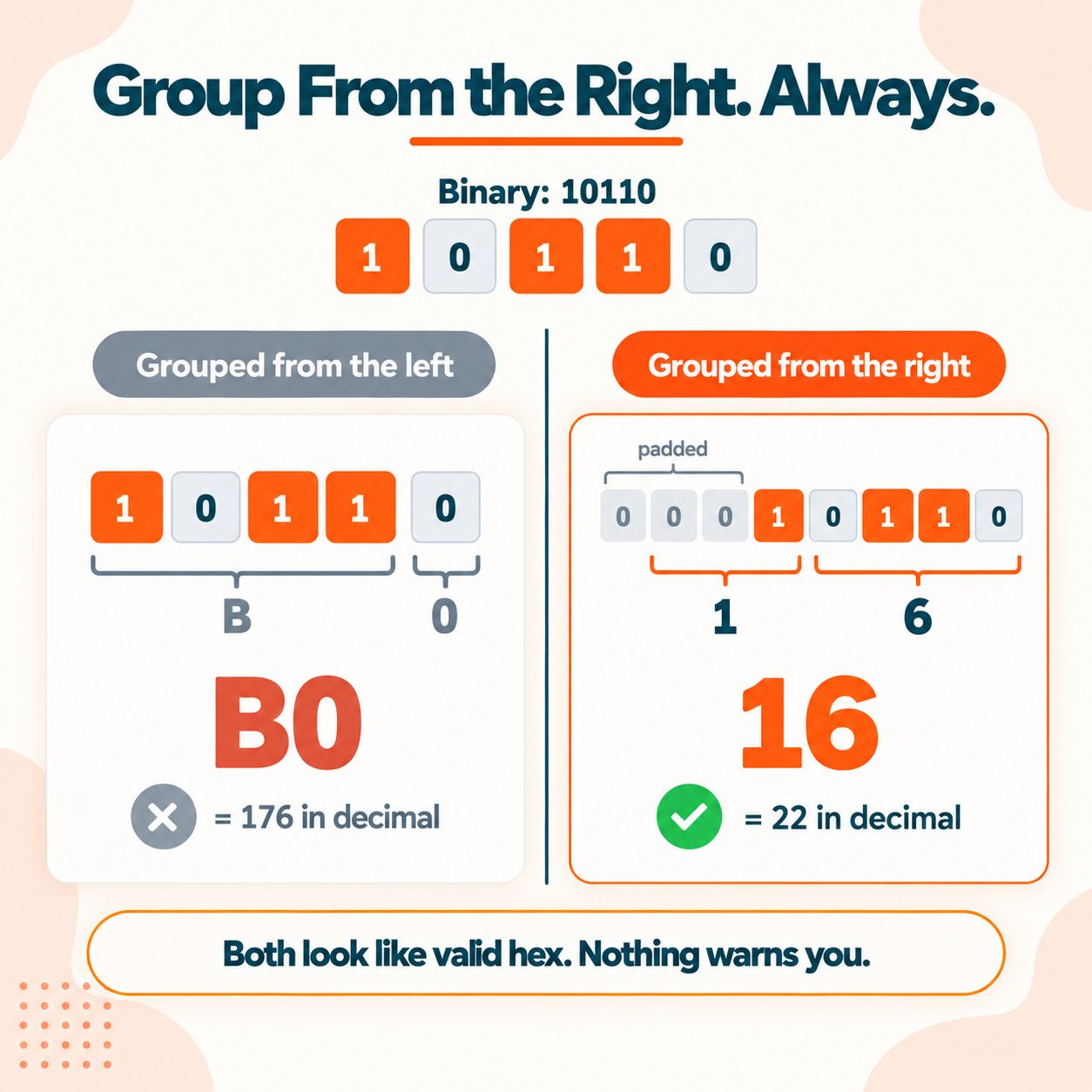
Here is 10110 done both ways:
Wrong, grouped from the left:
        1011 | 0     →  B, 0    →  B0     ✗
        Right, grouped from the right and padded:
        0001 | 0110  →  1, 6    →  16     ✓
Check it against decimal. 10110 is 22. 16 in hex is 22. B0 in hex is 176.
That is not a rounding error. It is off by a factor of eight, and it happens silently because both answers look like valid hex.
The reason is place value. Binary runs right to left, so the rightmost four bits are the least significant nibble. Group from the left and every group after the first is misaligned by however many digits were left over.
The rule: pad the left with zeros until the total length is a multiple of four. Then group and convert. 10110 is five digits, so add three zeros to make eight.
The Binary to Hex converter handles the padding for you, which is the safer option on anything longer than a byte.
Hex Notation You Will Actually See
The same number gets written four or five different ways depending on where you find it.
| Notation | Where you see it | Example |
|---|---|---|
0x prefix | C, Python, JavaScript, most languages | 0x1F |
# prefix | CSS and HTML colours | #FF5733 |
\x escape | String literals and regular expressions | \x41 |
% encoding | URLs | %20 |
h suffix | Assembly language | 1Fh |
| Colon-separated | MAC addresses and IPv6 | 00:1B:44 |
All of them mean the same thing. The prefix exists purely to tell a parser that what follows is base 16, because 10 on its own is ambiguous: it could be ten or sixteen.
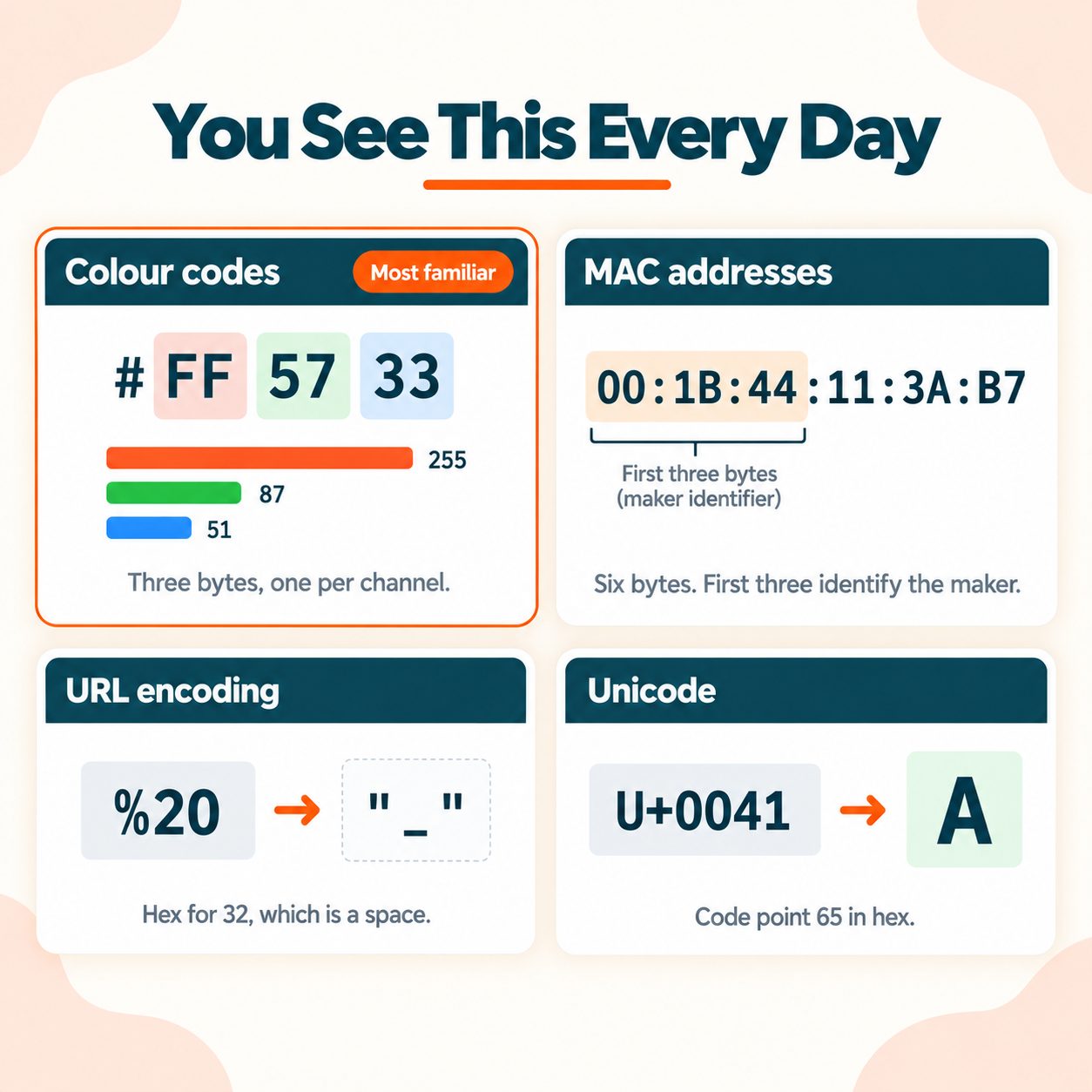
Two of those are worth knowing specifically. \x41 is 65, which is the letter A in ASCII. And %20 in a URL is hex for 32, which is a space character, which is why URLs with spaces look the way they do. If you work with encoded URLs often, the URL Encoder/Decoder handles that side.
Where You Actually Meet Hex
Colour codes. #FF5733 is three bytes, one per channel. FF is 255 red, 57 is 87 green, 33 is 51 blue. Once you see a colour as three byte values, adjusting one by hand stops being guesswork. MDN's reference on hex colour notation covers the three, four, six and eight digit forms. If you are working the other direction, the RGB to Hex converter does the translation.
MAC addresses. Six bytes, twelve hex digits, usually written in pairs. The first three bytes identify the manufacturer, which is why you can often tell what made a device from its address alone.
IPv6 addresses. Sixteen bytes written as eight groups of four hex digits. That is why they look so unlike IPv4, which is four bytes written in decimal. RFC 4291, the IPv6 addressing architecture defines the notation.
Memory addresses. Hex because addresses align to byte boundaries, and hex maps to bytes with no arithmetic.
Error codes. Something like 0x80070005 is a bit pattern rather than an arbitrary number. Specific bits carry specific meanings, which is why converting it to binary sometimes tells you more than searching for it does.
Unicode code points. U+0041 is the letter A. U+1F600 is a smiling face. The Unicode Consortium assigns them, and the U+ prefix is another hex marker.
File signatures. The first few bytes of a file identify its type regardless of the extension. FF D8 FF is a JPEG. This is how file type detection actually works.
Common Mistakes
- Dropping leading zeros inside the number.
3is0011, not11. Everything after it shifts. - Grouping from the left when converting back. Group from the right and pad the left.
- Reading hex as decimal.
10in hex is 16. - Treating the letters as something other than digits. In
FACE, all four characters are digits. - Ignoring the prefix.
0x10and10are different numbers in most contexts. - Assuming case matters. It does not.
ffandFFare identical.
Quick Reference
Hex to binary: replace each digit with four bits from the table Binary to hex: group from the right in fours, pad the left with zeros Remember: two hex digits is one byte, and FF is 255
Hex looks intimidating because of the letters. It is genuinely one of the simplest conversions there is, precisely because 16 and 2 fit together with nothing left over.
Frequently Asked Questions
Frequently Asked Questions (FAQs) is a list of common questions and answers provided to quickly address common concerns or inquiries.
How do you convert hex to binary?
Replace each hex digit with its four-bit binary equivalent from the table, then join the groups together.
What is FF in binary?
FF is 11111111, which is 255 in decimal and the maximum value a single byte can hold.
Why is one hex digit four bits?
Because 16 is 2 to the power of 4. Four bits produce exactly sixteen combinations, matching hex's sixteen symbols.
What is A in binary?
A is 1010, which is 10 in decimal. The letters A through F represent the values 10 through 15.
How do I convert binary to hex?
Group the digits into fours starting from the right, pad the left with zeros, then convert each group using the table.
What does 0x mean?
It is a prefix telling the parser the number is hexadecimal rather than decimal. 0x10 is 16, not ten.
How many bits is a hex digit?
Four bits, also called a nibble. Two hex digits make one byte of eight bits.
What is hexadecimal used for?
Colour codes, memory addresses, MAC and IPv6 addresses, error codes, Unicode code points, and anywhere binary needs to be readable.
What is the largest value one byte can hold?
255, written as FF in hex and 11111111 in binary. A byte has 256 possible values, from 0 to 255.
Is hex easier to read than binary?
Considerably. FF conveys the same information as 11111111 in a quarter of the characters, with far less chance of miscounting.