Local Business Listings: Complete Guide to 35+ Free Directories
 James Okafor
Jul 30 /
2 months ago
James Okafor
Jul 30 /
2 months ago


If someone searches for your business online right now, what shows up? For most small businesses, the answer depends on local business listings. These are the free online profiles that display your business name, address, phone number, and other details across dozens of websites, apps, and search engines.
Getting listed correctly matters more than most business owners realize. Search engines use these listings to confirm your business is real, active, and trustworthy. Customers use them to find your hours, read reviews, and decide whether to visit or call.
This guide walks through what a local business listing actually is, why it matters for your visibility, and a categorized list of 35+ free directories where you can list your business today. No paid citation service required.
What Is a Local Business Listing?
A local business listing is an online profile that displays your business's core information on a directory, search engine, or app. At minimum, this includes your business name, address, and phone number, often shortened to "NAP". Most listings also include your website, hours of operation, business category, photos, and customer reviews.
You'll also hear these called "local citations". The two terms mean the same thing. A citation is simply a mention of your business's NAP information on another website, whether that's a full directory profile or a smaller mention buried in a blog post.
A complete listing usually includes:
- Business name (exactly as it appears on your signage or legal documents)
- Physical address or service area
- Phone number
- Website URL
- Hours of operation
- Business category or industry
- Photos of your location, products, or team
- A short description of what you offer
- Customer reviews and ratings
The more complete and accurate this information is, the more useful the listing becomes, both for people trying to find you and for search engines trying to verify you're a legitimate business.
Why Local Business Listings Matter for SEO
Local Search Rankings
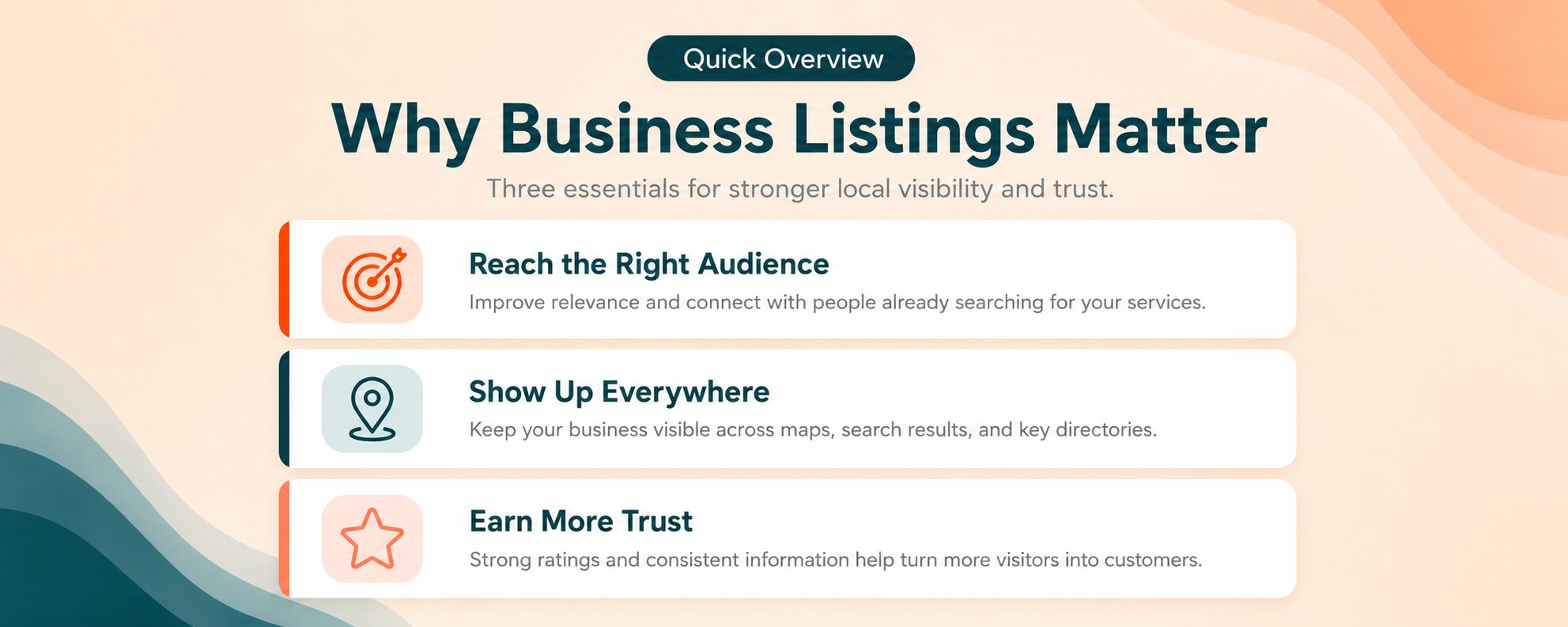
Google uses three main factors to decide which businesses show up in local search results: relevance, distance, and prominence. Relevance means how closely your business matches what someone searched for. Distance is how close you are to the person searching. Prominence reflects how well known and trusted your business appears to be online, based on things like reviews and how many other sites mention you.
Business listings directly support prominence. When your business appears consistently across many trusted directories, search engines have more signals confirming you're a real, active business worth ranking.
Building Trust and Credibility
A business that only exists on its own website looks less established than one with an active, verified presence on Google, Yelp, and a dozen other platforms. Consistent listings act like references. They tell both search engines and customers that your business information is accurate and current.
Increased Online Visibility
Every listing is another place a potential customer might find you. Someone searching on Yelp for a nearby service, browsing TripAdvisor before a trip, or checking Apple Maps while driving might discover your business through a listing rather than a Google search. More listings mean more doors into your business.
Customer Reviews and Social Proof
Most directories allow customers to leave reviews. These reviews function as both a ranking signal for search engines and a trust signal for other customers. A business with several positive reviews across multiple platforms tends to convert better than one with no reviews at all.
NAP Consistency: The Foundation of Every Listing
NAP consistency means your business name, address, and phone number appear exactly the same way across every listing. This sounds simple, but it's where most businesses run into trouble.
Common inconsistencies include:
- Writing "Street" on one listing and "St." on another
- Listing "Suite B" in one place and "#B" in another
- Using an old phone number on a listing you forgot to update
- Slightly different business names, like including or dropping "LLC"
These small differences can confuse search engines. When your business information doesn't match across platforms, it becomes harder for Google to confirm you're the same business, which can weaken your local rankings.
Before submitting to any directories, write out your business name, address, and phone number exactly as you want them to appear everywhere. Keep this in a simple document and use it as your reference every time you create or update a listing.
Search engines also read structured data on your own website to confirm this information. Adding structured LocalBusiness data to your site's code gives search engines a clear, machine-readable version of your NAP details that matches what appears across your directory listings. Since most listings link back to your website, it also helps to check your SEO score for free and see how that site holds up on meta tags and speed.
35+ Free Local Business Listing Sites (Organized by Category)
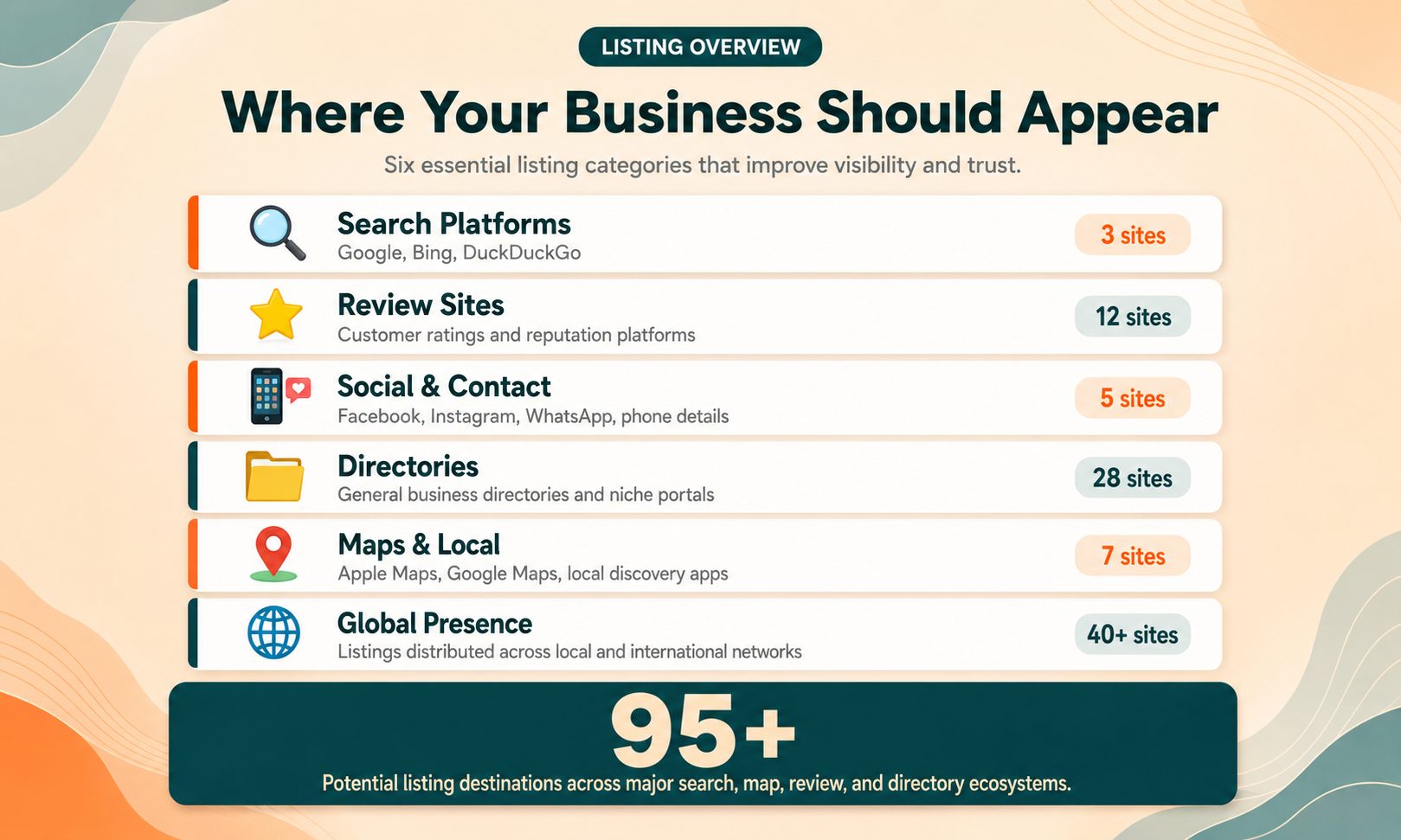
Here's the full list, grouped so you can work through it systematically instead of feeling overwhelmed by a single long list.
Search Engines & Core Platforms
These are the highest-priority listings. Search engines and voice assistants pull directly from these profiles.
- Google Business Profile: The most important listing for any business, feeds directly into Google Search and Google Maps
- Bing: Microsoft's equivalent, powers Bing search and Bing Maps
- Yahoo!: Still used by a portion of searchers and news readers
- Apple: Controls how your business appears on Apple Maps and Siri
- Amazon Alexa: Voice search increasingly pulls local business data from Amazon's ecosystem
Review & Reputation Platforms
Customers use these specifically to compare businesses based on reviews.
- Yelp: One of the most trusted review platforms for restaurants, services, and retail
- TripAdvisor: Essential for hospitality, restaurants, and tourism-related businesses
- tellows: Phone number and business reputation lookup
- Foursquare: Location check-ins and business discovery
- Tupalo: International business directory with review features
Social Media Profiles
These count as citations when your business information is included in the profile.
- Facebook: Business Pages support reviews, hours, and messaging
- Instagram: Useful for visually driven businesses like restaurants and retail
- Snapchat: Location-based advertising and business profiles for younger audiences
General Business Directories
Broad, well-established directories that most businesses should claim regardless of industry.
- YP.com: The digital version of the Yellow Pages, still widely used
- YellowPagesDirectory: A separate general business directory
- Manta: Directory built specifically for small businesses
- Cylex: General business directory with category browsing
- EZlocal: Free local business listings by category and city
- HotFrog: General directory covering most industries
- Brownbook.net: Free global business directory
- All Business: Business directory paired with small business resources
- ChamberofCommerce.com: Connects listings to local chamber of commerce networks
- Opendi: General directory with location-based search
Local & Niche Directories
Smaller, regionally focused directories that still contribute valuable citations.
- CitySquares: City-based business directory
- USCity.net: Organizes listings by U.S. city
- GoLocal247: Local business search and directory
- ShowMeLocal: Community-focused local directory
- n49: Popular local directory for Canadian and U.S. businesses
- MerchantCircle: Small business networking and directory platform
- Navmii: Navigation app with business listing data
Mapping & Location Platforms
Platforms centered on maps and directions rather than search or reviews.
- MapQuest: One of the original online mapping services, still indexed by search engines
- iBegin: Local business directory with map integration
- AroundMe: Location-based business discovery app
Coupon & Deal Directories
Directories that combine business listings with promotional offers.
- 8coupons: Local coupon and deal directory
- Hours.com: Business hours directory, useful for accuracy across search results
Professional & B2B Profiles
Directories aimed at professional services, freelancers, and B2B companies.
- LinkedIn: Essential for B2B visibility and professional credibility
- About.me: Simple personal and business profile pages
- themanifest: B2B directory covering agencies and service providers
- Freelistingusa: Free business listing site for U.S. businesses
- Property Capsule: Listing platform relevant to commercial real estate and property-based businesses
International & Global Directories
Useful if your business serves customers beyond a single country.
- iGlobal: International business directory
- My Local Services: Local service directory with international reach
How to Create and Submit a Local Business Listing (Step-by-Step)
Step 1: Prepare Your Business Information
Before creating a single listing, gather everything you'll need: business name, address, phone number, website, hours, category, a short description, and a handful of good photos. Having this ready in one document saves time and prevents the inconsistencies that hurt NAP accuracy later.
Step 2: Claim Your Google Business Profile First
Google Business Profile should always be your starting point. It has the biggest direct impact on how your business appears in Google Search and Google Maps. Visit business.google.com, search for your business name, and follow the prompts to claim or create your profile. You'll need to verify ownership, usually through a phone call, text message, or postcard sent to your business address.
Step 3: Submit to Core Directories
After Google, move on to Bing, Apple, Yelp, and Facebook. These four, combined with Google, cover the majority of how people search for and discover local businesses, whether through traditional search, maps, or social platforms.
Step 4: Expand to Niche and Secondary Directories
Once your core listings are live, work through the remaining directories from the categorized list above. You don't need to do all 35+ in one sitting. Tackle a few each week, starting with the general directories, then moving into niche and industry-specific ones relevant to your business.
Step 5: Verify and Monitor Listings
Most directories require some form of verification, whether that's a phone call, email confirmation, or a mailed postcard. Once verified, check back periodically to confirm the listing is still live, accurate, and hasn't been altered or duplicated by someone else.
How to Optimize Your Listings for Maximum Visibility
Use Keyword-Rich Business Descriptions
Write your business description the way a customer might search for you. Instead of a vague description, mention your specific services, location, and what makes your business relevant to local searches. Tools like SSC's meta tag generator can help you shape consistent, search-friendly descriptions across your website and listings.
Choose Accurate Categories
Most directories let you select one or more business categories. Pick the most specific and accurate options available rather than a broad catch-all category. Accurate categorization helps directories and search engines match your listing to the right searches.
Add High-Quality Photos
Listings with photos generally get more engagement than those without. Include images of your storefront, products, team, or completed work. Avoid stock photos where possible. Real photos build more trust with potential customers.
Encourage and Respond to Reviews
Ask satisfied customers to leave a review on your Google Business Profile or Yelp listing. Respond to every review you receive, positive or negative. This shows both future customers and search engines that your business is active and engaged.
Common Mistakes to Avoid When Building Listings
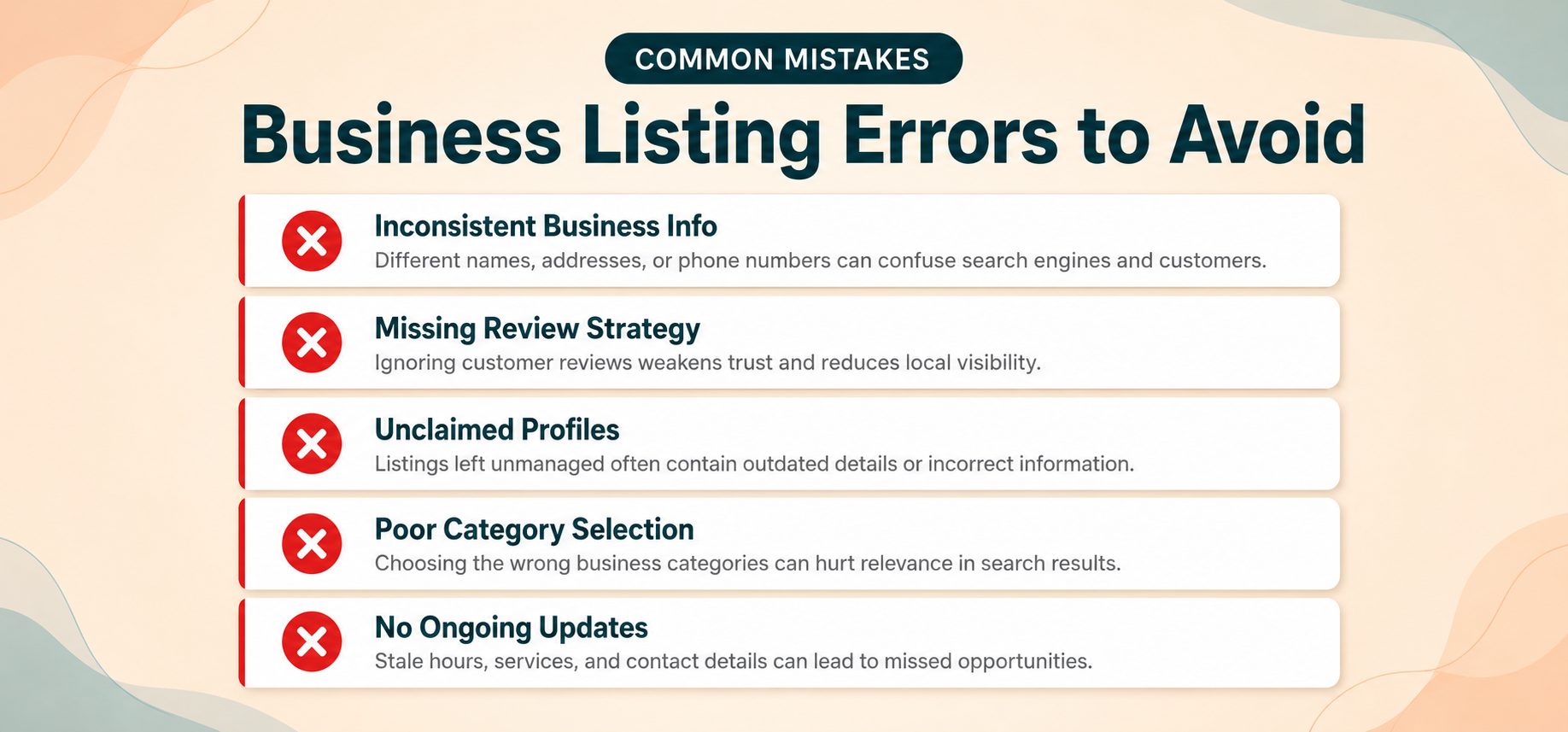
Duplicate listings. These happen when a business is listed more than once on the same platform, often because someone forgot they already had a profile or a directory auto-generated one. Duplicates confuse search engines and split your reviews across multiple profiles.
Inconsistent NAP information. As covered earlier, small differences in how your name, address, or phone number appear can weaken your local SEO signals.
Leaving listings unclaimed. Many directories automatically generate basic listings for businesses, even without your involvement. If you don't claim these, competitors or spammers could potentially edit the information.
Ignoring reviews. An unmanaged listing with unanswered negative reviews can turn away potential customers faster than having no reviews at all.
Forgetting to update seasonal hours. Holiday closures, temporary hour changes, and special events should be reflected across your listings, not just on your website.
How to Track and Manage Your Business Listings
You don't need a paid tool to keep your listings organized. A simple spreadsheet works well. List each directory, the date you submitted the listing, your login details, and its current status (live, pending, needs update).
Set a recurring reminder, monthly or quarterly, to audit your listings. During each audit, check that your NAP information still matches, confirm the listing is live and not flagged as closed, and respond to any new reviews. You can also run a quick check with SSC's free SEO score checker to see how your overall online presence, including citation signals, is performing.
Local Business Listings vs. Paid Citation Services
Paid citation services, offered by companies like Semrush or Yext, submit your business information to dozens of directories automatically and monitor them for changes. This can save time, particularly for businesses with multiple locations or limited staff availability.
That said, most small businesses with a single location can manage this process manually without paying for a service. It takes more time upfront, but the directories themselves are free, and the process outlined in this guide covers the same ground a paid tool would automate. Paid services make more sense once you're managing listings across ten or more locations, where manual updates become impractical.
Conclusion
Local business listings remain one of the more straightforward ways to build trust, visibility, and search rankings for your business. Start with Google Business Profile, work through the core platforms, and then move steadily through the categorized directory list above. Consistency matters more than speed, so take the time to keep your NAP information accurate everywhere it appears.
Once your listings are live, keep your overall SEO strong by exploring SEO Site Checker's free tools to check your site's performance, optimize your metadata, and monitor how your business shows up in search.
Frequently Asked Questions
Frequently Asked Questions (FAQs) is a list of common questions and answers provided to quickly address common concerns or inquiries.
What is the difference between a local listing and a local citation?
They mean the same thing. A local listing usually refers to a full directory profile with your business details, while a citation can also include smaller mentions of your NAP information on other websites, like a blog post or news article.
Are local business listings still important for SEO in 2026?
Yes. Search engines continue to use listing consistency and prominence as ranking signals for local search results. While the tactics have evolved, having accurate, active listings remains a foundational part of local SEO.
How many local directories should I list my business on?
There's no fixed number, but claiming your core platforms first, Google, Bing, Apple, Yelp, and Facebook, then expanding into 15 to 25 relevant secondary directories, covers most of the visibility benefit without unnecessary effort.
How long does it take for a listing to appear in search results?
This varies by platform. Google Business Profile listings can appear within a few days after verification. Other directories may take anywhere from a few hours to a couple of weeks to index and display fully.
Do free business listings actually help my Google ranking?
Yes, indirectly. Free listings contribute to prominence and consistency signals that Google factors into local rankings. They won't replace strong on-site SEO, but they support it.
What happens if my business information is inconsistent across listings?
Inconsistent NAP data can confuse search engines trying to confirm your business is legitimate, which may weaken your local ranking signals. It can also confuse customers trying to find your correct hours or address.
Can I remove or edit a business listing after submitting it?
In most cases, yes. Once you've claimed and verified a listing, you'll typically have access to an account dashboard where you can edit details or request removal if needed.
Should I pay for premium listings on directories like Yelp or Manta?
It depends on your budget and goals. Free listings provide the core SEO and visibility benefits. Premium or paid tiers usually add extra features like removing competitor ads from your page or additional analytics, which may be worth it for some businesses but aren't required to benefit from listings overall.