Website Screenshot Generator: Capture Full Page Screenshots Instantly
 James Okafor
Mar 02 /
7 months ago
James Okafor
Mar 02 /
7 months ago

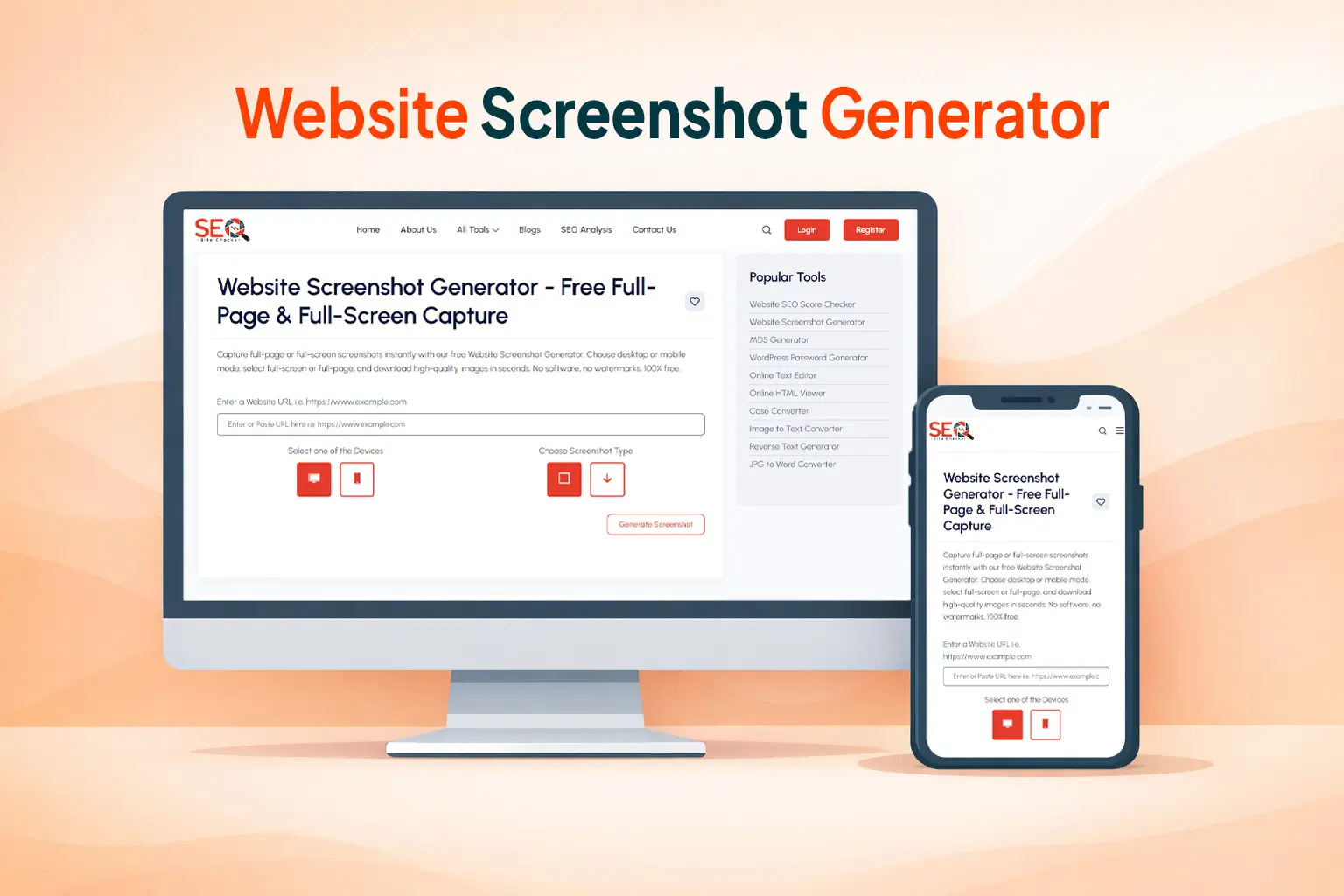
Introduction: Why Website Screenshots Matter More Than Ever
In 2026, visual documentation is no longer optional, it's essential.
Whether you're running SEO audits, building client reports, analyzing competitors, documenting bugs, or showcasing portfolio work, you need one thing:
👉 Accurate, high-quality website screenshots.
Manual screenshots are limited. They crop content. They miss scrollable sections. They don't capture full pages properly. And they can be time-consuming.
That's where a website screenshot generator becomes powerful.
With a modern online screenshot tool, you can:
- Capture full-page screenshots instantly
- Generate mobile previews
- Create visual reports for SEO clients
- Archive web pages
- Monitor landing page changes
If you want to instantly capture any webpage, try:
👉 Capture Full Page Screenshots Instantly
In this guide, you'll learn exactly how these tools work and how to use them effectively.
What Is a Website Screenshot Generator?
A website screenshot generator is an online tool that captures an image of a webpage using its URL.
Instead of manually scrolling and stitching screenshots together, the tool:
- Loads the webpage in a cloud-based rendering engine
- Processes HTML, CSS, and scripts
- Captures the entire rendered page
- Converts it into an image file
This allows you to generate:
- Full-page screenshots
- Above-the-fold captures
- Mobile device previews
- Thumbnail snapshots
The major advantage?
You don't need browser extensions or software.
Everything happens instantly through the cloud.
Types of Website Screenshots You Can Capture
Understanding the types of screenshots helps you choose the right format.
1️⃣ Full Page Screenshot
A full-page screenshot captures the entire scrollable webpage from top to bottom.
This is ideal for:
- SEO audits
- Long landing pages
- Blog documentation
- Sales page archiving
Full-page capture ensures nothing is missed, even content below the fold.
2️⃣ Above-the-Fold Screenshot
This captures only what users see immediately when the page loads.
It's useful for:
- UX analysis
- Hero section design comparison
- Conversion rate optimization
3️⃣ Mobile & Tablet View Screenshots
Modern screenshot generators allow device emulation.
This helps you:
- Check mobile responsiveness
- Document mobile design issues
- Validate mobile SEO layouts
4️⃣ Thumbnail Preview Screenshots
These are small preview images used for:
- Directories
- Website listings
- Portfolio galleries
- SaaS dashboards
How a Website Screenshot Generator Works
Behind the scenes, the process is technical, but simple from a user perspective.

1️⃣ URL Rendering Engine
The tool loads the webpage in a controlled cloud browser environment.
It renders:
- HTML
- CSS
- JavaScript
- Dynamic content
This ensures the screenshot reflects the live version of the page.
2️⃣ HTML & CSS Processing
The system fully renders layout, fonts, images, and animations.
To understand how browsers render pages, you can explore:
👉 “how browsers render web pages”
3️⃣ Image Conversion & Output
After rendering, the page is converted into:
- PNG
- JPEG
- High-resolution image format
Some advanced tools offer custom resolution options.
4️⃣ Device Emulation
The tool simulates mobile and tablet screen sizes.
This is especially useful for responsive testing.
For developers who want manual control, Google also provides documentation for browser tools:
👉 “Google Chrome DevTools full page screenshot guide”
However, online generators are faster and easier for most users.
Step-by-Step: How to Capture a Website Screenshot
Capturing a website screenshot takes less than a minute.
Step 1: Visit the Screenshot Tool
Go to: Website Screenshot Generator
Step 2: Enter the Website URL
Paste the full URL, including https://
Example:
https://example.com
Step 3: Select Full Page Option
Choose:
✔ Full-page capture
✔ Standard view
✔ Mobile preview (if needed)
Step 4: Click “Generate Screenshot”
The tool loads the webpage and processes it.
Step 5: Download the Screenshot
Once generated, you can:
- Download the image
- Save it for reports
- Share it with clients
- Use it in presentations
Step 6: Use It Strategically
Website screenshots are valuable for:
- SEO audits
- Conversion analysis
- Client reporting
- Competitor tracking
If you frequently manage website operations, explore more tools here:
👉 Discover More Website Optimization Tools

Key Features to Look for in a Website Screenshot Generator
Not all tools are equal.
Here's what matters:
✔ Full-page scrolling capture
✔ High-resolution images
✔ Fast cloud rendering
✔ No watermark
✔ Secure URL processing
✔ Mobile preview
✔ Free usage options
✔ API support for automation
The more features available, the more flexible your workflow becomes.
Top Use Cases for Website Screenshot Generators
Screenshot tools aren't just for designers, they're powerful SEO and marketing assets.

1️⃣ SEO Audits & Client Reporting
When performing SEO audits, screenshots help document:
- On-page issues
- Meta placement
- Internal linking
- UX problems
Visual proof builds credibility in reports.
2️⃣ Web Design Portfolio
Designers use full-page screenshots to showcase client work.
Instead of linking out, they display visual previews.
3️⃣ Bug Documentation
Developers capture:
- Layout issues
- Mobile breakpoints
- Broken UI elements
Screenshots improve communication between teams.
4️⃣ Competitor Analysis
Want to track how competitor landing pages evolve?
Generate screenshots monthly to compare:
- CTA placement
- Pricing tables
- Design shifts
5️⃣ Website Archiving
If you want to archive website versions, you can also explore:
👉 “Internet Archive Wayback Machine”
However, screenshot tools give you instant visual documentation.
6️⃣ Social Media Preview Creation
You can capture optimized webpage visuals for:
- Blog promotions
- Product pages
- Landing page ads
7️⃣ QR Code Landing Page Verification
If you're generating QR codes for campaigns, it's smart to verify how the landing page looks.
Use:
👉 Create a QR Code for Your Website
Then confirm layout using the screenshot generator.
Website Screenshot Generator vs Browser Extensions
Many users ask whether they should use Chrome extensions.
Here's the difference:
| Feature | Browser Extension | Online Generator |
|---|---|---|
| Installation Required | Yes | No |
| Full-page capture | Sometimes limited | Yes |
| Cloud rendering | No | Yes |
| High resolution | Limited | Better |
| Device emulation | Basic | Advanced |
For consistent, scalable workflows, online generators are better.
Is It Legal to Take Website Screenshots?
Generally:
✔ Public website screenshots for analysis are legal
✔ Educational and reporting use falls under fair use
✔ Commercial redistribution may require permission
Always respect copyright when publishing externally.
Common Problems & How to Fix Them
Page Not Loading
Ensure URL includes https://
Lazy-Loaded Images
Some dynamic elements may need full render time.
Cropped Screenshot
Use full-page mode.
Dynamic Content Missing
Some JavaScript-heavy pages may require refresh.
Website Screenshot Generator for SEO & Marketing
Beyond documentation, screenshot tools support growth strategies.
You can:
- Track landing page changes
- Monitor conversion layout
- Capture affiliate page visuals
- Create portfolio case studies
- Build SEO reporting assets
Screenshot tools improve clarity in communication, especially with clients.
Conclusion: Capture Any Website Instantly
Website screenshots are no longer just convenience features, they're essential for SEO, marketing, and development workflows.
Instead of struggling with manual screenshots or extensions, use a fast, cloud-based website screenshot generator.
Capture full pages.
Analyze competitors.
Improve SEO reports.
Document changes visually.
Try it now:
👉 Free Full Page Screenshot Tool
Simple. Instant. Professional.
Frequently Asked Questions
Frequently Asked Questions (FAQs) is a list of common questions and answers provided to quickly address common concerns or inquiries.
How do I take a full-page screenshot of a website?
You can use an online website screenshot generator. Enter the URL, select full-page capture, and generate the image instantly.
Is there a free website screenshot generator?
Yes. Tools like the Website Screenshot Generator allow you to capture webpage images instantly without installing software.
Can I capture mobile website screenshots?
Yes. Many screenshot generators provide mobile device emulation to capture responsive layouts.
How do I screenshot a long scrolling webpage?
Use a full-page screenshot tool that captures scrollable content automatically instead of manual scrolling.
Are online screenshot tools safe?
Reputable tools process public URLs securely. Avoid entering private login pages unless you trust the platform.
What is the best website screenshot API?
It depends on your needs. Some tools provide API access for automated screenshot generation at scale.