XML Formatter: How to Format and Validate XML Online
 Kendall Chris
Jul 18 /
3 months ago
Kendall Chris
Jul 18 /
3 months ago


Raw, unformatted XML, a single unbroken line with no indentation, is nearly impossible to read or debug by eye. One missing closing tag buried somewhere in a wall of text, and you're stuck scanning character by character trying to find it.
This guide includes a free XML formatter and validator you can use right now, plus a practical reference on XML syntax rules, the most common validation errors, and how to actually fix them.
What Is XML Formatting, and Why Does It Matter?
Formatting, often called "pretty-printing," takes raw XML and adds consistent indentation and line breaks so its tree structure is readable at a glance. Instead of one dense line, you get a clear, nested layout where you can immediately see which elements sit inside which.
This matters constantly in real work. Debugging an API response, reading a configuration file, inspecting an RSS feed, or reviewing a data export all become dramatically easier once the XML is actually readable rather than compressed into a single line.
One quick distinction worth knowing upfront: formatting only changes whitespace and layout. It never touches the actual data or structure of the document, which means it's always safe to run, even on something you didn't write yourself.
Try It Now: Free XML Formatter
Before getting into the technical details, here's the fastest path to a clean result. Paste your XML into our free XML formatter and get clean, structured output within seconds. It's free and doesn't require creating an account.
Once formatted, you can copy the output directly or download it as a file, which is especially useful when you're working through a large config file or a bulky API response and need to keep the cleaned-up version.
How XML Formatting Actually Works
Every XML document is built as a tree: a single root element containing nested child elements, each of which can carry its own attributes. Formatting works by parsing that tree structure, then re-rendering it with consistent indentation, typically 2 or 4 spaces, or tabs, so the nesting depth is visible at a glance without you having to mentally track opening and closing tags.
A quick example makes this concrete. A single unformatted line like <order><item>Book</item><price>12.99</price></order> becomes, once formatted, three clearly nested lines: the order tag on its own line, with item and price indented underneath it. Nothing about the data changes, only the layout, but the readability difference is immediate, especially once a document grows to dozens or hundreds of elements.
There's a second, opposite operation worth knowing about too: minifying. Where formatting expands XML for readability, minifying strips out all unnecessary whitespace to reduce file size for transmission or storage. Both are useful, just for different purposes, one for humans reading the file, the other for systems transmitting it efficiently.
It's worth being clear about one limitation: formatting alone doesn't confirm a document is actually valid. It only makes it readable. A document can be beautifully formatted and still be broken underneath, which is exactly why validation is a separate, necessary step covered further down.
Common XML Syntax Rules You Should Know
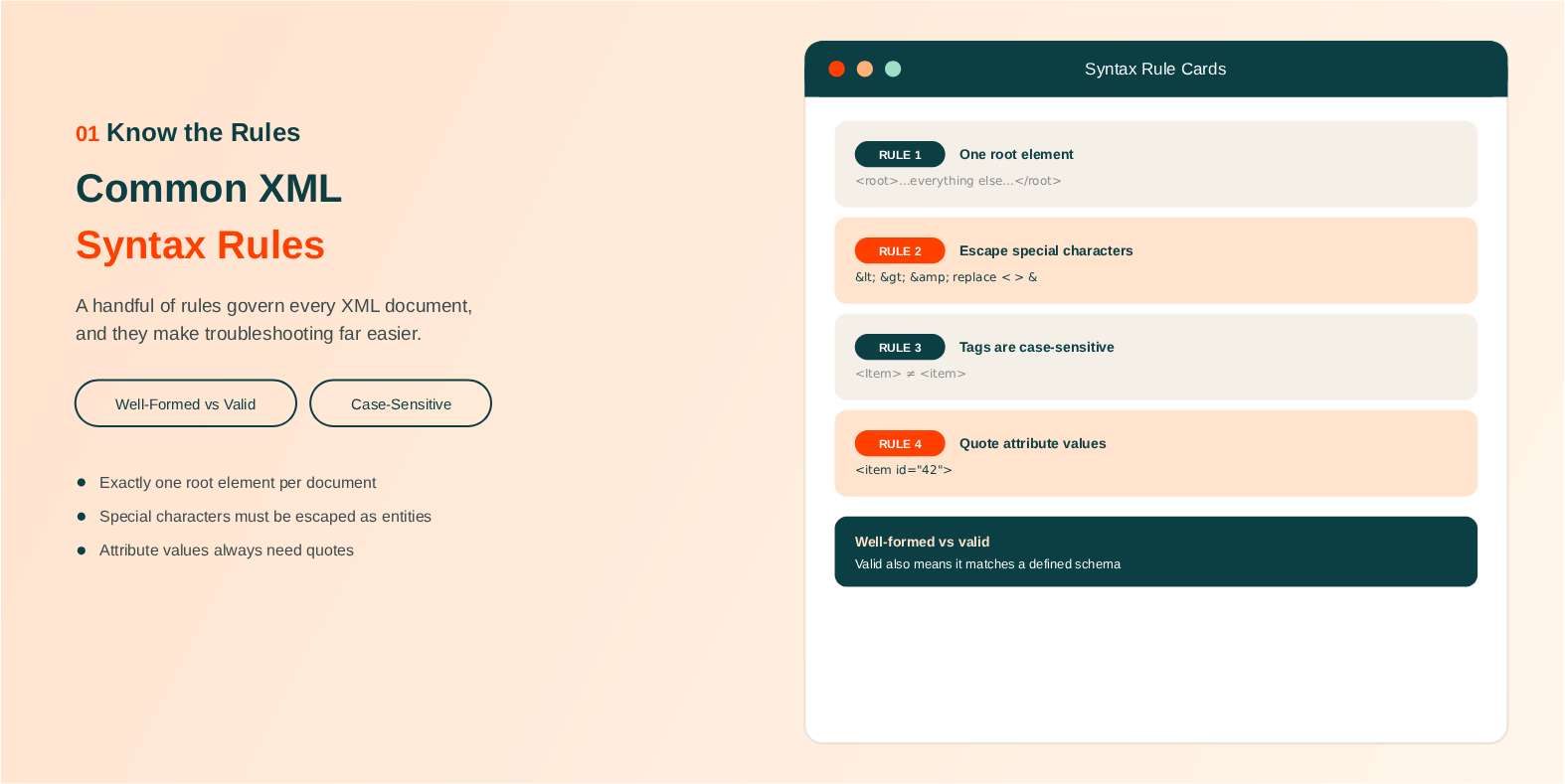
A handful of rules govern every XML document, and knowing them makes both formatting and troubleshooting far more intuitive.
There's an important distinction between well-formed and valid. A well-formed document simply follows basic XML syntax rules. A valid document goes a step further and also conforms to a specific schema, defined by a DTD or XSD, that dictates exactly which elements and attributes are allowed and where.
Every XML document needs exactly one root element containing everything else inside it. You can't have two top-level elements sitting side by side.
Tags are case-sensitive and must be properly nested and closed. <Item> and <item> are treated as two completely different tags, and a tag opened as <item> must close as </item>, not </Item>.
Attribute values always need to be quoted, and a handful of special characters, specifically <, >, and &, must be escaped using their entity equivalents: <, >, and &. Leaving one of these unescaped inside text content is one of the fastest ways to break parsing entirely.
An XML declaration at the very top of the document, <?xml version="1.0" encoding="UTF-8"?>, is technically optional but strongly recommended, since it explicitly specifies the encoding rather than leaving it to be guessed. For the complete, authoritative rundown of every rule XML is built on, the official W3C XML specification is the original source everything else in this section is drawn from.
How to Validate XML Online
Validation checks something formatting never touches: whether the document is actually structurally correct. That includes proper nesting, matching open and close tags, correct character encoding, and, for schema validation specifically, whether the document conforms to a defined XSD or DTD your system expects.
There are effectively two levels here. Well-formedness checks whether a document follows basic XML syntax at all. Schema validation goes further and checks whether it matches a specific structure, useful when a system downstream expects XML in an exact, predefined shape.
Once your XML is formatted, it's worth running it through SEO Site Checker's XML Validator to catch structural errors before they cause problems further down the line. This matters more than it might seem: a single unescaped ampersand or one unclosed tag can silently break an API integration, a sitemap submission, or a data import, often in ways that are hard to trace back to the actual source.
Common XML Errors and How to Fix Them
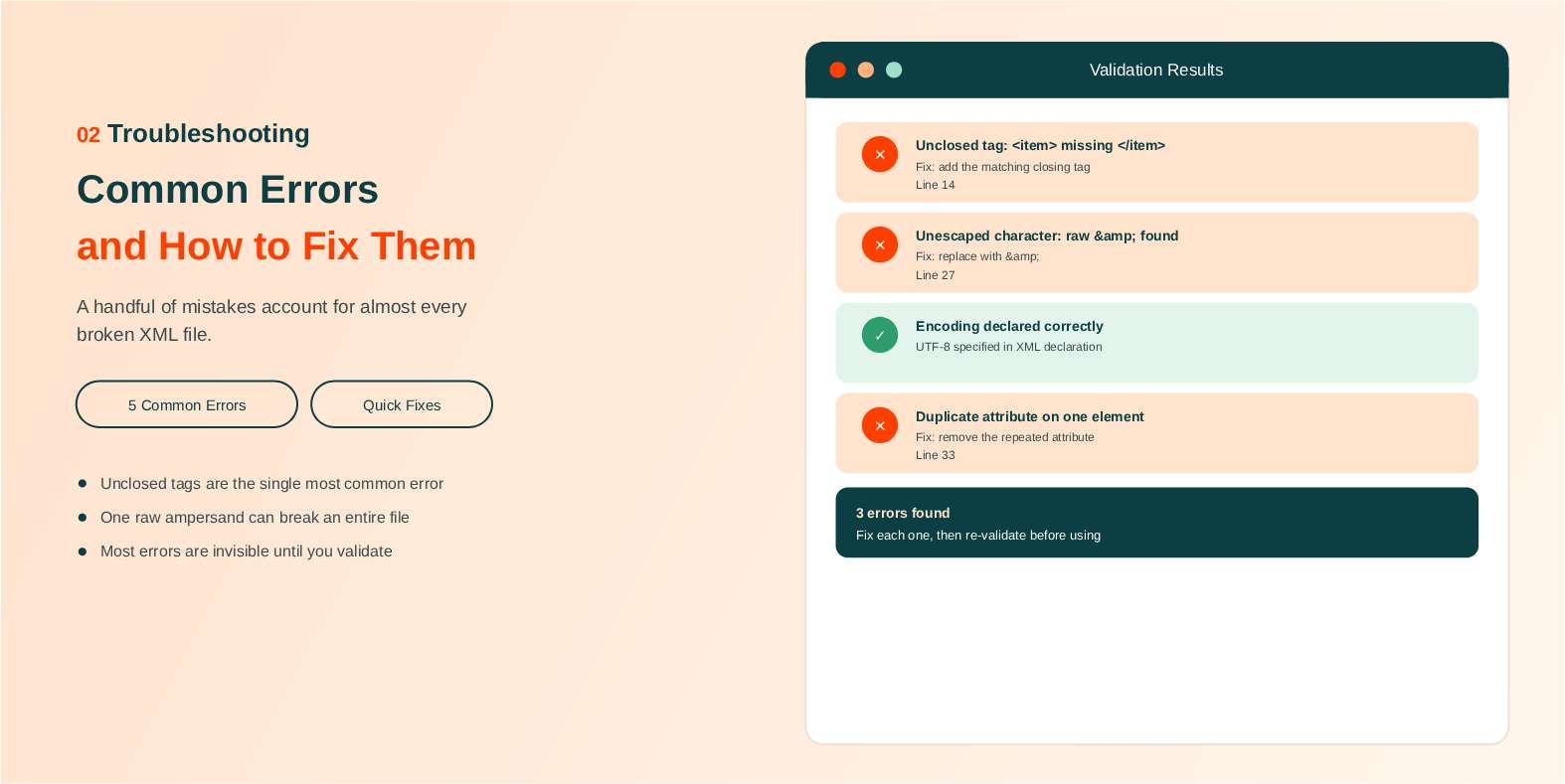
A handful of errors account for the overwhelming majority of broken XML files, and most of them are quick to fix once you know what you're looking for.
Unclosed or mismatched tags are by far the most frequent issue. The fix is always the same: make sure every opening tag has a matching closing tag, in the correct order, with matching case.
Unescaped special characters break parsing just as reliably. A raw &, <, or > sitting inside text content needs to be replaced with its entity equivalent before the document will parse cleanly.
Missing or incorrect encoding declarations cause misinterpreted characters, especially with non-ASCII text like accented letters or non-Latin scripts. The fix is explicitly declaring UTF-8 encoding in the XML declaration rather than leaving it to be guessed.
Duplicate attributes on a single element are another common trip-up. XML doesn't allow the same attribute to appear twice on one tag, and most validators will flag this immediately as an error.
And finally, multiple root elements is a structural error that's easy to introduce by accident, often when two separate XML snippets get pasted together without realizing every document needs exactly one top-level element wrapping everything else.
Most of these errors share a common thread: they're invisible in a plain text editor but immediately obvious once you run the document through a proper validator, which is exactly why formatting and validating are worth treating as a routine two-step habit rather than something you only reach for once something has already broken downstream.
XML Formatter vs. Validator vs. Editor: What's the Difference?
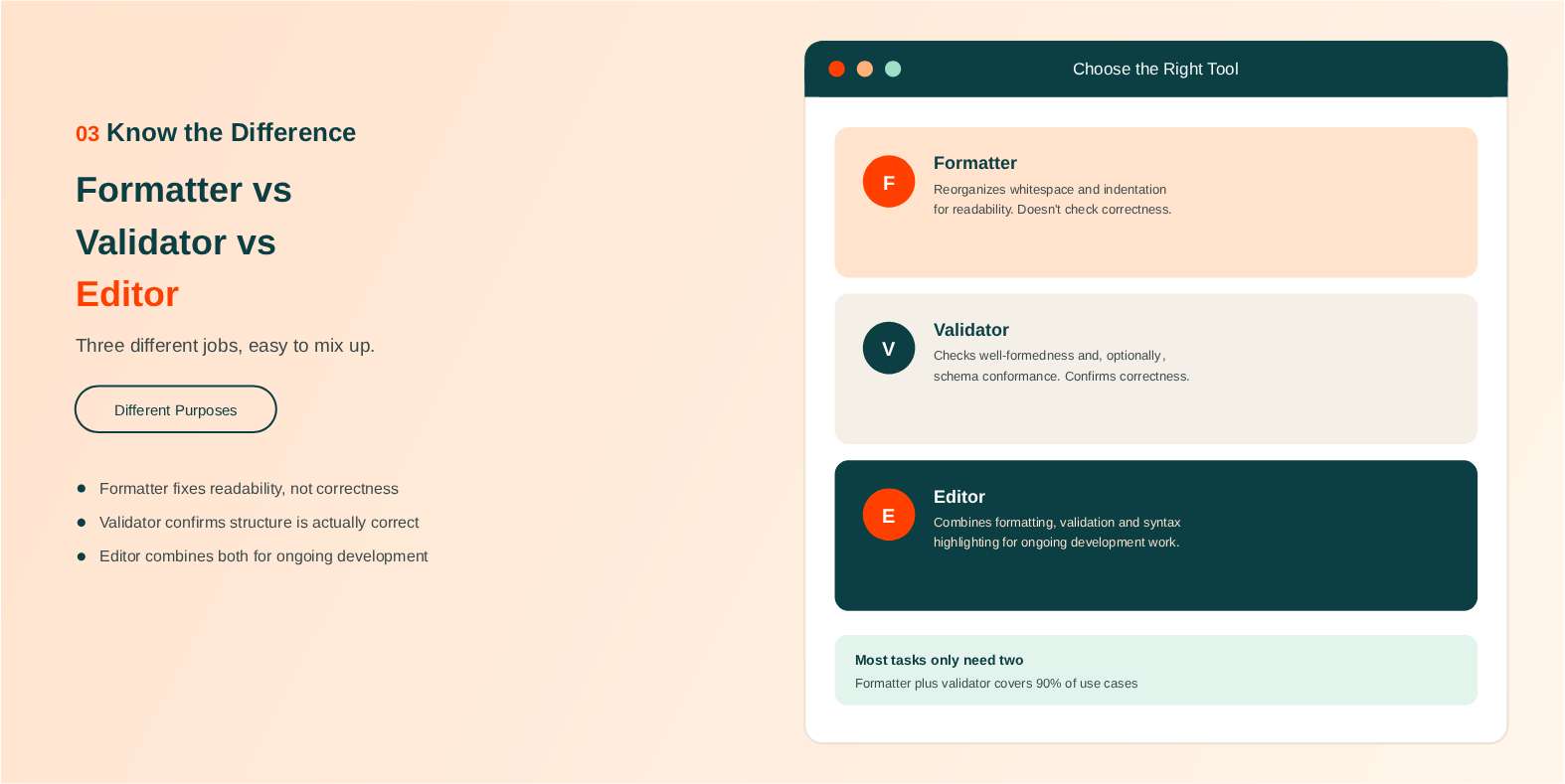
These three terms get used almost interchangeably, but they do genuinely different jobs.
A formatter reorganizes whitespace and indentation purely for readability. It doesn't check whether the underlying document is actually correct.
A validator checks whether a document is well-formed and, optionally, whether it matches a defined schema. This is where actual correctness gets confirmed.
An editor is a fuller environment for writing and modifying XML directly, often bundling formatting, validation, and syntax highlighting together in one interface.
For most everyday tasks, a formatter plus a quick validation pass covers everything you need. A full editor really only earns its keep if you're doing ongoing, heavy XML development work rather than the occasional file cleanup or debugging session.
XML Formatter vs. XML Minifier
Formatting and minifying are opposite operations on the same file. A formatter adds line breaks and indentation so a person can read the document. A minifier strips every byte that is not strictly required, collapsing the file back onto as few lines as possible so it travels and stores more cheaply.
Neither changes what the document means. Both produce XML that any parser reads identically, because whitespace between elements carries no meaning in XML. The difference is purely who the file is for at that moment: formatted XML is for humans reading and debugging, minified XML is for machines moving bytes.
The practical rule is to format while you are working and minify only at the point of transmission or storage, and never to keep a minified copy as your working source. Editing minified XML by hand is how nesting mistakes get introduced in the first place.
Converting XML to Other Formats
It comes up constantly: plenty of modern APIs and tools expect JSON rather than XML, even when the source data originates in XML format. Manually rewriting a large XML document into JSON by hand is slow and error-prone.
Once your XML is formatted and validated, SEO Site Checker's XML to JSON Converter handles this cleanly, giving you a properly structured JSON output without the manual rework.
XML to CSV is another common need, usually when structured data has to land in a spreadsheet for non-technical stakeholders. That one calls for a dedicated converter or a short script, since a formatter only changes how a document is laid out and cannot reshape data from one format into another.
XML Formatting for SEO and Sitemaps
Anyone working in SEO handles more XML than they might expect. Sitemaps, news sitemaps, video sitemaps, and RSS feeds are all XML documents, and every one of them has to be well-formed before a search engine will read it properly.
A malformed sitemap is a particularly expensive mistake, because it can fail quietly. A single unescaped ampersand in a URL, or one unclosed <url> element, is enough to make a crawler stop trusting the file, and nothing in your analytics will announce it. Formatting the file first makes the structure visible, so a missing tag or a stray character stands out instead of hiding in one continuous line.
The habit worth forming is simple: format and validate a sitemap before you submit it, not after a drop in indexed pages sends you looking for a cause. If you need to build one from scratch, our XML sitemap generator produces the file for you, and this formatter will confirm it parses cleanly.
Is It Safe to Format XML Online?
It depends entirely on where the formatting happens, and most tools do not tell you. That question matters more than it first appears, because XML in the real world is rarely just data. SOAP payloads, application config files, and API responses routinely carry API keys, connection strings, tokens, and customer records.
The distinction to look for is whether a tool processes your input on its own servers or inside your browser. If your XML is uploaded, it has left your machine, and you are trusting that site's retention and logging policy with whatever was in it. HTTPS only protects the data in transit; it says nothing about what happens after the file arrives.
Our XML formatter runs entirely in client-side JavaScript. Your XML is never uploaded, logged, or stored on any server, and because the work happens locally the page keeps formatting even if you disconnect from the internet once it has loaded. Validation uses the browser's own built-in parser, so nothing is sent anywhere for that step either.
For genuinely sensitive enterprise data, that is the property to insist on wherever you format it. If a tool does not say where your data goes, assume it leaves your machine.
Best Practices for Working with XML Files
Always validate after any manual edit, even a small one. A single misplaced character can quietly break an otherwise correct document, and it's much faster to catch that immediately than to debug it later once it's caused a downstream failure.
Keep a consistent indentation style across a project, whether that's 2 or 4 spaces, so diffs stay clean and readable in version control rather than showing whitespace changes mixed in with actual content changes.
Use meaningful, consistent element and attribute names rather than cryptic abbreviations. Future you, or a teammate picking up the file later, will genuinely thank you for it.
If you're working with anything tied to search specifically, keep the sitemaps.org XML protocol in mind, since sitemap XML carries its own additional structural requirements on top of general XML syntax rules.
And minify only when you actually need to, for transmission or storage. Never keep a minified version as your working source file, since you'll just end up reformatting it again the next time you need to read or edit it.
Quick Reference: XML Formatting and Validation Cheat Sheet
| Concept | Quick Explanation |
|---|---|
| Well-formed | Follows basic XML syntax rules |
| Valid | Well-formed and conforms to a defined schema (XSD/DTD) |
| Root element | Every document needs exactly one |
| Escaped characters | < > & replace raw < > & |
| Formatting | Changes layout only, never data or structure |
| Validation | Confirms actual structural correctness |
| Minifying | Strips whitespace to reduce file size |
Final Thoughts
Formatting makes XML readable. Validation confirms it's actually correct. Knowing the difference between the two, and where each one fits, saves real debugging time the next time something breaks and you're not sure why.
Paste your XML in and see both in action. SEO Site Checker's XML Formatter is the fastest way to get started.
Frequently Asked Questions
Frequently Asked Questions (FAQs) is a list of common questions and answers provided to quickly address common concerns or inquiries.
What does an XML formatter do?
It takes raw, unformatted XML and adds consistent indentation and line breaks, making the document's structure readable without changing any of the underlying data.
Is an XML formatter free to use?
Yes, most XML formatters, including the one linked in this guide, are completely free and don't require creating an account.
What's the difference between formatting and validating XML?
Formatting only changes layout and whitespace for readability. Validating checks whether the document is actually structurally correct and, optionally, matches a defined schema.
Why is my XML file showing as invalid even though it looks fine?
The most common causes are an unclosed tag, an unescaped special character like &, or a missing encoding declaration, all of which can be invisible at a casual glance.
Can I format XML without uploading a file?
Yes. This tool is paste-only: enter or paste your XML straight into the input pane, with no file upload and no account needed. Formatting runs in your browser, so nothing is sent to a server.
What's the difference between well-formed and valid XML?
Well-formed means it follows basic XML syntax rules. Valid means it's well-formed and also conforms to a specific schema (DTD or XSD) defining its expected structure.
How do I convert formatted XML to JSON?
Run your formatted, validated XML through a dedicated XML to JSON converter tool, which restructures the data into proper JSON format automatically.
Is it safe to format sensitive or private XML data using an online tool?
Reputable formatters process data entirely in your browser without sending it to a server, but for genuinely sensitive data, a local or offline tool is the safer choice.