7 Free Domain Tools Every Website Owner Should Know
 Kendall Chris
Aug 06 /
2 months ago
Kendall Chris
Aug 06 /
2 months ago


Owning a domain comes with more moving parts than most people realize. There's registration details, DNS records, hosting configuration, security certificates, all of it worth understanding even if you never touch a line of code yourself.
This guide covers 7 free tools every website owner should have bookmarked: what each one actually does, why it matters, and how to use it, so you can check your own domain's health in a matter of minutes. Most of these problems are invisible until they suddenly aren't, and a five-minute check now genuinely beats discovering a broken certificate or an expired registration from a customer complaint.
What Counts as a "Domain Tool," and Why Every Site Owner Needs a Few
A domain tool is anything that lets you inspect, verify, or monitor some aspect of a domain's registration, configuration, or health. It's a broader category than just a search box for buying a new domain.
This matters even if you're not technical. These tools catch real problems, expiring registrations, misconfigured DNS, broken SSL certificates, before they turn into actual downtime or lost email. Catching a problem in a two-minute check beats discovering it from an angry customer email.
One quick reassurance before diving in: none of the tools in this list require a technical background. Each one is built to give you a clear, readable answer without needing you to interpret raw server data yourself.
The 7 Free Domain Tools Every Website Owner Should Know
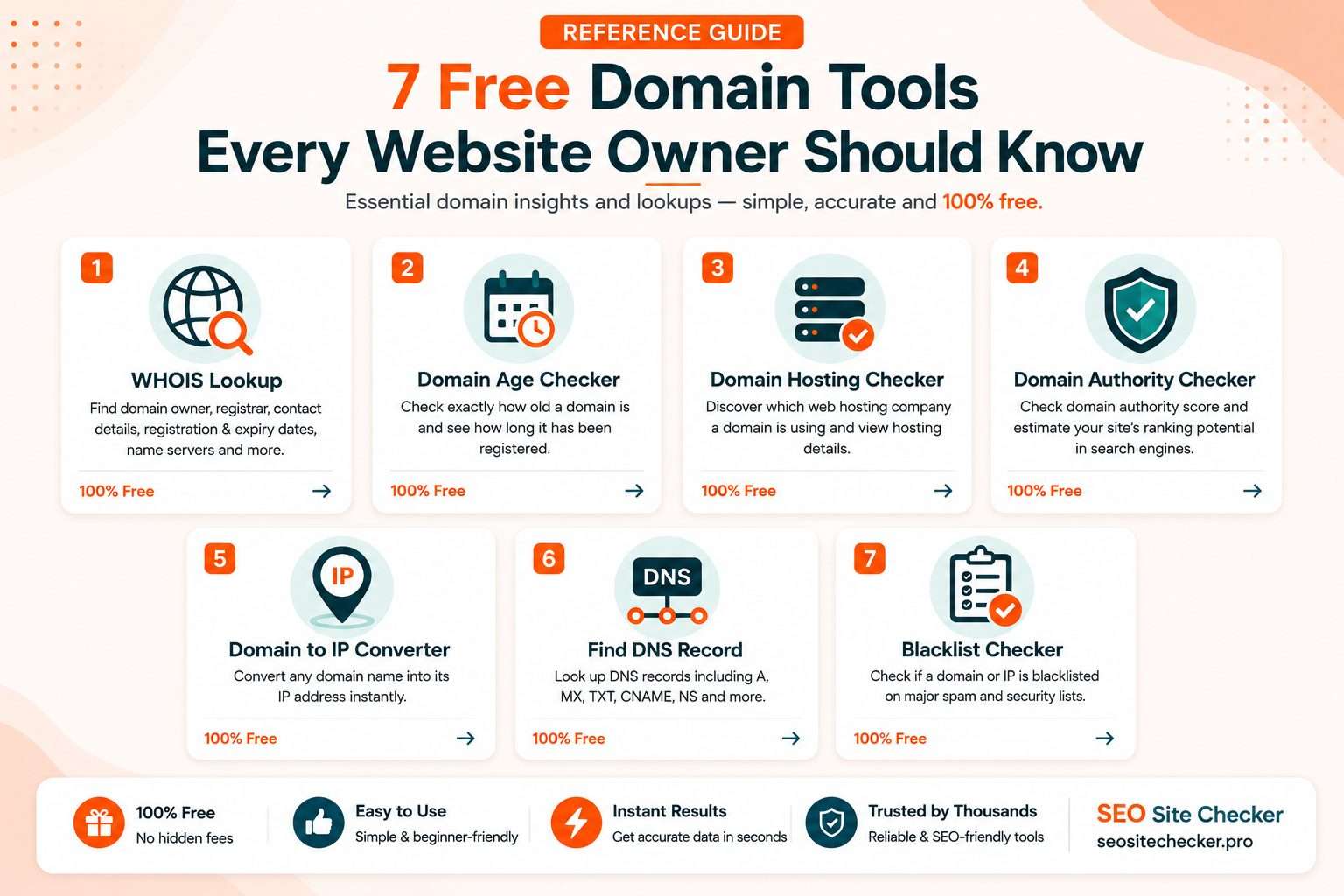
These are presented roughly in the order you'd actually use them in a real check: starting with who owns a domain, moving into its technical configuration, then its age and authority, and finishing with its security.
1. WHOIS Lookup
WHOIS reveals a domain's registrant details (when not privacy-protected), its registrar, registration date, and expiration date.
Every site owner needs this for a simple reason: confirming your own domain's expiration date is one of the easiest ways to avoid accidentally losing it. Domains do occasionally slip through the cracks and expire unrenewed, and recovering one after the fact is far more painful, and sometimes far more expensive, than a renewal ever would have been. Checking a domain before buying it or partnering with a site is also basic due diligence that takes seconds.
To use it, open SEO Site Checkers WHOIS Lookup, enter any domain, and get the full record back in seconds.
Tip: set a calendar reminder a month before your domain's expiration date once you've confirmed it here. Registrar renewal emails genuinely do land in spam folders more often than you'd expect.
2. DNS Record Checker
This shows a domain's A, MX, TXT, NS, and other DNS records, the settings that control where a site and its email actually point.
DNS misconfigurations are one of the most common causes behind "my site is down" or "my email isn't arriving" support tickets. A quick check here often solves in two minutes what would otherwise take a confused back-and-forth with a hosting provider's support team, largely because most people don't know which specific record to even ask about.
To use it, open SEO Site Checkers DNS Record Checker, enter your domain, and review each record type it returns.
Tip: check your DNS records right after any hosting or email provider migration. This is exactly when misconfigurations tend to slip in unnoticed, since the change often looks fine at first glance.
3. Domain Age Checker
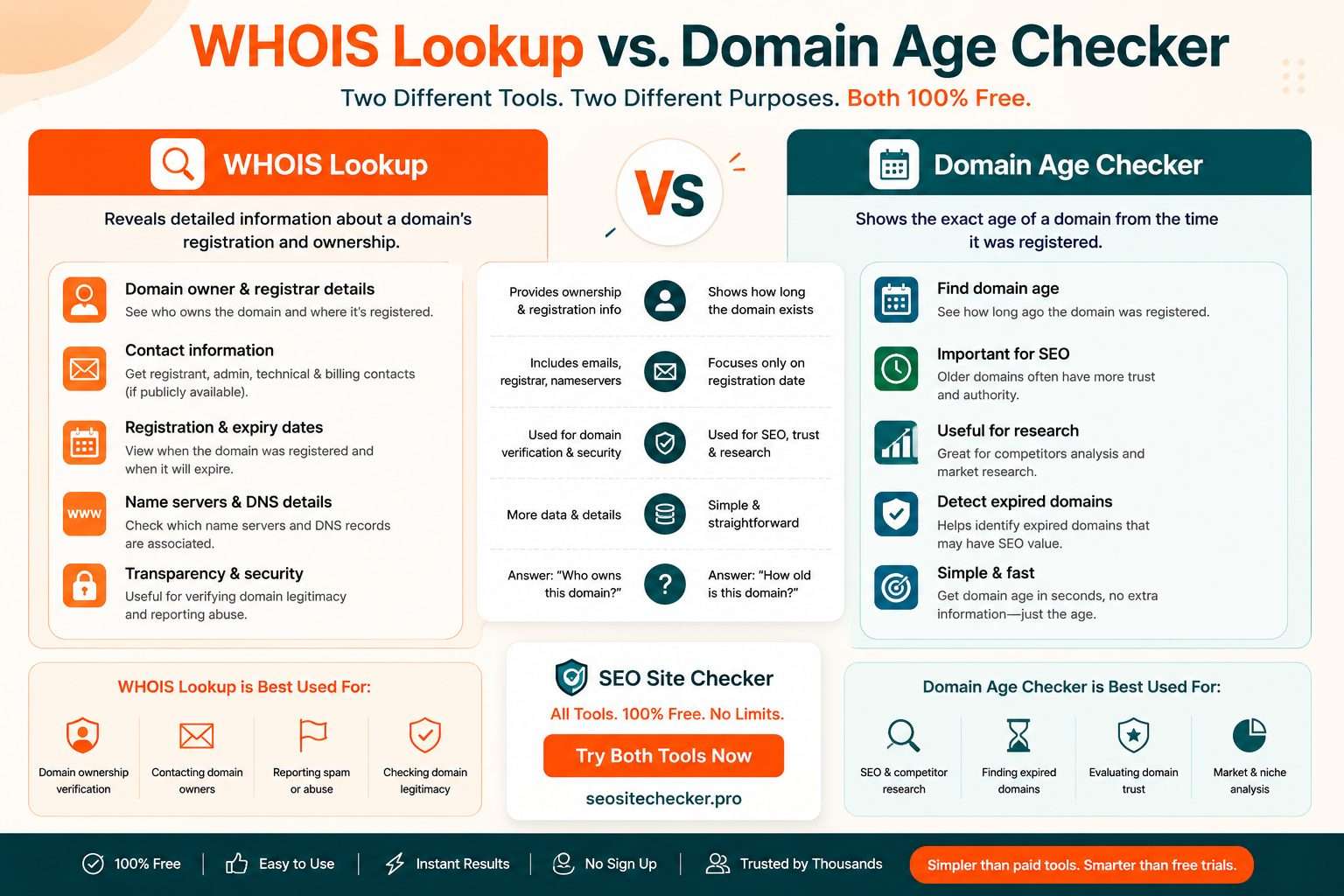
This shows exactly how long a domain has been registered, pulled directly from public WHOIS data.
It's useful for competitive research, evaluating a domain before purchase, or just simple curiosity about your own site's history. Age alone doesn't guarantee anything about quality, but it's a genuinely useful starting data point in almost any domain research task.
To use it, open SEO Site Checker's Domain Age Checker, enter a domain, and get the registration date and exact age back instantly.
Tip: pair this with a quick Wayback Machine check if you're evaluating a domain for purchase. Registration age alone doesn't tell you whether a domain actually had real, meaningful content during that time, or just sat parked.
4. Domain Authority Checker
This gives a third-party estimate of a domain's overall search authority and trustworthiness, based on its backlink profile and other signals.
It's a useful baseline metric to track your own site's progress over time, and a quick gut-check when evaluating a domain for a guest post or backlink opportunity.
To use it, open SEO Site Checker's Domain Authority Checker, enter a domain, and get an authority score back instantly.
Tip: check your own domain's score today and set a reminder to check again in three months. Watching that number move is a genuinely useful, tangible signal that your SEO work is actually having an effect.
5. Domain Hosting Checker
This identifies which hosting provider a domain is actually using, based on its DNS and server configuration.
It's useful for confirming your own site is pointed where you expect after a migration, and handy for research when you're evaluating a competitor's setup or trying to understand how a similar site in your space is built.
To use it, open SEO Site Checker's Domain Hosting Checker, enter a domain, and get the hosting provider back within seconds.
Tip: run this immediately after any DNS change to confirm the update actually propagated correctly, rather than waiting and hoping it worked.
6. ICANN Lookup
This is the official, authoritative WHOIS/RDAP lookup tool maintained directly by ICANN, the organization that oversees the domain name system itself.
It's a useful cross-reference when a third-party WHOIS tool shows incomplete or unusual data, since this is the actual source of truth behind every registration record. Third-party tools generally pull from the same underlying data, but going straight to ICANN removes any question about whether something got cached or displayed incorrectly along the way.
To use it, visit ICANN's official Lookup tool, enter a domain, and review the authoritative record directly.
Tip: reach for this specifically when you need to confirm a domain's true registrar of record, especially during a domain transfer or an ownership dispute where accuracy really matters.
7. SSL Certificate Checker
This verifies whether a domain's SSL certificate is valid, correctly installed, and free of common configuration errors.
An expired or misconfigured certificate triggers scary browser warnings for visitors and can quietly hurt both trust and search rankings at the same time, since most modern browsers now flag insecure connections aggressively and visibly.
To use it, run your domain through Qualys SSL Labs' SSL Test and review the letter-grade summary along with the detailed findings underneath it.
Tip: check this right after any hosting migration or certificate renewal. Silent SSL failures are one of the easiest problems to miss until a visitor actually reports it to you.
How These 7 Tools Work Together (A Simple Domain Health Check Routine)
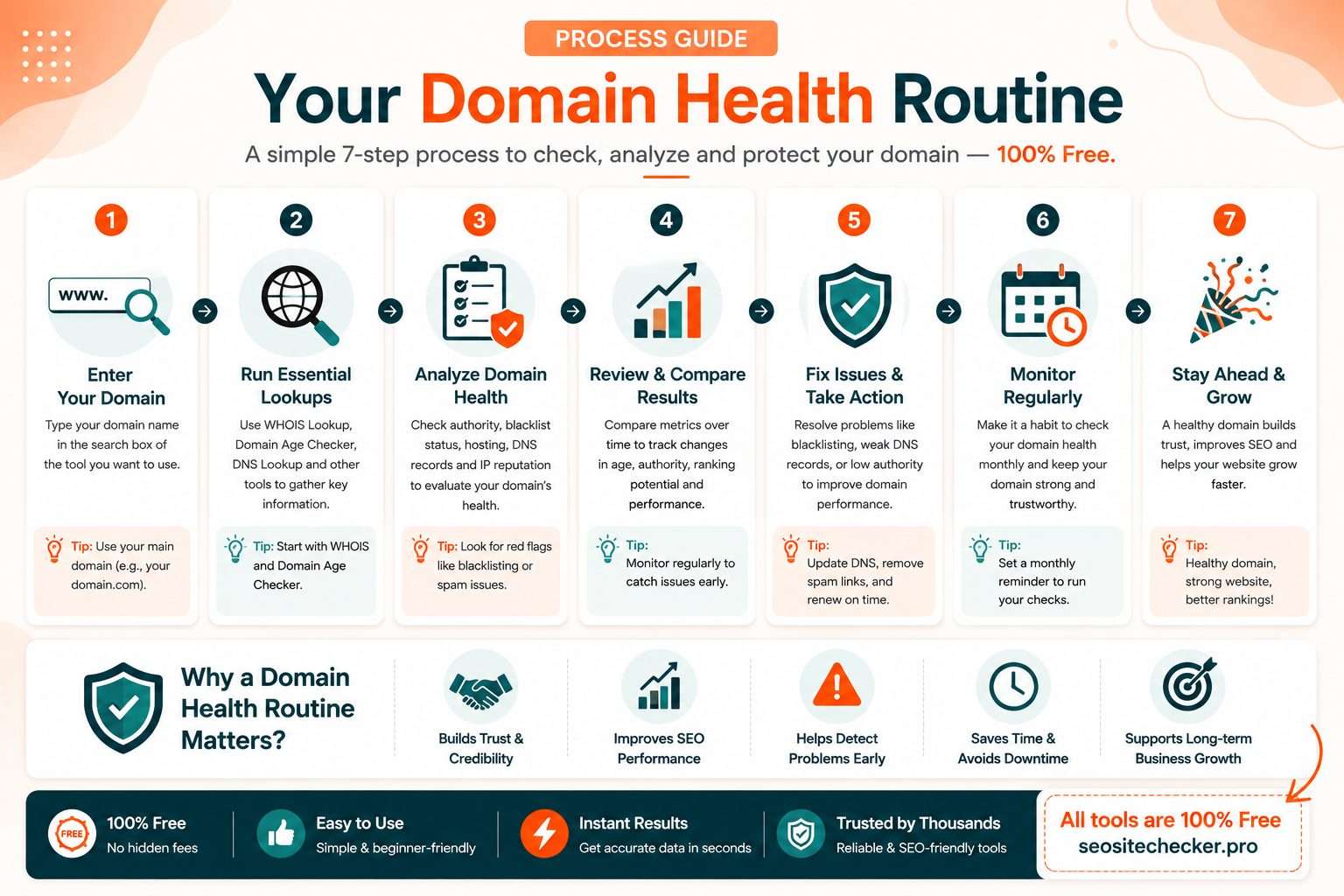
Used individually, each of these tools answers one specific question. Used together, they form a genuinely useful routine, closer to a quick health checkup than a random collection of unrelated lookups.
A sensible order: start with WHOIS for ownership and expiration, move to the DNS Record Checker for configuration, confirm where things actually point with the Domain Hosting Checker, check the SSL Checker for certificate health, and round it out with the Domain Age and Authority Checkers for broader context.
This entire routine takes under 10 minutes and catches the vast majority of common domain problems before they ever become visitor-facing issues. It's worth doing quarterly for your own site, and worth doing once before any domain purchase, partnership, or guest post opportunity you're seriously considering. Treat it the same way you'd treat a quick backup check or a password audit, unglamorous, easy to postpone indefinitely, and genuinely worth the ten minutes once you actually sit down and do it.
Common Domain Problems These Tools Catch Early
A handful of genuinely common, entirely avoidable problems show up again and again, and each one is caught by a specific tool in this list.
Expiring registration is caught by a WHOIS check, avoiding the surprisingly common mistake of losing a domain to a missed renewal that nobody noticed in time.
Misconfigured DNS after a migration is caught by the DNS Record Checker, avoiding email outages and site downtime that otherwise show up as a flood of confused messages from customers or coworkers.
Expired or broken SSL certificates are caught by the SSL checker, avoiding the kind of browser security warning that scares away visitors before they even see your site.
Worth adding to this list: Google's Safe Browsing status checker is an additional, quick check worth running if a domain's reputation is ever in question, whether it's your own site after a suspected compromise or a domain you're researching before working with it.
Quick Reference: Free Domain Tools Cheat Sheet
| Tool | What It Checks | When to Use It |
|---|---|---|
| WHOIS Lookup | Ownership, registrar, expiration | Before renewal deadlines, before buying a domain |
| DNS Record Checker | A, MX, TXT, NS records | After migrations, when troubleshooting email or site issues |
| Domain Age Checker | Registration date and age | Competitive research, domain evaluation |
| Domain Authority Checker | Search authority estimate | Tracking your own progress, evaluating backlink opportunities |
| Domain Hosting Checker | Actual hosting provider | Confirming migrations, researching competitors |
| ICANN Lookup | Authoritative registration record | Cross-referencing, domain transfers or disputes |
| SSL Certificate Checker | Certificate validity and setup | After migrations or certificate renewals |
Final Thoughts
These 7 tools cover everything from ownership and DNS to age, authority, and security, all free, all usable in a matter of minutes. Together, they turn a vague sense of "I should probably check on my domain sometime" into an actual 10-minute routine you can genuinely stick to.
None of this requires ongoing maintenance or a subscription. It's the kind of thing worth doing once now, and then again every few months, the same way you'd check smoke detector batteries, quick, unglamorous, and genuinely worth doing before you actually need it.
Run your own domain through the first three tools today as a quick health check. SEO Site Checker's free domain tools are the fastest way to get started.
Frequently Asked Questions
Frequently Asked Questions (FAQs) is a list of common questions and answers provided to quickly address common concerns or inquiries.
What is a domain tool used for?
Domain tools let you inspect a domain's ownership, technical configuration, age, authority, or security without needing specialized technical knowledge to interpret the raw data yourself.
Are free domain tools accurate?
Yes, especially for data pulled directly from official sources like WHOIS and DNS records. Third-party metrics like domain authority are estimates, but still useful for tracking trends.
How often should I check my own domain's health?
A quarterly check covers most website owners well, though it's worth running the full routine immediately after any hosting, DNS, or email migration.
What's the difference between WHOIS and a domain age checker?
WHOIS shows the full registration record, including registrar and expiration date. A domain age checker focuses specifically on how long the domain has existed.
Can I check a domain I don't own?
Yes, all the tools in this list work on any public domain, which makes them useful for competitor research or evaluating a domain before purchase.
Why does my WHOIS lookup show limited information?
Many domains use WHOIS privacy protection, which replaces personal contact details with the registrar's own information in the public record. This is standard practice.
What happens if my SSL certificate expires?
Visitors will see a browser security warning telling them the connection isn't safe, which damages trust immediately and can also affect how your site performs in search results.
Do I need technical skills to use these tools?
No. Every tool in this list is designed to return a clear, readable result rather than raw technical data you'd need specialized knowledge to interpret.