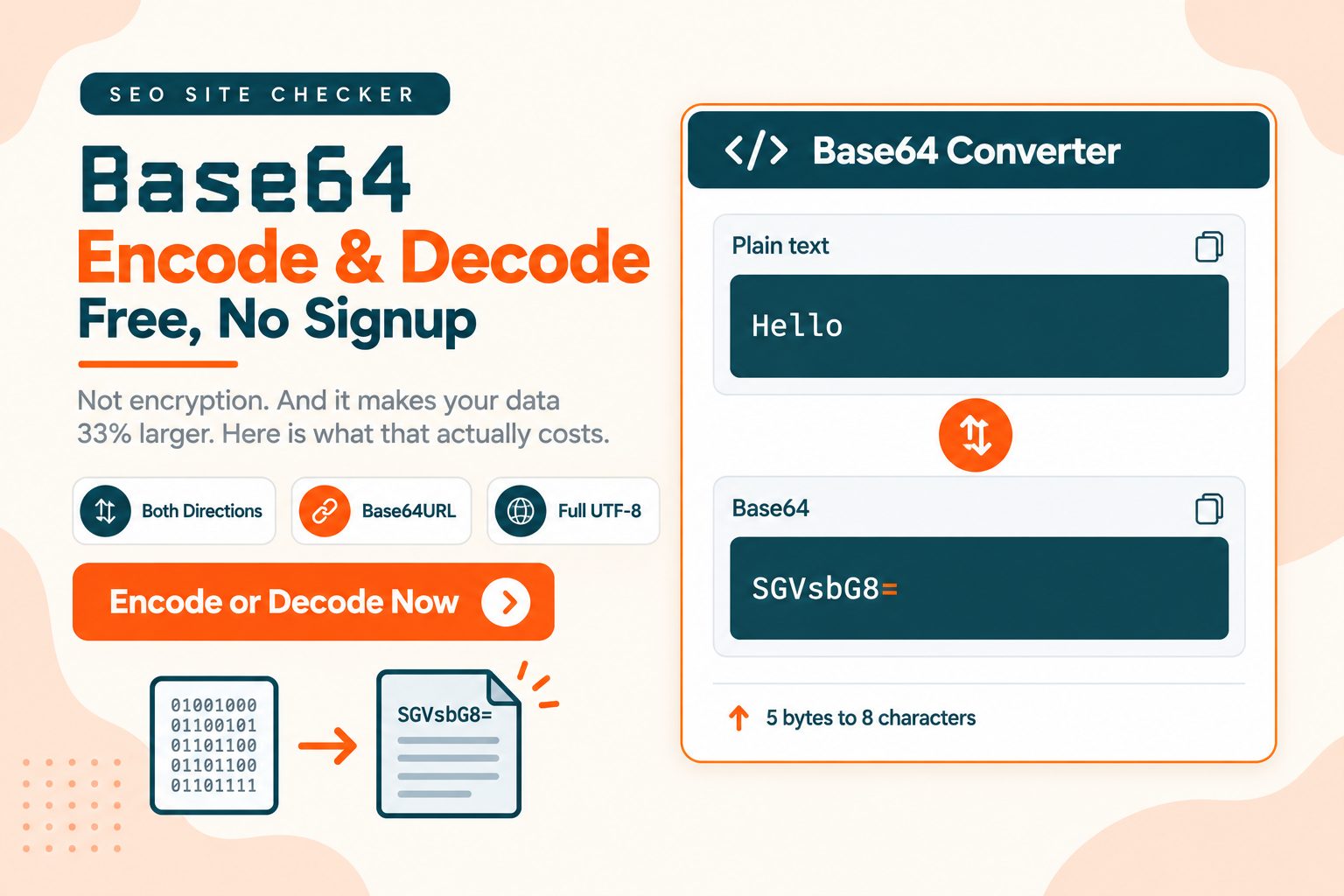
Base64 turns binary data into plain text so it can travel safely through systems built for text.
Two things worth knowing before you use it: it is not encryption, and it makes your data about a third larger. Both matter more often than people expect.
Below the tool: how the encoding actually works, what that size cost means in practice, the URL-safe variant JWTs use, and when to reach for something else.
How to Encode and Decode Base64 Online
To encode: type or paste your text into the top box, leave Encode selected, click Generate, then copy the Base64 from the box below it.
To decode: paste the Base64 string into the top box, select Decode, click Generate, then read the original text in the box below it.
That is the whole operation. Two things trip people up, and neither produces a helpful error message.
Character encoding. If your text contains accented characters, emoji, or any non-Latin script, the character set matters. UTF-8 is the safe default and what nearly every system expects. Encode as UTF-8 and decode as something else and you get replacement characters rather than a failure, which is why the output sometimes looks like garbage instead of simply not working. This tool has no character set option: it encodes your text as UTF-8, so Héllo becomes SMOpbGxv and decoding that string returns Héllo.
Whitespace and line breaks. Base64 strings copied out of email headers, certificates or config files often carry line breaks. Most decoders strip them. Some do not. If a string looks valid but will not decode, remove the whitespace and try again. In this tool you can skip that step: the decoder ignores line breaks and spaces inside the string and accepts input with the trailing equals signs left off, so a value that was wrapped over several lines, such as one copied from an email header, decodes as it is. Paste only the Base64 itself. Header lines such as the BEGIN and END markers of a certificate file are not ignored, and their letters would be decoded as data. Spaces and line breaks at the very start or end of the box are trimmed before anything is encoded, so hi followed by a line break encodes to aGk=, while echo hi | base64 on a command line returns aGkK because echo adds the line break.
The tool is free with no signup.
What is on the page. One form does both jobs, so there are no separate encode and decode panels. Two tiles, Encode and Decode, sit to the left of the input box on a wide desktop screen and above it on smaller screens. Encode is selected when the page opens, and the Generate button under the tiles runs whichever one is selected. The result appears in a second box under the input. An Upload File button under Generate loads a .txt file into the input box. It reads .txt files only, not images or other file types, and nothing is converted until you click Generate. Once a result is showing, that button is replaced by two others: Save as TXT, which downloads the result box as base64-encode-decode.txt, and Copy to Clipboard.
Generate sends the text to our server, which converts it and returns the same page with the result filled in. As with any online converter, keep live passwords and private keys out of the box. Base64 hides nothing anyway, as the section on encryption below shows.
What Base64 Actually Is
Base64 is a binary-to-text encoding. It represents arbitrary binary data using 64 printable ASCII characters: A to Z, a to z, 0 to 9, plus + and /. The = character is used for padding and carries no data.
The problem it solves is older than the web and still everywhere. Plenty of systems were built to carry text and will corrupt, truncate or reject raw binary. Email headers. JSON values. HTTP headers. XML documents. URLs. Base64 converts binary into something all of those will carry through intact.
It is a formal standard rather than a convention. RFC 4648, the Base64 specification defines Base64 along with Base64URL, Base32 and Base16, which is why the same string decodes identically in Python, JavaScript, PHP and everywhere else.
How the Encoding Works
The mechanism is simple once you see it, and knowing it explains both the padding and the size cost.
Base64 reads your input three bytes at a time. Three bytes is 24 bits. Those 24 bits get split into four groups of six bits, and each six-bit group selects one character from the 64-character alphabet.
Three bytes in, four characters out. That ratio is the whole thing.
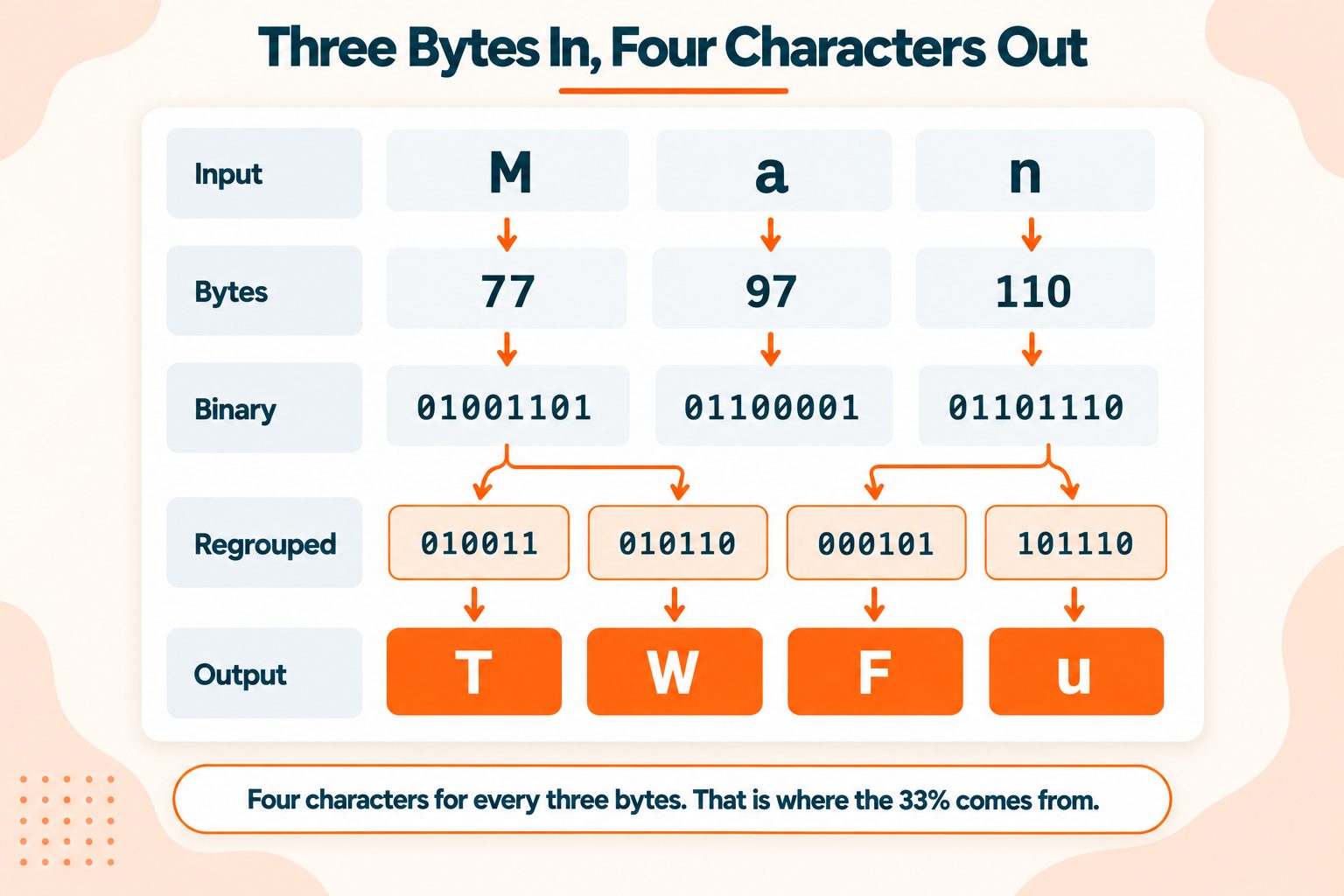
Here is Man encoded step by step:
Input:     M          a          n
Bytes:     77         97         110
Binary:    01001101   01100001   01101110
Regrouped: 010011  010110  000101  101110
Values:    19      22      5       46
Alphabet:  T       W       F       u
Output:    TWFu
Three characters became four. No padding needed, because three bytes divides evenly.
Padding handles what happens when it does not. If your input is not a multiple of three bytes, the final group is short and = characters pad the output to a multiple of four:
- Two bytes left over gives one equals sign
- One byte left over gives two equals signs
So Hello is five bytes, which is three plus two, and it encodes to SGVsbG8= with a single trailing equals. The word M on its own is one byte and encodes to TQ==.
MDN's reference on Base64 covers the browser APIs if you want to do this in code rather than by hand.
Base64 Is Not Encryption
Worth stating plainly, because getting it wrong has real consequences.
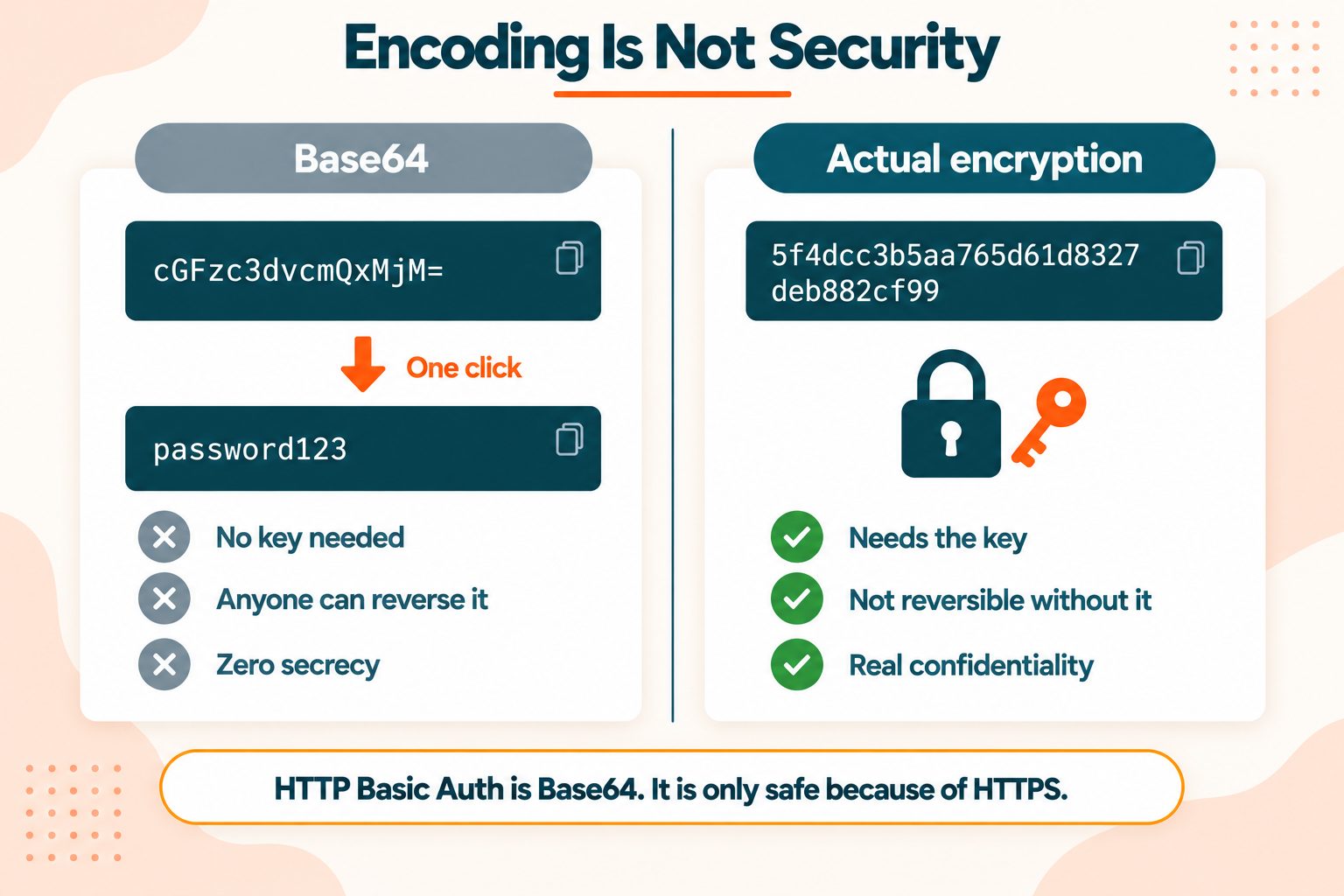
Base64 is fully reversible by anyone. No key, no secret, no effort. Decoding it is one button press, and every programming language has it built in. It provides exactly zero confidentiality.
Here is the case people get wrong most often. HTTP Basic Authentication sends your username and password Base64-encoded. That looks like protection and is not. It is encoding for transport, so that credentials containing awkward characters survive an HTTP header. Over plain HTTP those credentials are readable by anyone positioned in the middle.
Basic Auth is only safe over HTTPS, and the safety comes entirely from TLS. The Base64 contributes nothing to it.
The working rule: if you would not write it in a plain text file and leave it on a shared drive, do not Base64 it and consider the problem solved. For anything requiring secrecy, use real cryptography. For verifying that data has not been altered, you want a hash rather than an encoding, and the MD5 Generator or a stronger algorithm is the right tool.
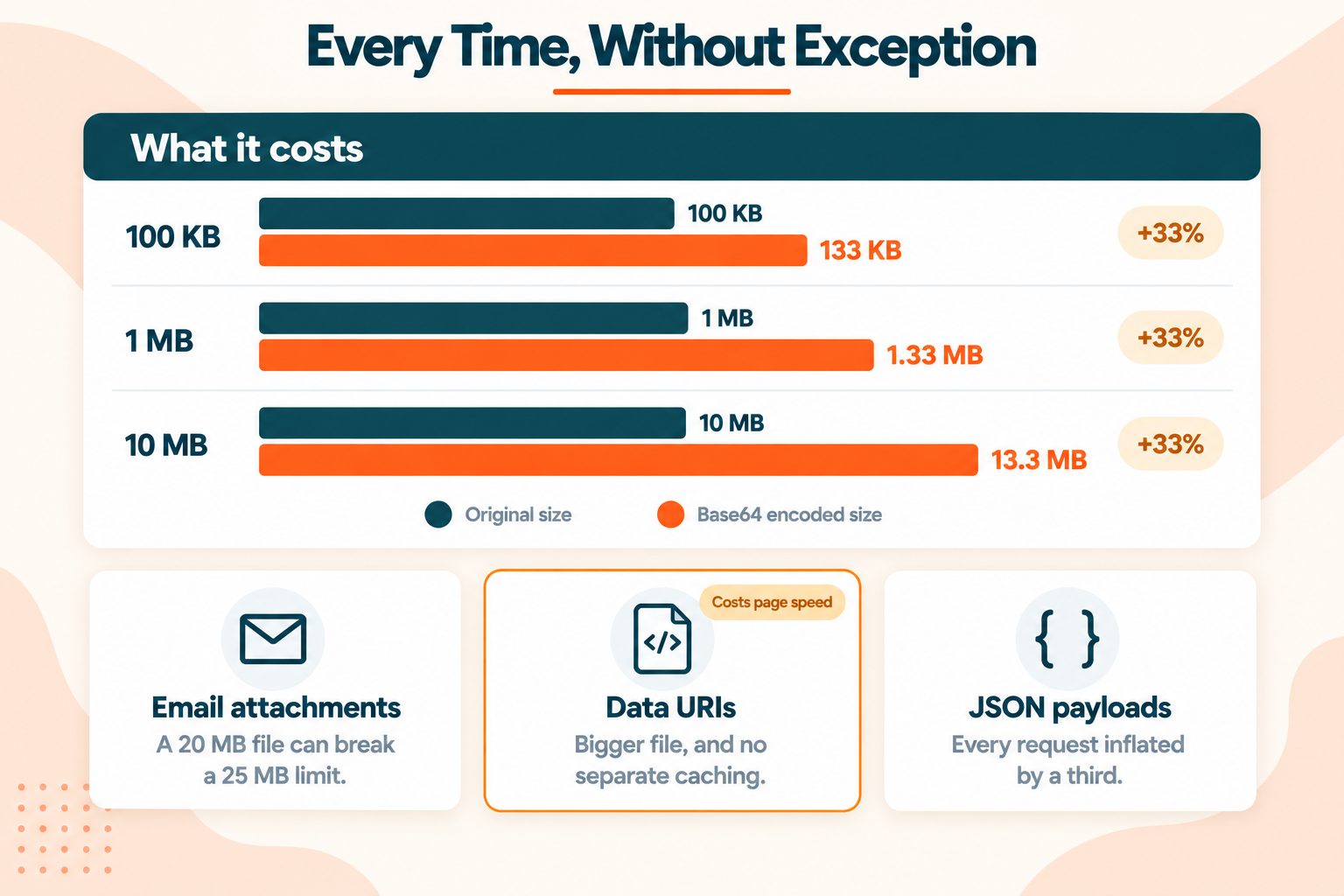
Base64 Makes Your Data 33 Percent Larger
This is the most practically important fact about Base64 and it is missing from almost every page on the subject.
It follows directly from the ratio. Four output characters for every three input bytes is a 33.3 percent increase, before padding adds a byte or two more.
| Original size | After Base64 |
|---|---|
| 100 KB | ~133 KB |
| 1 MB | ~1.33 MB |
| 10 MB | ~13.3 MB |
Three places where that cost shows up:
Email attachments. MIME encodes attachments in Base64. This is why a 20 MB file can push a message past a 25 MB limit, and why the size your email client reports does not match the file on disk.
Data URIs in CSS and HTML. Embedding an image directly in your stylesheet saves one HTTP request and costs you a third of the file size. It also means the image can no longer be cached separately, so it is re-downloaded with the stylesheet every time that changes. MDN on data URLs covers the syntax, and it is worth reading the trade-off before committing to it.
For small icons the saved request usually wins. For a hero image it usually does not, and a bloated stylesheet is a real drag on rendering. Page speed and Core Web Vitals covers why render-blocking CSS matters more than most people account for.
API payloads. Sending files as Base64 inside JSON inflates every request by a third. If you are moving files at any volume, a separate upload endpoint costs less. When you are inspecting those payloads, the JSON Formatter makes the encoded values easier to find.
Base64URL, and Why JWTs Use It
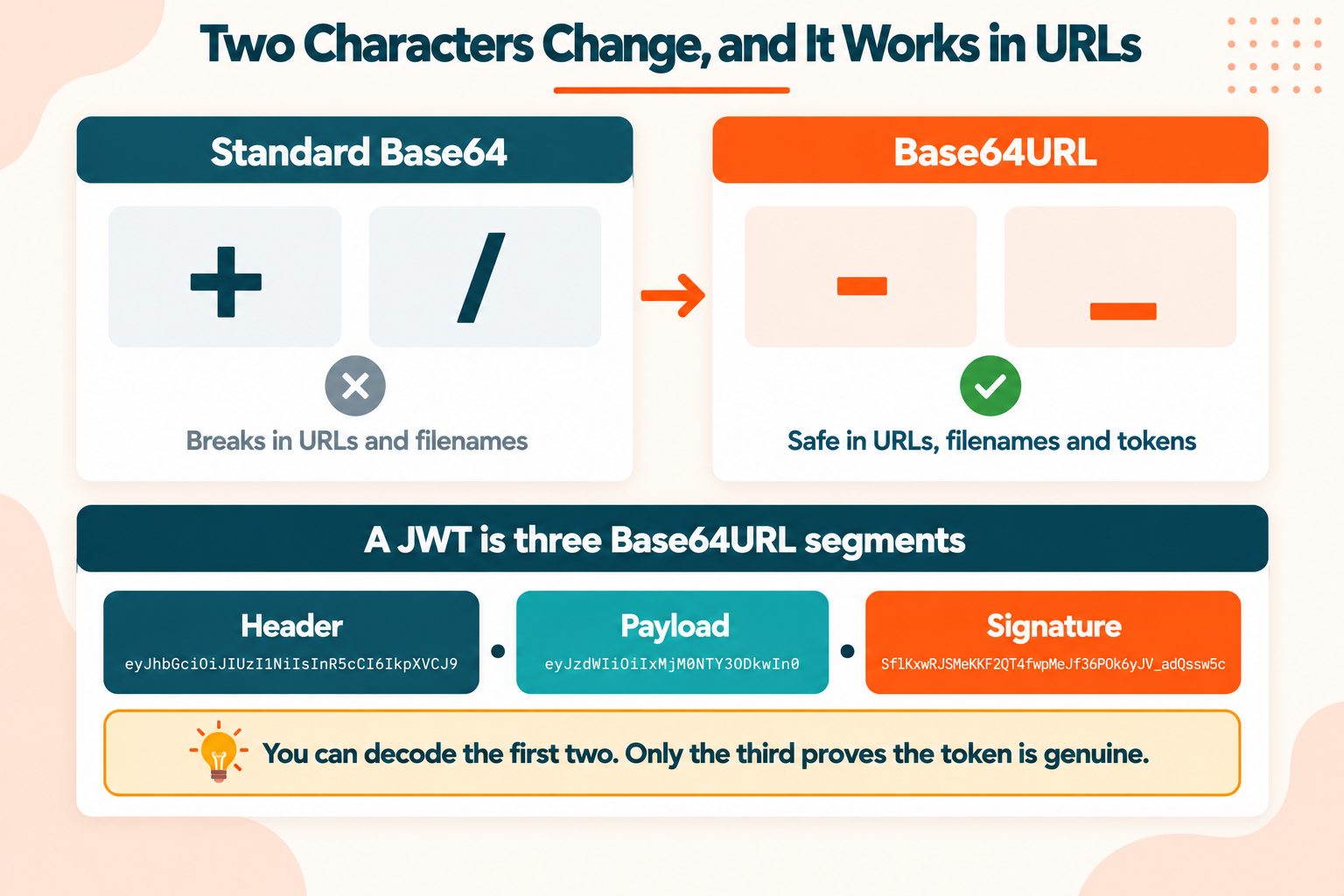
Standard Base64 uses + and /. Both cause problems in URLs, where + can be interpreted as a space and / is a path separator. They cause problems in filenames too.
Base64URL fixes this with two substitutions: - replaces +, and _ replaces /. Padding is often dropped entirely, since the surrounding specification usually knows how long the value should be.
You will meet it in JSON Web Tokens, OAuth tokens and OpenID Connect. A JWT is three Base64URL segments separated by dots, and you can decode the first two to read the header and the payload in plain text.
One important caveat. Decoding a JWT does not verify it. The third segment is a signature, and checking that signature is what makes the token trustworthy. Reading the payload tells you what the token claims, not whether those claims are genuine. Plenty of security incidents have started with someone treating a decoded JWT as verified.
Using this tool with Base64URL. The decoder reads the standard alphabet only. Before you paste a Base64URL value such as a JWT segment, change each - back to + and each _ back to /. Missing padding is fine. The tool does not warn about characters it does not recognize. It skips them, so a URL-safe string pasted as it is decodes to the wrong text instead of failing.
If you are working with URL-encoded values alongside Base64, the URL Encoder/Decoder handles the other half of that problem.
Character Sets and Padding
The two things that produce confusing output rather than clean errors.
Character sets. Base64 encodes bytes, not characters. Text has to become bytes first, and which bytes it becomes depends on the character encoding. UTF-8 is the near-universal default. Encode as UTF-8 and decode as Latin-1 and you get mojibake rather than an error, because the decode technically succeeded. It just produced the wrong bytes.
Padding. Those trailing = characters carry no information. They exist so the output length is always a multiple of four, which some strict parsers require. Many systems accept unpadded Base64 and some reject it, which is exactly why the same string works in one place and fails in another.
When a decode fails, check padding first. Adding the missing equals signs to bring the length up to a multiple of four fixes a surprising number of cases.
When to Use Base64, and When Not To
Reasonable uses:
- Embedding small assets, roughly under 5 KB, as data URIs where the saved request outweighs the size
- Putting binary data into JSON or XML, neither of which has a binary type
- Email attachments, where MIME requires it
- Inline SVG icons and small fonts
- Encoding credentials for Basic Auth, over HTTPS only
Poor uses:
- Large images as data URIs, where you pay a third extra and lose separate caching
- Anything you want kept secret
- Storing large binary files in a database as text
- Trying to make something smaller, since Base64 does the opposite
One rule covers all of it: Base64 is for compatibility. Never for size, never for security. If your reason for reaching for it is either of those, it is the wrong tool and something else does the job properly.
Wrapping Up
Two things to carry away.
Base64 is for compatibility, not security. Anyone can decode it, instantly, with no key.
It costs you a third more bytes, every time. That is fine for a 2 KB icon and expensive for a 2 MB image.
Frequently Asked Questions
Frequently Asked Questions (FAQs) is a list of common questions and answers provided to quickly address common concerns or inquiries.
What is Base64 encoding used for?
Carrying binary data through systems built for text, such as email, JSON, XML, HTTP headers and URLs.
How do I decode a Base64 string?
Paste it into the input box, select Decode and click Generate. No key or password is needed, since Base64 is fully reversible.
Is Base64 encryption?
No. It is a reversible encoding with no secrecy at all. Anyone can decode it instantly with no key.
Is Base64 secure?
Not in any sense. It offers no confidentiality or integrity. Use real encryption for secrets and hashing for integrity.
Why does Base64 end with equals signs?
They are padding, added when the input is not a multiple of three bytes. They carry no data.
Does Base64 increase file size?
Yes, by about 33 percent. Every three bytes of input becomes four characters of output.
What is the difference between Base64 and Base64URL?
Base64URL replaces + with a hyphen and / with an underscore so values survive in URLs and filenames. JWTs use it. This tool decodes the standard alphabet, so change hyphens back to plus signs and underscores back to slashes before you paste a Base64URL value.
What characters does Base64 use?
Sixty-four characters: A to Z, a to z, 0 to 9, plus + and /. The = sign is padding only.
Can Base64 be decoded without a key?
Yes. There is no key. Anyone with the string can decode it in a second.
How do I encode an image to Base64?
This tool encodes text only. Its Upload File button loads a .txt file into the input box and nothing else, so it cannot encode an image. For a picture, use a command such as base64 on Linux or macOS, or the FileReader API in a browser. Either way, the result will be about a third larger than the original file.