


Search for free SEO tools for small business owners and you will mostly find free trials. The list looks generous until you click through and hit a pricing page asking for a card, followed by a subscription of $100 or more a month. That is a hard commitment to make before you even know whether SEO will work for your business.
This guide takes a stricter line. Every one of the 15 tools below is either completely free or has a free version that does real work for a small site. Free trials are left out entirely. The tools are grouped by the job they do and listed in the order you should set them up, so you can go from nothing to a working SEO routine without spending anything.
It is written for local businesses, service providers, small online shops, freelancers, and anyone else doing their own SEO without an agency.
Free SEO Tools for Small Businesses - Complete Guide
All 15 tools at a glance
If you only read one part of this guide, make it this table. Each tool carries one of two labels: Free means no card, no trial and no limit that matters to a small site, while Free tier means genuinely useful at no cost but capped in some way.
| Tool | What it does | Label | Best for |
|---|---|---|---|
| Google Business Profile | Local visibility in Maps and search | Free | Any business serving a local area |
| Google Search Console | Search queries, rankings, indexing | Free | Every website |
| Google Analytics 4 | Traffic and conversions | Free | Every website |
| Bing Webmaster Tools | Bing visibility and site scans | Free | Every website |
| Google Keyword Planner | Keyword search volume | Free | Planning pages and services |
| Google Trends | Seasonal interest | Free | Seasonal businesses |
| Google Search | Customer questions and phrasing | Free | Content ideas |
| AnswerThePublic | Question research | Free tier | Blog and FAQ topics |
| PageSpeed Insights and Lighthouse | Speed and mobile performance | Free | Every website |
| Rich Results Test | Structured data checks | Free | Sites using schema |
| Screaming Frog SEO Spider | Full site crawl | Free tier | Sites under 500 pages |
| SEO Site Checker (our tools) | Quick audits and generators | Free | One-off checks with no sign-up |
| Ahrefs Webmaster Tools | Backlinks and site audit | Free | Monitoring your own links |
| Yoast SEO or Rank Math | On-page settings for WordPress | Free tier | WordPress sites |
| Google Alerts | Brand mention monitoring | Free | Reputation and link opportunities |
How we chose them
Every tool had to pass three tests. It had to be usable without paying anything. It had to be maintained and working today, which rules out several tools that other lists still recommend. And its free version had to be enough for a typical small business website, not just a teaser for a paid plan.
Two groups were left out on purpose. Free trials are excluded because a tool you lose access to after 14 days cannot support a routine. Retired tools are excluded too, and there is a short section further down on the ones you will still see recommended elsewhere.
What "Free" Actually Means for SEO Tools
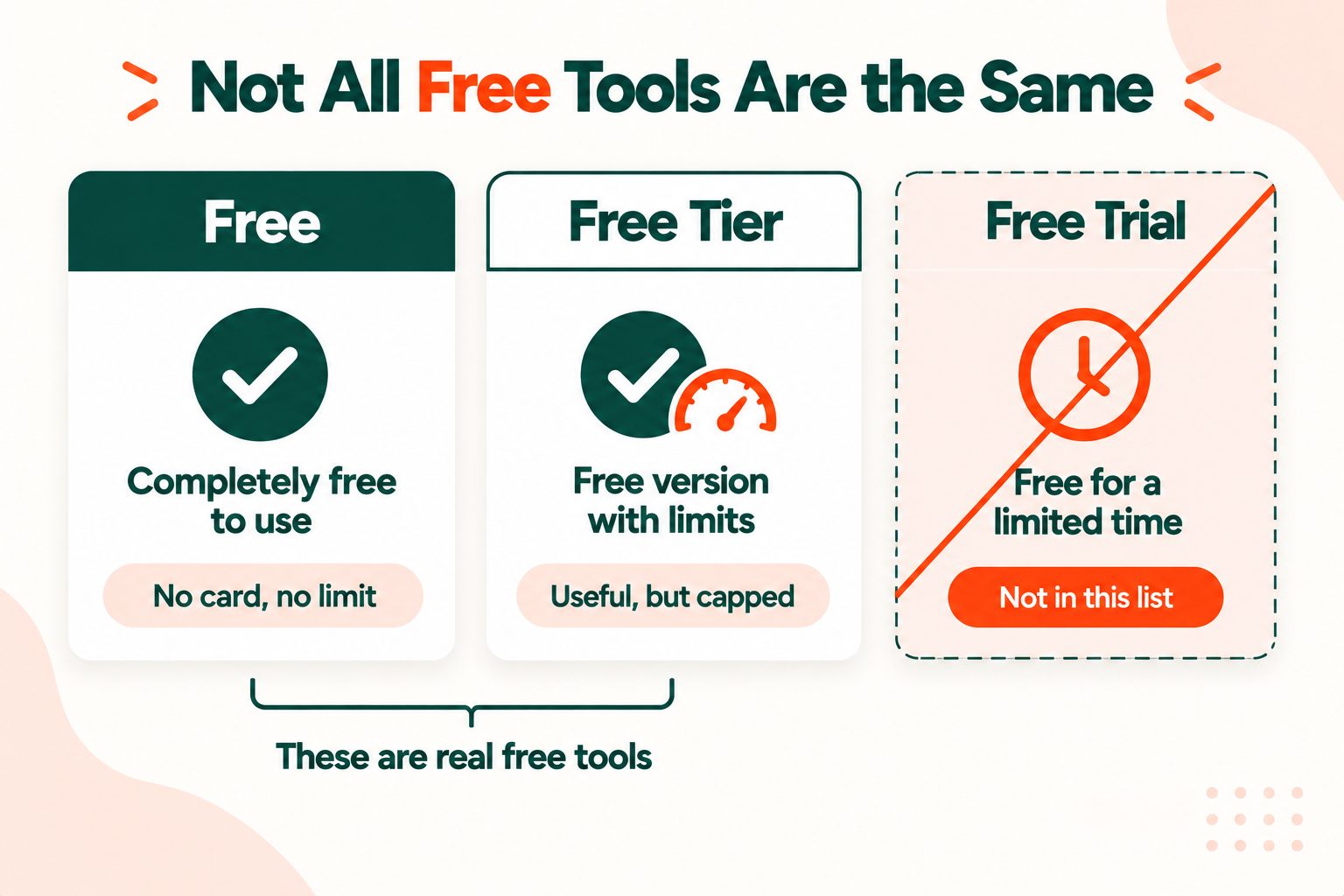
The word gets stretched a long way in this industry, so here is how the labels in this guide work.
Free means exactly that. Google Search Console is the clearest example. There is no paid version, no usage cap a small site will ever reach, and no card required. You can use it for as long as your website exists.
Free tier means the tool is useful at no cost, but something is capped. Screaming Frog's crawler is a good example: the free version crawls up to 500 URLs at a time. Most small business sites have fewer pages than that, so the cap never bites. A large online shop with thousands of product pages would hit it straight away.
Free trial means a paid product you can borrow for a week or two. Trials have their place, especially for a single deep piece of research, but you cannot build a weekly habit around a tool that locks you out on day 15. None of them appear in this list.
The good news is that a small business can run its entire SEO routine using tools from the first two groups. The rest of this guide shows how.
Start Here: The Four Free Tools to Set Up First
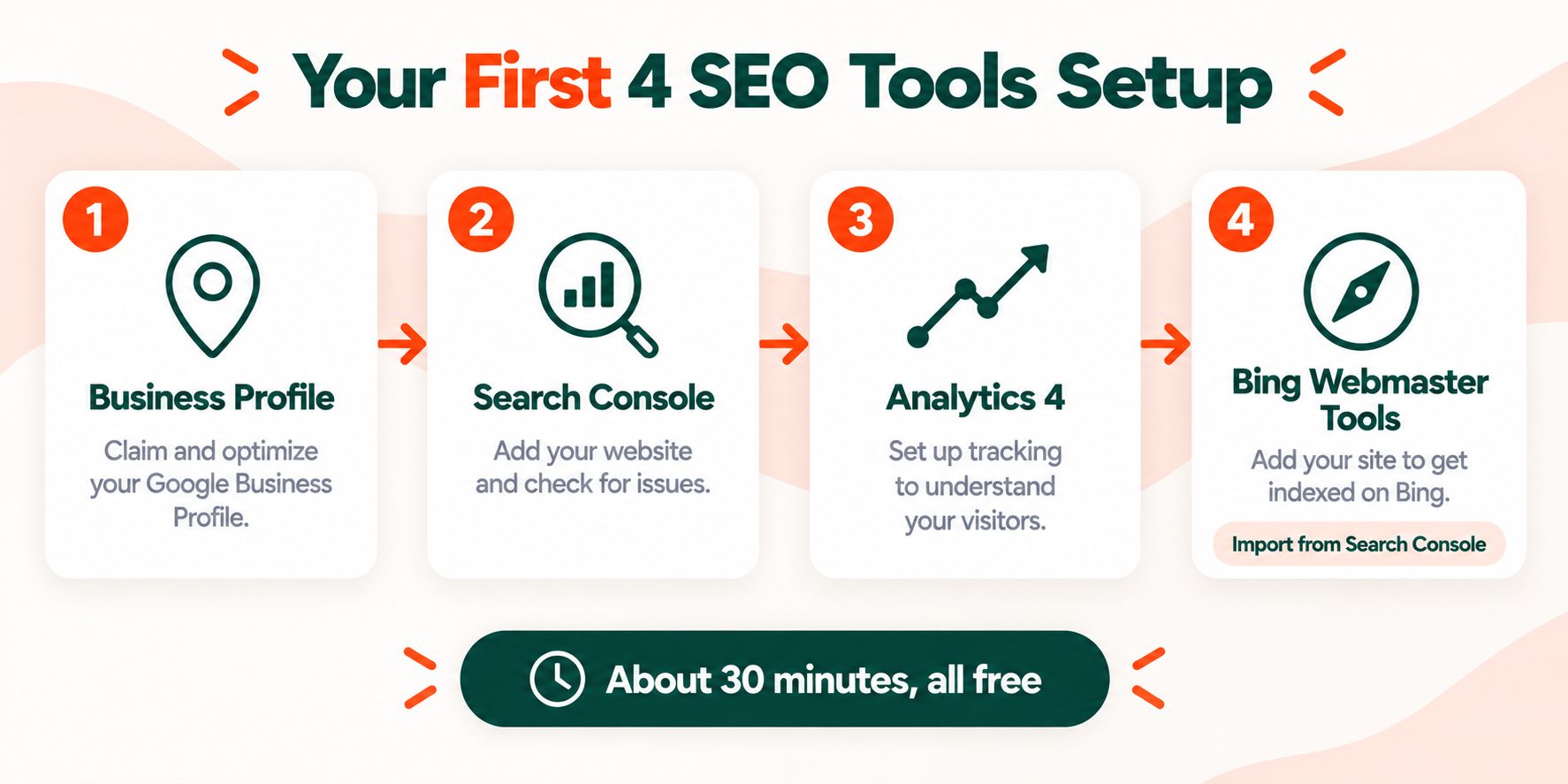
These four are the foundation, and everything later in this guide depends on them. They are all completely free, and together they take about half an hour to set up. Do them in this order: your local presence first, then your search data, then your traffic data, then Bing.
1. Google Business Profile (Free)
If your business has a physical location or serves customers in a particular area, this is the most important free SEO tool you have. It controls how you appear in Google Maps and in the local results that show up above the ordinary listings, and it is surprising how many free tools lists leave it out.
Google says local rankings come down to three things: relevance (how well your profile matches the search), distance (how close you are to the person searching) and prominence (how well known your business is, including reviews and links). You cannot change your distance, but you can do a great deal about the other two. Google's tips to improve your local ranking cover this in detail.
Start by choosing accurate categories, setting your service area and hours, and adding real photos. Then make a habit of asking happy customers for reviews, because reviews feed directly into prominence.
2. Google Search Console (Free)
Search Console is the only place that shows you the actual words people typed into Google before they found your site. For each search, you can see how many times you appeared, how many people clicked, and your average position. It keeps 16 months of that performance data, which is long enough to compare this season with the same season last year.
It also warns you about problems: pages Google cannot index, security issues, and manual actions if Google has penalised the site.
Google's own advice is to do two things first. Verify that you own the site, then check that Google can find and read your pages. Google's guide to getting started with Search Console walks through both steps. While you are there, submit a sitemap. If you do not have one, the XML Sitemap Generator will build one for you.
3. Google Analytics 4 (Free)
Search Console tells you what happens before someone clicks. Google Analytics 4 tells you what happens after. Between the two, you can follow a visitor from the search they made to the enquiry they sent.
Do not try to learn all of GA4 at once. Start with one report, Traffic acquisition, and filter it to organic search. Then set up one key event that matters to your business, such as a contact form submission, a click on your phone number or a completed purchase. That single event is what lets you measure SEO in enquiries and sales, not just visits.
One note if you are following older guides: Universal Analytics no longer exists. Anything that tells you to set up "UA" or treat bounce rate as your main metric is out of date.
4. Bing Webmaster Tools (Free)
This is the one most small businesses skip, and it takes about five minutes. Bing lets you import sites you have already verified in Google Search Console, so there is no second verification to deal with.
Once you are in, you get Bing's version of the search performance data, plus two extras that make it one of the best-value free tools on this list: a site scan that flags technical problems, and a keyword research tool. Bing's search results also reach beyond Bing itself, since they are used by other search services, so the audience is larger than the name suggests.
Free Keyword Research Tools
Small businesses do not need an enormous keyword database. What you need is to know how your customers actually describe what you sell, and which of those phrases people search for most. These four tools answer that for free.
5. Google Keyword Planner (Free)
Keyword Planner lives inside Google Ads, and you can use it without ever running an ad. You enter a word or phrase and it shows related searches along with how often people search for them.
The honest caveat is that without active ad spend, it shows search volume as a broad range rather than an exact number. That sounds like a limitation, and for big agencies it is. For a small business it rarely matters, because the ranges are still enough to see that "emergency plumber" is searched far more than "urgent plumbing repair", which is the decision you actually need to make.
Use it to choose the wording for your service pages, not to chase individual numbers.
6. Google Trends (Free)
Trends shows how interest in a search rises and falls over time. For a seasonal business this is invaluable, because it tells you when to publish and when to push. Interest in pool cleaning peaks in summer, and interest in tax preparation climbs every spring, and your content should be live before those peaks arrive, not during them.
You can compare up to five terms side by side and narrow the results down to a single US state, which makes it much more useful for local businesses than people expect.
7. Google Search itself (Free)
The most overlooked keyword tool is the search box. Start typing a phrase about your service and watch what autocomplete suggests. Search it, then read the People Also Ask questions and the related searches at the bottom of the page. Every one of those is a real question real people are asking.
Do this in a private browsing window so your own search history does not skew what Google shows you.
8. AnswerThePublic (Free tier)
AnswerThePublic takes one keyword and turns it into a map of the questions, comparisons and phrases people search around it. Enter "wedding photographer" and you get questions like how much one costs, what to ask before booking, and how many photos to expect.
The free version limits how many searches you can run each day. The limit has changed over the years, so check the current allowance when you sign up, but even a handful of searches is plenty for planning a few months of blog posts or building a solid FAQ section.
Free Technical SEO and Site Health Tools
9. PageSpeed Insights and Lighthouse (Free)
PageSpeed Insights tests how fast a page loads and how well it works on a phone. It gives you two kinds of data. If your site gets enough visitors, it shows field data from real Chrome users. Every time, it also runs Lighthouse, which tests the page in a controlled lab setting and lists what to fix. If you want to compare what each free audit covers before you pick one, our free SEO audit tools compared guide sets them side by side.
It is also Google's recommended replacement for the old Mobile-Friendly Test, which no longer exists.
Focus on the Core Web Vitals assessment rather than chasing a perfect score of 100, since a fast site with a score in the 80s is doing fine. Our guides to page speed and SEO and Core Web Vitals explain what the numbers mean. For the two most common fixes, the Image Compressor shrinks heavy images and the CSS Minifier trims bloated stylesheets.
10. Rich Results Test (Free)
Structured data, also called schema markup, is code that tells Google exactly what a page is about: a business, a product, a recipe, an event. When it is set up correctly, your listing can show extra details in search results, such as star ratings or opening hours.
The Rich Results Test checks one page at a time and tells you whether its structured data qualifies. It is most useful straight after you add LocalBusiness schema to your homepage or contact page, so you can confirm Google reads it the way you intended.
11. Screaming Frog SEO Spider (Free tier)
Screaming Frog crawls your website the way a search engine does, following every link, and then shows you what it found: broken links, redirect chains, pages with missing or duplicate titles, oversized images and much more.
The free version crawls up to 500 URLs at a time, which covers most small business websites completely. The honest caveat is that it is desktop software with a technical interface that can feel overwhelming at first. Start with just two tabs: Response Codes, to find broken pages, and Page Titles, to find missing or duplicated titles. Those two alone will surface the problems that matter most.
12. SEO Site Checker (our tools) (Free)
A quick disclosure: these are our own tools. We have grouped them into a single entry rather than scattering them across this list, so you can judge them fairly alongside everything else.
Their strength is speed. There is no sign-up and nothing to install, and results appear instantly, which makes them handy for quick checks between the bigger tools above:
- Website SEO Score Checker: a fast on-page audit of any URL
- Meta Tag Analyzer and Meta Tag Generator: check your titles and descriptions, then write better ones
- XML Sitemap Generator and Robots.txt Generator: create the two files Search Console asks about
- Open Graph Generator: control how your pages look when shared on social media
- Domain Authority Checker: a quick third-party estimate of a site's authority
They do have a limit worth knowing. They check one page or one domain at a time and do not crawl a whole site. When you need a full crawl, use Screaming Frog.
Free Backlink and Authority Tools
13. Ahrefs Webmaster Tools (Free)
Ahrefs is best known for its paid SEO suite, which shows up on plenty of "free tools" lists despite costing a substantial monthly fee. Ahrefs Webmaster Tools is a separate, genuinely free product. Once you verify that you own a site, you get a technical site audit, web analytics and a view of the backlinks pointing to your site and the keywords it ranks for.
There is one important limit. It only works on sites you have verified, so you cannot use it to research competitors. For a small business that is fine, because the most useful thing it does is show you who already links to you, and which links you have lost that might be worth asking to have restored.
A note on authority scores
Domain Authority, Domain Rating and similar numbers are estimates made by third-party companies, not scores Google uses. They are handy for comparing two sites, for example when deciding whether a local directory is worth being listed in, and the Domain Authority Checker gives you a quick comparison. But treating the number itself as a goal leads nowhere useful. The only link data that comes straight from Google is the Links report inside Search Console.
Free On-Page SEO Tools for Your Website Platform
14. Yoast SEO or Rank Math (Free tier)
If your site runs on WordPress, install one of these two plugins, and only one, because running both at the same time causes conflicts. The free versions of either will handle your page titles, meta descriptions, XML sitemap and basic structured data. Both sell paid upgrades, but a typical small business site rarely needs them. For a plain look at what a page-level checker reads and what it misses, see our on-page SEO checker guide.
If you use Wix, Squarespace or Shopify
These platforms have basic SEO settings built in, including page titles, descriptions, sitemaps and redirects, so you do not need a plugin. What the platform cannot do is tell you how Google treats your site, so you still need Search Console and Google Analytics alongside it.
Whichever platform you use, the settings only help if you fill them in well. Our guides to meta title best practices and writing meta descriptions cover what to write.
Free Tools That No Longer Exist
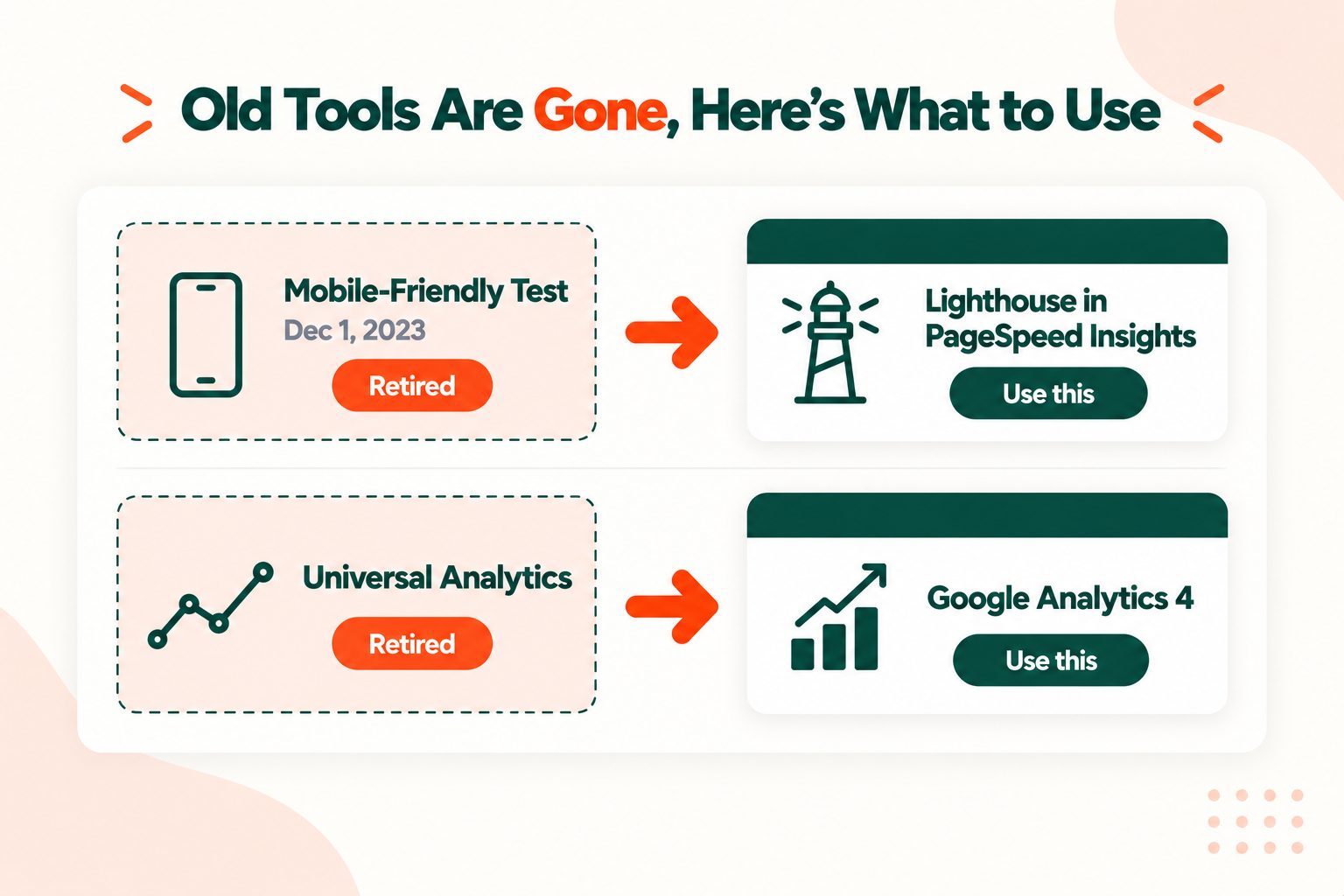
Some free tools lists have not been updated in years, and it shows. Two recommendations in particular are worth knowing about, so you do not waste time looking for them.
Google's Mobile-Friendly Test was retired on December 1, 2023, along with the Mobile Usability report in Search Console and the Mobile-Friendly Test API. The old tool now points you to Lighthouse, which you can run inside PageSpeed Insights.
Universal Analytics has been replaced by Google Analytics 4. Any guide that talks about setting up UA, or treats bounce rate as the main thing to watch, was written for a tool that has gone.
If a list you are reading still recommends either of these, it is worth being cautious about the rest of its advice too.
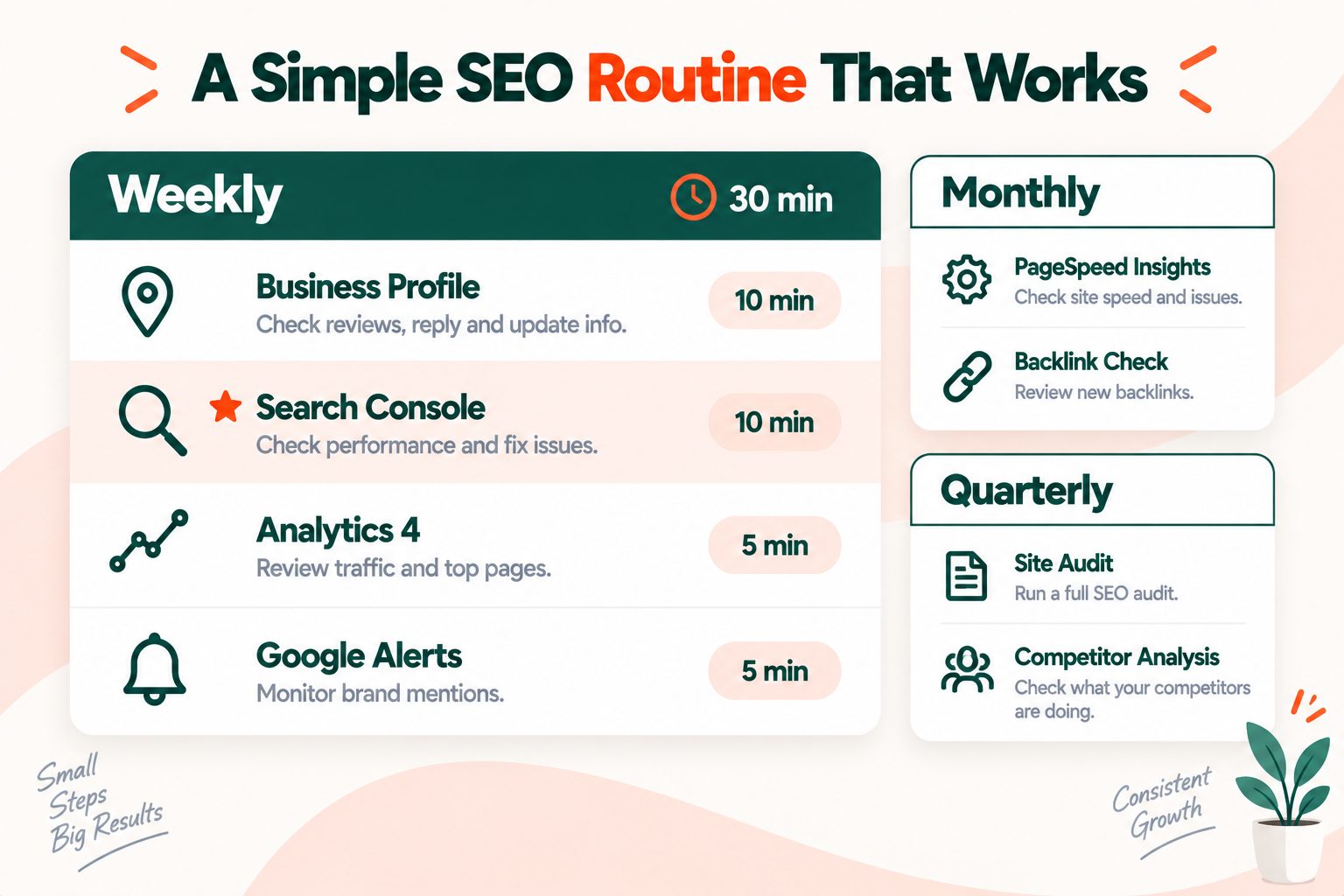
A 30-Minute Weekly SEO Routine Using Only Free Tools
A list of tools is only useful if you actually use them. This routine turns the list into a habit that fits into a busy week.
| When | Tool | What to check | Time |
|---|---|---|---|
| Weekly | Google Business Profile | Reply to new reviews, add a photo or post an update | 10 min |
| Weekly | Search Console | Searches with plenty of impressions but few clicks | 10 min |
| Weekly | Google Analytics 4 | Organic visits and key events compared with last week | 5 min |
| Weekly | Google Alerts | New mentions of your business name | 5 min |
| Monthly | PageSpeed Insights | Your three most important pages | 15 min |
| Monthly | Screaming Frog | Broken links and missing titles | 20 min |
| Quarterly | Keyword Planner and Trends | New service terms and seasonal timing | 30 min |
The Search Console check is the one that pays off fastest. A search where you appear often but rarely get clicked usually means your title or description does not match what the searcher wanted, and rewriting it is one of the quickest wins in SEO.
15. Google Alerts (Free)
Set up alerts for your business name, and for your main service plus your city. Google will email you when new pages mention them. Mentions of your business that do not include a link are some of the easiest link requests you will ever make, because the writer already knows who you are.
This routine assumes the one-off setup work is already done. If it is not, work through our SEO checklist for beginners first.
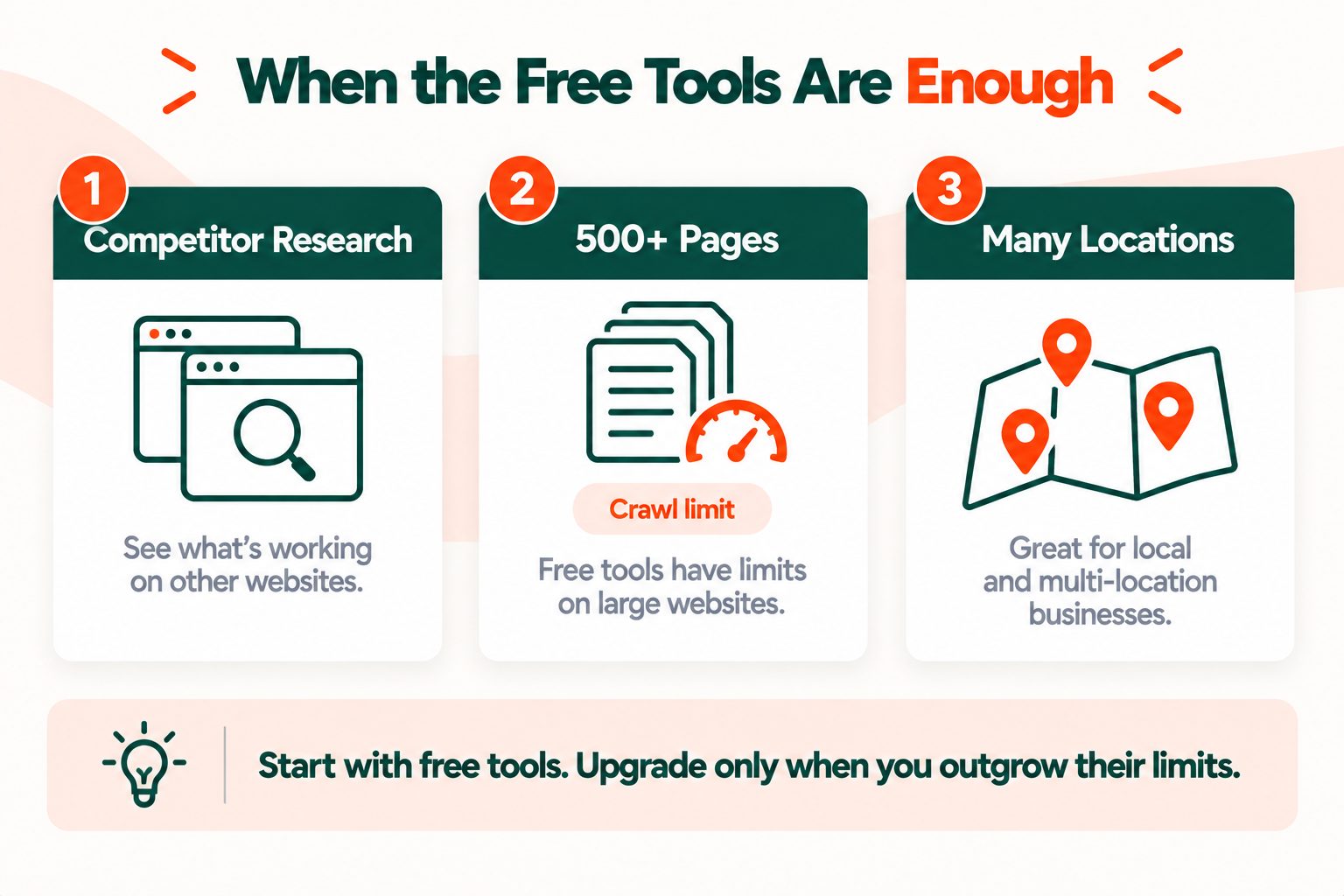
When Free Tools Stop Being Enough
Free tools will carry most small businesses a long way, but there are three clear signs you have outgrown them.
You need to see what your competitors are doing. Almost every free tool shows you your own site. Researching a competitor's keywords and backlinks is where paid tools genuinely earn their price.
Your site has grown past 500 pages. That is where Screaming Frog's free limit starts to get in the way, and larger sites need regular full crawls.
You need to track rankings in several places. Search Console shows an average position across everywhere you appeared. If you serve several towns and need to know your ranking in each one separately, that takes a paid local rank tracker.
Even then, do not subscribe straight away. Take a free trial, spend that month on focused research, export everything you find, and then decide whether the ongoing cost is worth it. For growing sites, our technical SEO checklist covers what to prioritise as the site gets larger.
Where to Start Today
Set up the four foundation tools first: Google Business Profile, Search Console, Google Analytics 4 and Bing Webmaster Tools. Together they take about 30 minutes, and every other tool in this guide works better once they are in place. After that, put the weekly routine in your calendar and stick to it for a couple of months before judging the results.
If you want to understand what the data is telling you, Google's SEO Starter Guide is the best free explanation of the basics, written by the people who run the search engine. And if you want a quick first look at where your site stands right now, run your homepage through the Website SEO Score Checker. It takes a few seconds and costs nothing.
Frequently Asked Questions
Frequently Asked Questions (FAQs) is a list of common questions and answers provided to quickly address common concerns or inquiries.
What is the best free SEO tool for a small business?
Google Search Console, because it is the only free source of the real searches that bring people to your site. For a business serving a local area, Google Business Profile matters just as much.
Is Google Search Console really free?
Yes, completely. There is no paid version. It keeps 16 months of search performance data and reports indexing problems, security issues and manual actions.
Can I do SEO for my small business myself for free?
Yes. Google Business Profile, Search Console, Google Analytics 4 and PageSpeed Insights cover the essentials, and a weekly 30-minute routine with them is enough to make steady progress.
Do small businesses need paid SEO tools?
Usually not at the start. Paid tools become worth it when you need competitor research, crawl more than 500 pages, or track your rankings in several locations.
Is Google Keyword Planner free?
Yes. It is free inside a Google Ads account and you do not need to run any ads. Without active ad spend, it shows search volume as ranges instead of exact figures.
How can I check my website's SEO for free?
Run your pages through a free SEO checker for on-page issues, PageSpeed Insights for speed and mobile performance, and Search Console for indexing and search data. Together they cover the main problem areas.
How do I check my Google ranking for free?
Open the Performance report in Google Search Console. It shows your average position for every search your site appeared in, using Google's own data.
Is Google Business Profile free?
Yes. Creating and managing a Business Profile costs nothing, and it controls how your business appears in Google Maps and local search results.
What happened to Google's Mobile-Friendly Test?
Google retired it on December 1, 2023, along with the Mobile Usability report. Lighthouse, which runs inside PageSpeed Insights, is the recommended replacement.
Do I need SEO tools if I use Wix or Squarespace?
The platform's built-in settings handle titles, descriptions and sitemaps. You still need Search Console and Google Analytics to see how Google actually treats your site.





