
Free AI Watermark Remover
Upload a photo, paint over the watermark or text overlay, and the AI rebuilds the area underneath. Free, with no account needed.
Removing the watermark...
A small area usually takes 10 to 40 seconds. A large painted area can take a minute or more, and longer when others are using the AI tools. Please keep this page open.
Elapsed: 0s
Your result
Drag across the picture to compare it with your original.
Your result is kept for about two hours, then it is deleted automatically. A photo larger than 4,096 px on its long side is scaled down before the AI step, and the download has that smaller size.
Need a different format? PNG to JPG, JPG to PNG or WebP converter.
What Is an AI Watermark Remover?
Quick answer: An AI watermark remover works by inpainting: you brush over a visible watermark, that area becomes a mask, and a model fills it with new pixels. You upload, paint and download, free, with no sign up, so try it with your own image above.
It clears a text watermark, logo watermark or date stamp from JPG, PNG and WEBP stills you own or may edit. It won't find the mark, won't touch video and isn't designed to remove invisible watermarks or metadata.
How to Remove a Watermark From a Photo
Four steps; capitalized names are on-screen buttons.
- Upload image. Use the "Click to upload an image" box, drag a file in or paste with Ctrl+V. File size cap: 20 MB, or 60 MB with a free account.
- Paint over the watermark. Zoom in, pick Brush, set the brush size and cover the whole mark, glow included. Eraser and Undo fix slips.
- Press Remove Watermark. Jobs queue on our server, and a small mark took about 5 seconds in our tests. Keep the page open.
- Compare and download. Drag across the result to compare, then press Download JPG (or PNG or WEBP, matching your upload). A JPG comes back re-saved.
Edge tip: Paint a few pixels past the mark's edge, because a faint fringe left outside the mask survives as a ghost outline. Test on a throwaway image, then paint over the watermark in the tool above.
See the Result on Real Images
Both before and after pairs are generated samples we marked, unretouched crops of real runs.
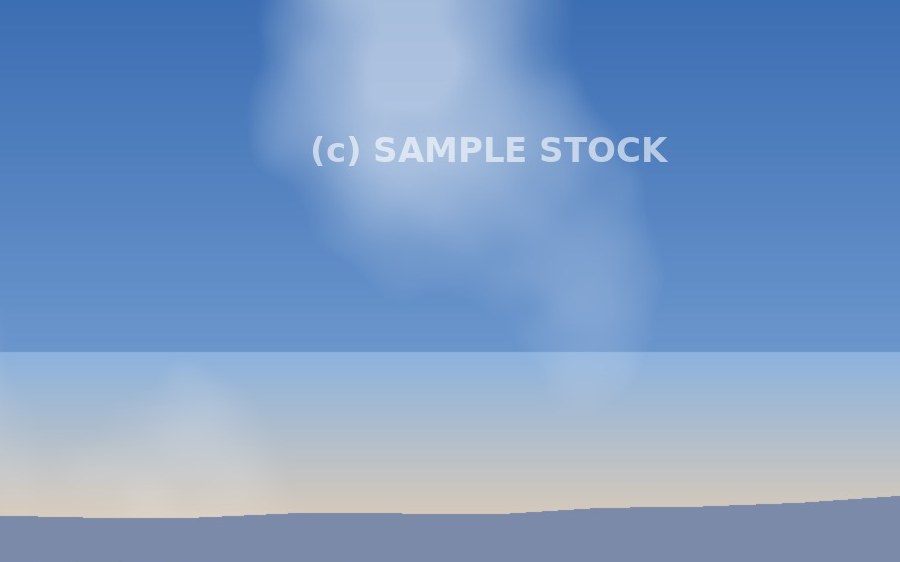
Before: pale text over a smooth sky.
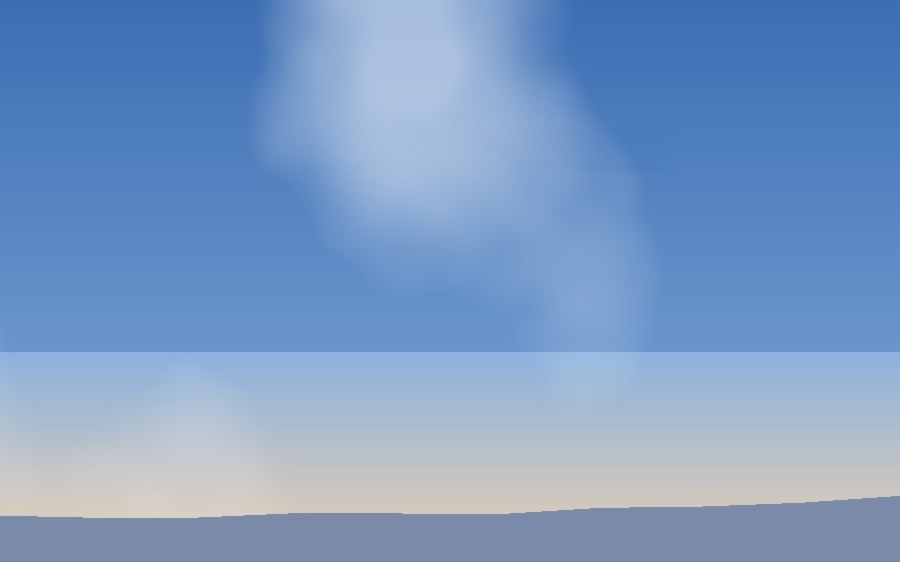
After: smooth sky, no visible patch.
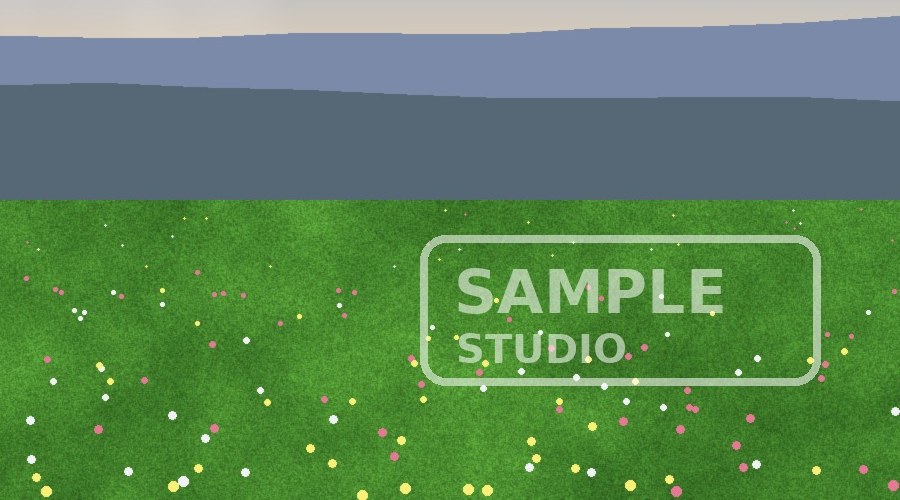
Before: a semi-transparent logo over textured grass.
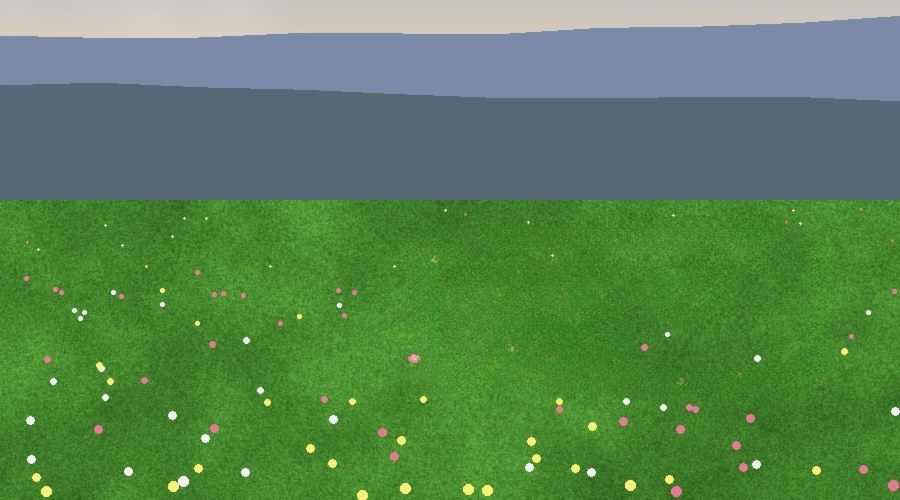
After: logo gone, flowers not recovered, only plausible grass.
Try your own image and compare.
Which Watermarks and Photos Work Best
Each row is one real run on a generated image.
| Watermark type | Background | What to expect | What to do |
|---|---|---|---|
| Small text watermark | Smooth sky | Gone, no visible patch | One pass |
| Corner logo | Soft blur | Removed cleanly | Paint slightly past it |
| Diagonal watermark | Grass, hazy hills | One pass, texture matched | Cover every letter |
| Tiled watermark | Marks span the frame | One pass, about 75 seconds at 1.6 megapixels | Expect a long wait |
| Date stamp | Grainy sepia scan | Removed, grain rebuilt | Include all of it |
| Semi-transparent watermark (logo box) | Grass, wildflowers | Logo gone, flowers not brought back | Accept plausible grass |
| Large text | Woven pattern | Text gone, smudging visible | Weak spot; one pass tried |
Faces were untested but are likely the hardest case, since hidden detail is invented. Use it only on images you may edit.
Tips for a Cleaner Result
The mask is the one part you control.
- Start from the original. Screenshots of screenshots have lost detail.
- Paint only what you need. The wait follows the box the engine crops around your mask, so a huge one can time out. Split big jobs into passes with Keep editing this result.
- Check for ghosts. Slide the compare slider across the result; if a faint outline remains, make another pass.
- Compress last. Run the image compressor on the finished picture.
What Happens to Your Image
This AI watermark remover is free and needs no account. The model runs on our CPU server, so no third-party AI service receives your image.
Your upload and mask are deleted when the job ends, failed jobs included, with a sweep as backup. The result sits at a long random address for about two hours, then is removed. Anyone with that address can open it, so don't share it for sensitive images.
The download carries a small SEO Site Checker note in its file properties, with no personal data.
Limits to Know Before You Start
These four decide whether it fits.
- You mark it, one still at a time. Nothing finds the watermark for you.
- A 4,096 px ceiling. Longer sides are scaled down first, so big originals come back smaller, sometimes in another format.
- Detail is invented. Faces, small text and fine patterns can look softer.
- Visible marks only. It isn't designed to remove an invisible watermark, AI provenance signals or metadata.
Is It Legal to Remove a Watermark?
Edit only images that are yours, licensed for editing, cleared in writing, or in the public domain.
U.S. law (17 U.S.C. 1202) bars intentionally removing copyright management information, such as an owner's name, a copyright notice or terms of use, without the owner's permission or legal authority, when you know or have reasonable grounds to know it will induce, enable, facilitate or conceal infringement. A watermark can be that information, and laws differ by country.
Safer routes: ask the owner, license the image or use your own file. To find the source, use the reverse image search tool and read how reverse image search works. The U.S. Copyright Office guidance on getting permission explains how to ask.
Not legal advice: General information only. When unsure, ask the owner.
How the AI Fills In the Area Under a Watermark
Image inpainting fills the masked gap with new pixels. The engine crops a window around it, and the inpainting model continues the nearby lines and colors.
We run LaMa (Large Mask Inpainting) through IOPaint on our CPU server, and the LaMa inpainting paper describes the Fourier convolutions that let it see the whole crop.
Remove Text, Logos and Date Stamps From Images
Quick jobs on images you may edit.
- Old branding. Unbrand your own photos, or a client's with written permission.
- Scanned photos. Lift a date stamp off old photos; grain was rebuilt in our tests.
- Screenshots and slides. Export presentation slides as images, then paint out a label.
- Product photos. Clear stray text off ecommerce images.
Related Free Tools
Finish the photo editing with these.
- AI Object Remover: Same engine, for people and objects.
- AI Background Remover: Remove background clutter from product shots.
- Image Resizer: Resize image dimensions for the page.
- PNG to JPG Converter: Swaps the format; this tool keeps yours.
- All free AI tools: The full set.
Frequently Asked Questions
Frequently Asked Questions (FAQs) is a list of common questions and answers provided to quickly address common concerns or inquiries.
How do I remove a watermark from a photo for free?
How does an AI watermark remover work?
Can AI remove a watermark without blurring the photo?
Is it legal to remove a watermark from an image?
What image formats, sizes and resolution can I use?
Is my image private, and how long do you keep it?
Can it remove text, logos or date stamps from images?
Can it remove an AI-generated image badge or an invisible AI watermark?
Can this remove watermarks from videos?
