Website Blacklist Check: Domain, IP and Safe Browsing
 Kendall Chris
Sep 17 /
1 month ago
Kendall Chris
Sep 17 /
1 month ago

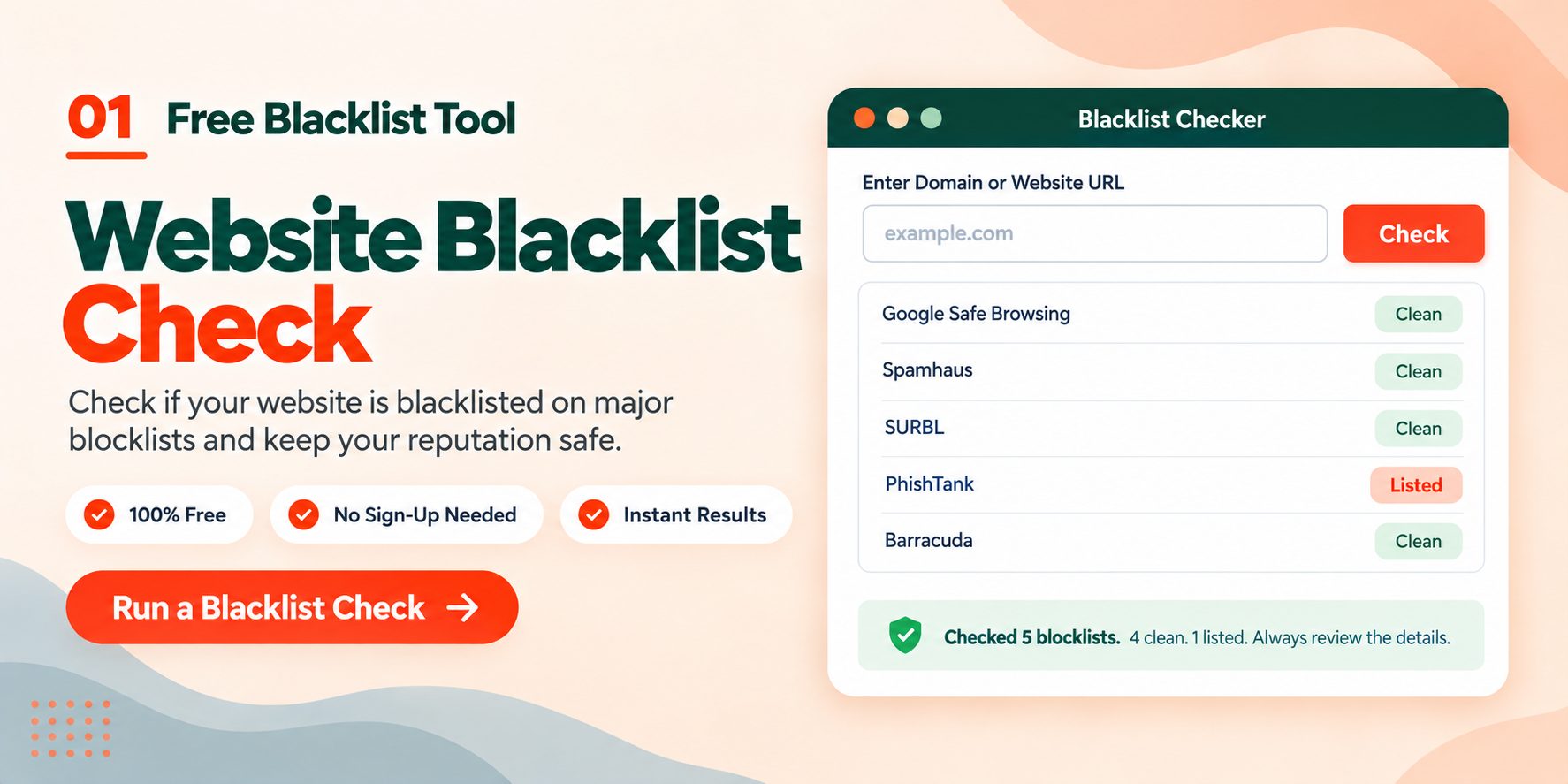
If your emails stopped landing in inboxes, or a browser threw a red warning screen in front of your site, a blacklist is one of the first things worth ruling out. A website blacklist check tells you whether your domain or your server IP has been flagged by the reputation databases that mail servers and security filters consult before they accept your traffic.
The check takes a few seconds. Understanding what it did and did not check takes slightly longer, and that second part is where most people go wrong.
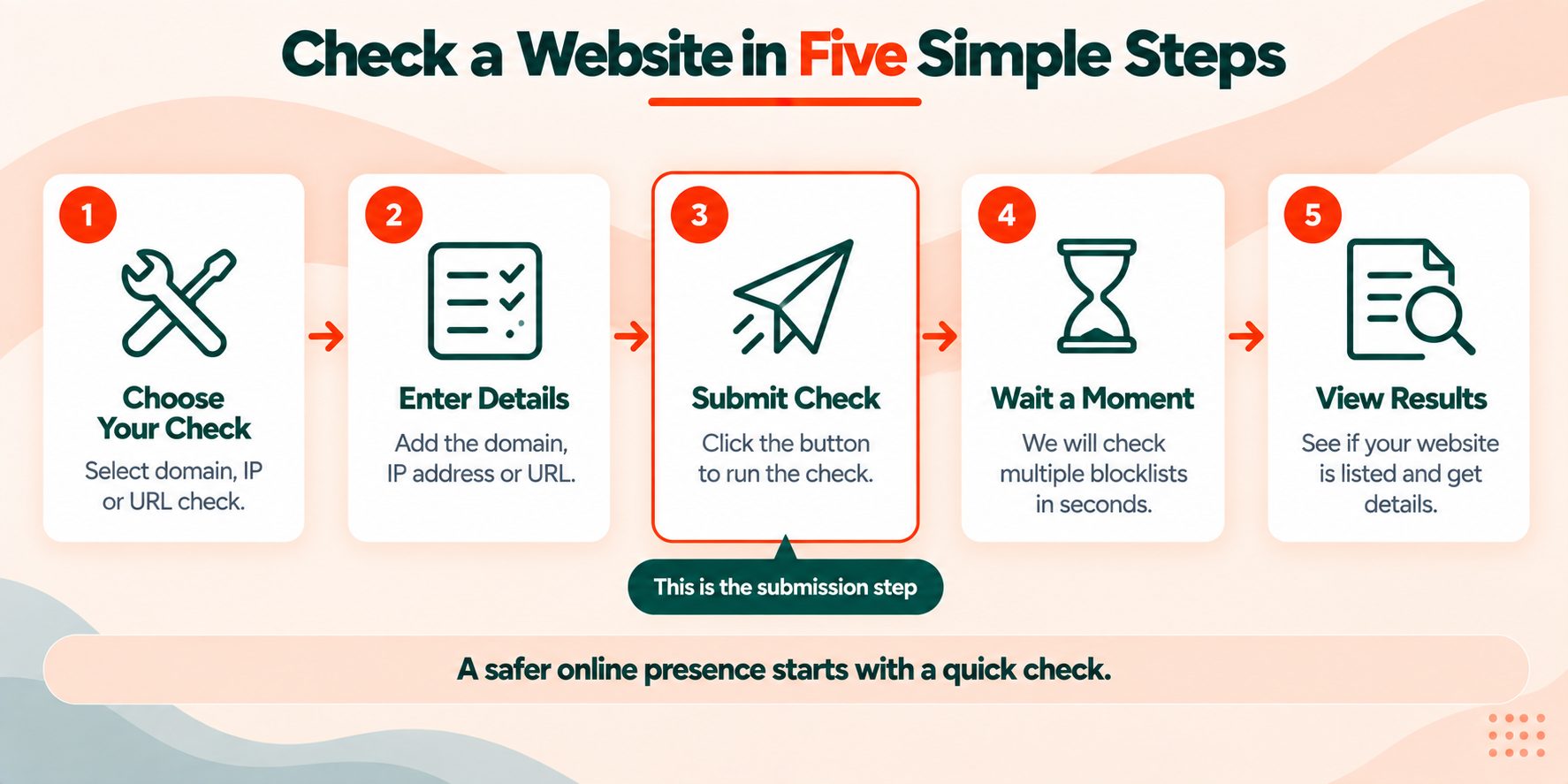
How to Check If a Website Is Blacklisted
You need one piece of information to start: either the domain name or the server IP address.
Step 1. Get your identifier ready. For a domain check, enter the bare domain without https:// and without www, so example.com rather than https://www.example.com. For an IP check, you need the actual server address. If you do not know it, the Domain to IP tool resolves it for you, and What Is My IP shows the address you are browsing from, which is useful if you are checking a mail server you run yourself.
Step 2. Run the check. Paste the domain or IP into the Blacklist Checker and run it. The tool queries a list of DNS-based blocklists in parallel and reports back on each one.
Step 3. Read the results properly. You will get a row per database. Most sites come back clean across every list. A single listing on a minor database is not the same emergency as a Spamhaus listing, so the name of the list matters as much as the fact of the listing itself.
Step 4. Check both the domain and the IP. These are separate records in separate databases. A clean domain on a listed IP still has a delivery problem, and shared hosting makes this common, because a neighbour on your server can get the shared IP listed while your domain stays spotless.
Step 5. Check Google Safe Browsing separately. This is the step nobody tells you about, and it is the reason the next section exists.
This Check Does Not Cover Google Safe Browsing
Here is the single most useful thing on this page.
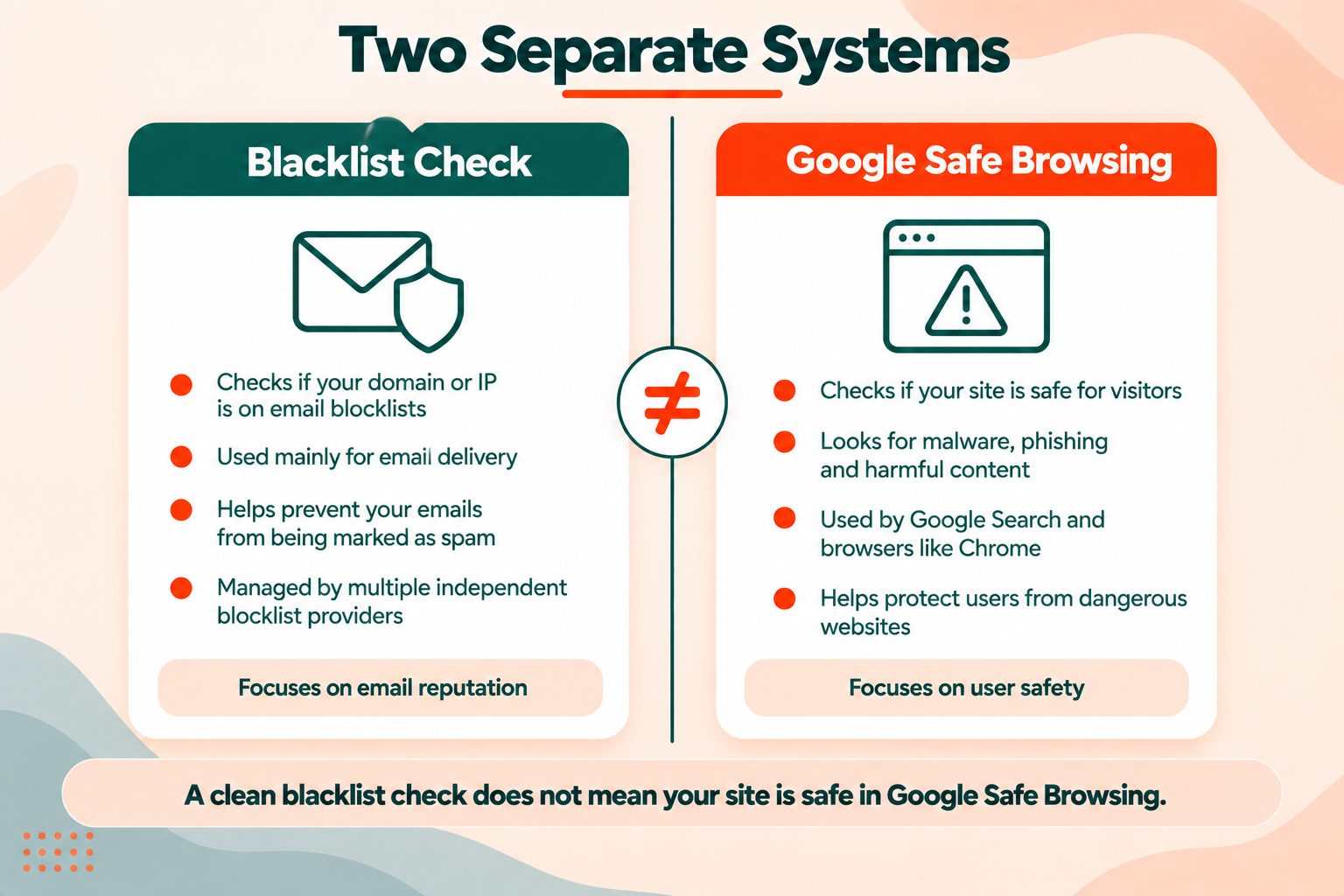
A blacklist check queries DNSBLs, which are DNS-based blocklists built mainly for email filtering. Spamhaus, SURBL, Barracuda, SORBS and the rest of them exist so that receiving mail servers can decide whether to accept a message. That is their purpose, and that is the data they hold.
Google Safe Browsing is a completely separate system. It is Google's own database of sites hosting malware, phishing pages or unwanted software, and it is what powers the full-page red warning in Chrome, Firefox and Safari. It has its own crawlers, its own criteria and its own review process. No DNSBL feeds it, and it feeds no DNSBL.
So the failure mode looks like this. Someone sees a red browser warning. They search for a blacklist checker, run their domain, get "not listed" across the board, and conclude the warning must be a false alarm. It is not. They checked the email reputation system while the problem sat in the browser security system.
To check Google Safe Browsing status:
- Google Search Console is the real answer if you own the site. Open the Security Issues report. If Google has flagged you, this is where the specific finding and the request-review button live.
- The Google Safe Browsing Transparency Report lets you check any URL without owning it. Paste the address and it tells you Google's current status for that site.
Run both checks when you have a problem. They answer different questions, and neither one substitutes for the other.
Domain, IP or URL, Three Different Checks
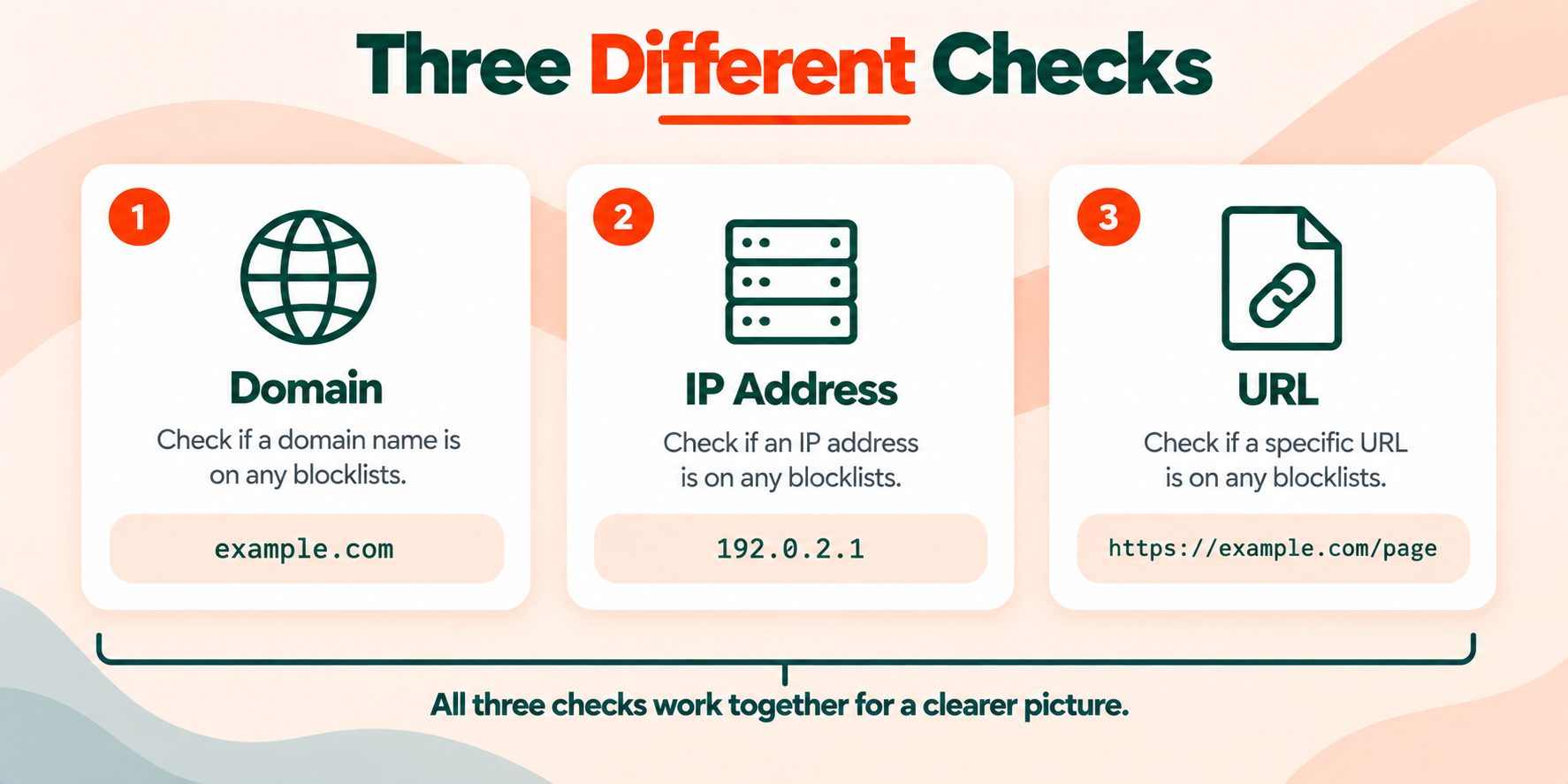
These three get used interchangeably in conversation and they are not interchangeable at all.
Domain blacklist. The listing attaches to the name, so example.com is listed regardless of where it is hosted. Domain listings usually come from URI blocklists like SURBL and URIBL, which collect domains that appear inside the body of spam messages. Moving hosts does not clear a domain listing.
IP blacklist. The listing attaches to the server address. This is the most common type by a wide margin, and on shared hosting it is frequently not your fault at all. One compromised account on the box sends a burst of spam, the IP gets listed, and every site on that server inherits the reputation. Use the Domain Hosting Checker to see who your host is and whether you are on shared infrastructure.
URL blacklist. The listing attaches to a specific page rather than the whole site. This is Safe Browsing territory, and it is why a site can be flagged for one infected file while the rest of it is fine.
A useful habit: when you check, check the domain and the IP, then check Safe Browsing. Three checks, three different systems, and a clean result on one tells you nothing about the other two.
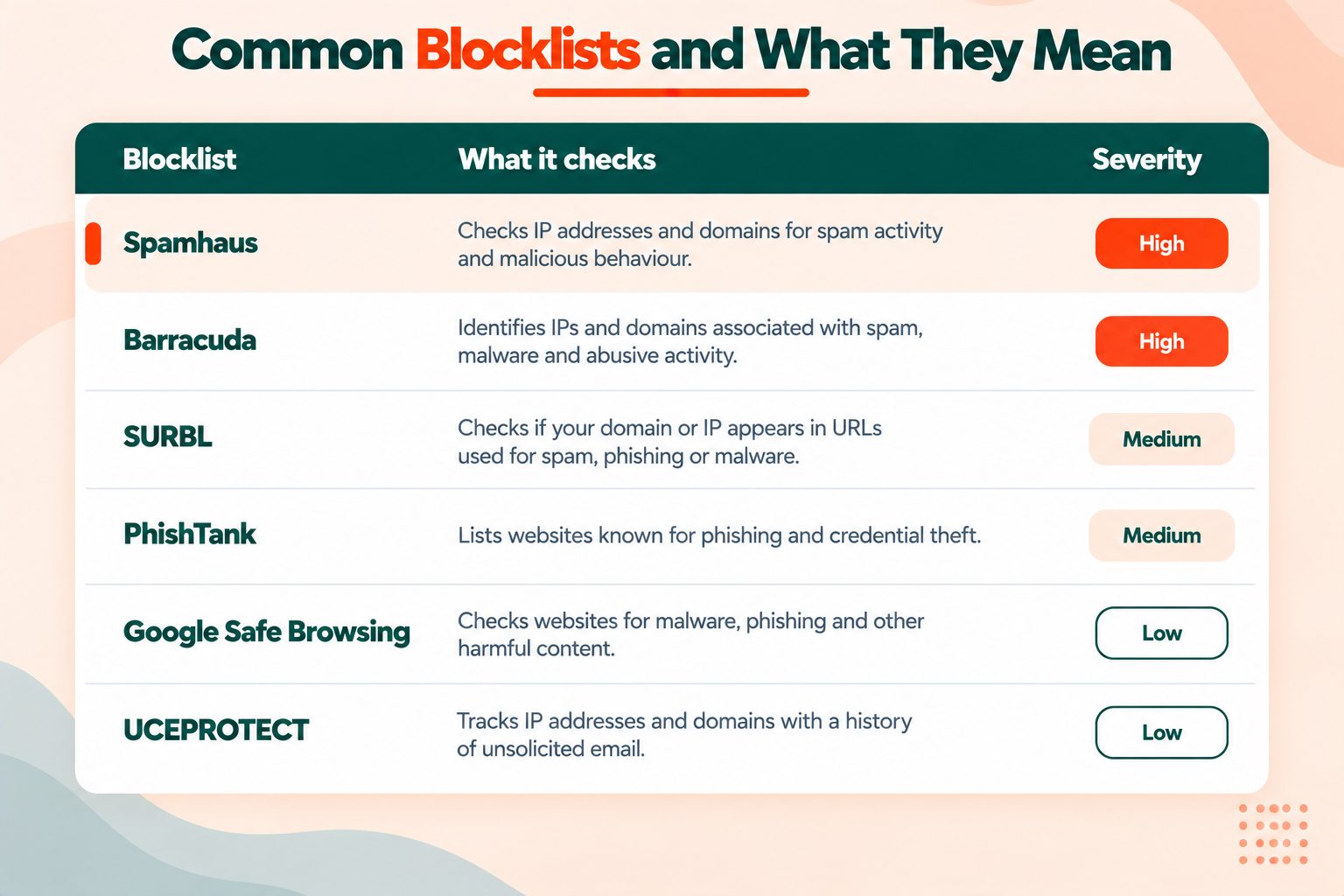
Which Lists Actually Matter
There are hundreds of blocklists. Roughly six of them change anything.
| Blocklist | What it covers | Impact if listed |
|---|---|---|
| Spamhaus SBL/XBL/PBL | IPs sending spam, infected machines, dynamic ranges | Severe. Used by a very large share of mail servers worldwide |
| SURBL | Domains appearing in spam message bodies | High. Affects delivery even when your sending IP is clean |
| URIBL | Domains in spam URLs, similar remit to SURBL | High, and often listed alongside SURBL |
| Barracuda | IP reputation, widely deployed in business email | Moderate to high, especially for B2B senders |
| SpamCop | IP reports from user complaints, entries age out | Moderate, and listings expire on their own within about 24 hours of the last report |
| SORBS | Broad IP coverage including open relays and proxies | Low to moderate, with a reputation for aggressive listings |
If you are listed on Spamhaus, deal with it today. If you are listed on an obscure list you have never heard of and nothing else, check whether any real mail provider consults it before you spend an afternoon on removal.
The technical standard behind how these lookups work is RFC 5782, which defines the DNSBL query format. Worth a read if you want to understand why a blocklist answer arrives as a DNS record rather than an API response.
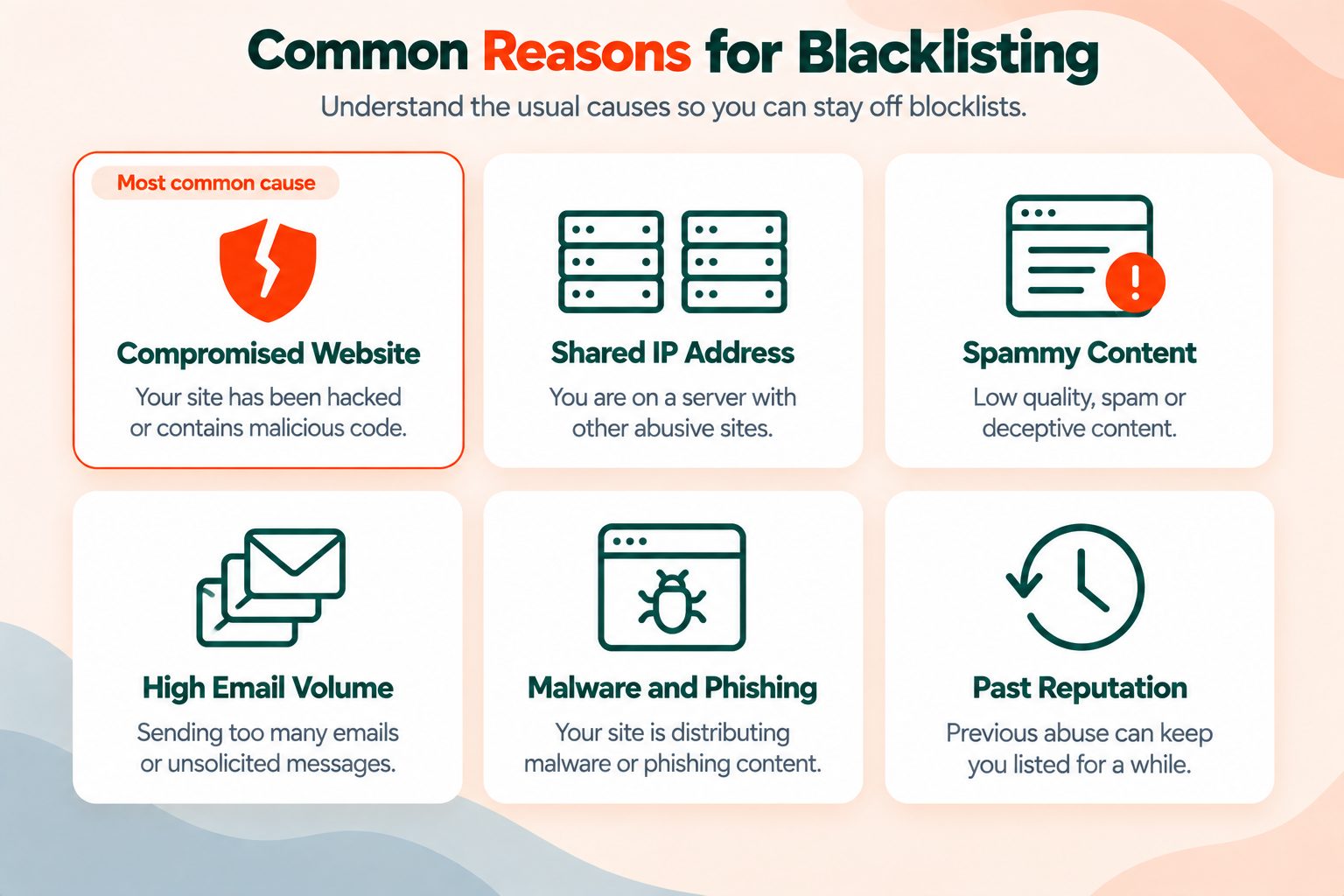
Why You Might Be Listed
The causes cluster into a handful of patterns.
Compromised site sending mail. An outdated plugin or a weak admin password gets exploited, a mailer script gets installed, and your server starts sending spam without you noticing. This is the most common cause for sites that were clean last month.
Shared IP contamination. Covered above. Your neighbour's problem, your delivery failure.
Form abuse. An unprotected contact form or comment box that relays messages, or a signup form that spammers use to fire confirmation emails at addresses they do not own.
Bad list practice. Buying lists, mailing addresses that have not opted in, or ignoring bounces until the bounce rate trips a spam trap.
Malware on the site itself. This gets you Safe Browsing attention rather than a DNSBL listing, and it usually shows up first as a warning in Search Console or a sudden collapse in organic traffic.
Old listing that nobody cleared. IP ranges get recycled. You can inherit a listing from whoever held the address before you.
If you are trying to work out which of these applies, the Find DNS Record tool will show you whether your SPF, DKIM and DMARC records are actually in place, and missing authentication records make every other delivery problem worse.
Checking a Site You Do Not Own
This is a legitimate use and most guides ignore it entirely.
Before you link to a site. A guest post placement or a paid link on a domain with a blacklist history can pass reputation problems along. Run the domain before you commit. Pair it with the Domain Age Checker for a fuller picture, since a young domain with an active listing is a different risk profile from a fifteen-year-old site with one stale SORBS entry.
Before you buy a domain. Expired domains carry their history with them. A domain that was used for spam three owners ago can still sit on SURBL. Check the blacklist status and the WHOIS record before money changes hands.
Before you trust a site with your details. If a shopping site or a download page feels off, the Safe Browsing check is the one that matters here, and it is free and instant.
When a partner blames you. If a client says your emails bounce, checking both their domain and yours quickly establishes which side the problem sits on.
What to Do If You Are Listed
Removal follows the same shape on almost every list.
1. Find and fix the cause first. Delisting before you have fixed the problem gets you relisted, and repeat listings are harder to clear than first offences. Scan the site, patch what needs patching, rotate passwords, and check your outbound mail queue for anything you did not send.
2. Confirm the fix held. Give it a day. Watch your mail logs. Make sure the spam has actually stopped rather than paused.
3. Submit the removal request. Spamhaus handles this through the Spamhaus Blocklist Removal Center, which walks you through the listing reason and the removal form. Most other lists have an equivalent page, usually linked directly from the listing detail.
4. Wait, then re-check. Delisting can be instant or can take a few days depending on the list and the history. Re-run the Blacklist Checker rather than assuming it went through.
5. Fix your authentication while you are here. SPF, DKIM and DMARC will not remove a listing, but they materially improve how receiving servers treat you afterward.
For a fuller walkthrough of the diagnosis and recovery process, including what to look for in server logs, read what to do when your domain is blacklisted.
Quick Reference
| Question | Check this |
|---|---|
| Are my emails being blocked? | Domain and IP against DNSBLs |
| Why is Chrome warning visitors? | Google Safe Browsing, via Search Console |
| Who hosts this site? | Domain Hosting Checker |
| What is this domain's IP? | Domain to IP |
| Is my email authentication set up? | Find DNS Record, for SPF, DKIM and DMARC |
| How old is this domain? | Domain Age Checker |
| Who owns this domain? | WHOIS |
Frequently Asked Questions
Frequently Asked Questions (FAQs) is a list of common questions and answers provided to quickly address common concerns or inquiries.
How do I check if a website is blacklisted?
Enter the domain or server IP into a blacklist checker, which queries DNS-based blocklists such as Spamhaus, SURBL and Barracuda in parallel and returns a listed or not-listed result for each one. Check the domain and the IP separately, then check Google Safe Browsing on its own.
Is a blacklist check the same as a Google Safe Browsing check?
No. Blacklist checkers query email reputation databases. Google Safe Browsing is a separate system covering malware and phishing, checkable through Google Search Console or the Safe Browsing Transparency Report. A clean blacklist result does not mean Safe Browsing has cleared you.
How long does it take to get removed from a blacklist?
It varies by list. SpamCop entries age out automatically within about 24 hours once reports stop. Spamhaus removals are often processed within hours of a successful request. Some smaller lists take several days, and a domain with repeat listings takes longer than a first-time entry.
Can I be blacklisted without sending any email?
Yes. Domain blocklists like SURBL list domains that appear inside spam messages, so someone else can put your domain into their spam and get you listed. Shared hosting can also get your IP listed because of another account on the same server.
Why is my website blocked by Chrome but not on any blacklist?
Because Chrome's warning comes from Google Safe Browsing, not from a DNSBL. The two systems are unrelated. Open the Security Issues report in Google Search Console to see Google's specific finding and request a review.
Does a blacklist listing hurt my SEO rankings?
DNSBL listings are email reputation records and Google does not use them as a ranking signal. A Safe Browsing flag is different and will damage traffic badly, because users see a full-page warning before they reach your site.
How often should I run a blacklist check?
Monthly is sensible for a normal site. Weekly if you send marketing email at volume, and immediately if delivery rates drop, a client reports bounces, or you notice unusual outbound traffic.
Can I check a blacklist status for free?
Yes. The blacklist checker on this site is free with no account needed, and the Google Safe Browsing Transparency Report is also free and open to anyone.
What is the difference between a blacklist and a blocklist?
They mean the same thing. Blocklist is the term the industry has moved to, and Spamhaus renamed its lists accordingly, but blacklist remains the more commonly searched word.
My IP is listed but my domain is clean, what does that mean?
Your server address has a reputation problem while your domain name does not. On shared hosting this usually means another site on the same server caused it. Contact your host, and if it recurs, a dedicated IP or a separate sending service for email is the practical fix.